|

|
Processed through Paypal No account required. |








Buy our over-priced crap to help pay the bills.



|
|
Processed through Paypal No account required. |
| Files | ||||
| File Name | Rating | Downloads | ||
 |
DesktopFrames+ v2.7.7.294 DesktopFrames+ v2.7.7.294 Formerly Desktop Fences+ 👉 Organize your Windows desktop icons, files and shortcuts into customizable virtual frames. DesktopFrames+ is a free and open-source desktop organization utility that creates virtual Frames on your desktop, allowing you to group shortcuts, files and folders into clean, convenient containers. It provides several types of Frames, including regular Data Frames for shortcuts, Portal Frames that mirror the contents of folders, and Note Frames for quickly accessible text. Frames can contain multiple tabs, be arranged into separate workspace profiles and customized with colors, transparency, visual effects, icons and other appearance options. Built-in tools such as SpotSearch, Smart Desktop, automatic backups, profile automation and extensive visibility controls provide additional ways to organize and manage a busy desktop. The program is fully portable and does not require installation. Features: • Create Data Frames for organizing shortcuts to files, folders and web links • Create Portal Frames that mirror the contents of folders • Create Note Frames for keeping text directly on the desktop • Organize shortcuts into multiple tabs within a single Frame • Create independent workspace profiles for different desktop layouts • Switch profiles manually with hotkeys • Automatically switch profiles when specified programs are launched • Smart Desktop engine automatically sorts and moves incoming files according to user-created rules • SpotSearch quickly searches for and launches shortcuts stored across your Frames • Peek Behind temporarily reveals the desktop behind Frames • Rollup hides the contents of Frames while leaving the Frame accessible • Auto-hide conceals Frames after a period of inactivity • Focus Mode highlights a specific Frame from the system tray or with a hotkey • Supports files, folders, web links, Microsoft Store apps, Steam games and Spotify URIs • Run shortcuts as administrator or as a different user • Customize individual Frame background colors and global tint levels • Chameleon Mode automatically matches Frames to the dominant color of your wallpaper • Application launch ... |
 |
2,317 | Sep 07, 2026 Hand Water Pump 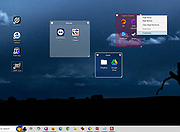 |
| Showing rows 1 to 1 of 1 | Showing Page 1 of 1 | 1 |
OlderGeeks.com Copyright (c) 2026
