|

|
Processed through Paypal No account required. |








Buy our over-priced crap to help pay the bills.



|
|
Processed through Paypal No account required. |
| Files | ||||
| File Name | Rating | Downloads | ||
 |
Policy Plus vOctober 2025 Policy Plus vOctober 2025 👉 Local Group Policy Editor for all editions of Windows. Policy Plus is a free and open-source utility that brings the Local Group Policy Editor (gpedit.msc) functionality to all editions of Windows, including Home editions that do not normally include it. It provides a familiar interface for viewing and editing administrative templates and policy settings, making it easy to configure advanced system settings without needing to manually edit the registry. Policy Plus reads and applies the same policy definitions used by the official Group Policy Editor, ensuring compatibility with Windows administrative templates. It also supports importing the latest policy definitions and offers advanced search capabilities, making it a powerful tool for administrators and power users who want fine-grained control over system configuration. Features: • Full Local Group Policy Editor functionality for all Windows editions • Compatible with official Microsoft Administrative Template files (ADMX/ADML) • Built-in ADMX acquisition tool for downloading latest policy definitions • Advanced search and filtering of policy settings • View, edit, and manage registry-based policies • Portable and open-source Important: To ensure you have the latest Administrative Templates, you can download the full set of ADMX files directly within the program. Go to Help → Acquire ADMX Files, choose the destination folder (typically C:\Windows\PolicyDefinitions), and click Begin to download them from Microsoft. You can also manually open or load ADMX files by selecting File → Open ADMX File or File → Open ADMX Folder. This is useful if you have downloaded specific templates separately or want to work with a custom policy definitions folder. Supported operating systems: • Windows 7, Windows 8, Windows 8.1, Windows 10, Windows 11 Supported languages: English Click here to visit the author's website. |
 |
7,597 | Jun 27, 2026 Ben Nordick 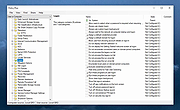 |
|
Simple Software-restriction Policy v2.20 Simple Software-restriction Policy v2.20 A software policy makes a powerful addition to Microsoft Windows' malware protection. In particular, it is more effective against ransomware than traditional approaches to security. If you know about the Linux 'execute permission' bit then you'll understand what this is for. The mode of operation is somewhat different in that execute permission is granted to folders and subfolders rather than individual files, but the intention is the same, to stop undesirable or unknown software from launching unless you OK it. Additionally, it is possible to specify that certain executables (typically browsers and email clients) are run with reduced rights. This is a valuable damage-limitation measure against browser plugin vulns, etc. The protection can be turned off without a reboot whilst installing legitimate software, and will automatically reactivate after a specified time Click here to visit the author's website. |
|
6,461 | Nov 15, 2019 IWR Consultancy 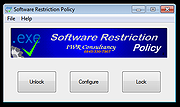 |
| Showing rows 1 to 2 of 2 | Showing Page 1 of 1 | 1 |
OlderGeeks.com Copyright (c) 2026
