|

|
Processed through Paypal No account required. |








Buy our over-priced crap to help pay the bills.



|
|
Processed through Paypal No account required. |
| Files | ||||
| File Name | Rating | Downloads | ||
 |
FleshNote v1.2.0 FleshNote v1.2.0 👉 A minimalist writing and worldbuilding app for novelists who want to finish their draft. FleshNote is an advanced writing tool built for novelists and worldbuilders, combining a manuscript editor with planning tools like timelines, entity tracking, plot mapping, export options, and specialized focus modes designed to keep writers moving forward. Features: • Smart Janitor assistant for passive local analysis of spelling, passive voice, weak adverbs, and show-don't-tell patterns • Hardcore sprint modes including Hemingway Mode, Zen Mode, Kamikaze Mode, and Fog Mode • Entity inspector for tracking character knowledge, goals, and narrative deception • Timeline and plot planner for mapping story beats, arcs, and foreshadowing • World history timeline for organizing backstory events before the main story begins • Unified manager for characters, locations, twists, and quick notes with inline tagging • Export support for PDF, DOCX, and EPUB output • Sketchboards, fictional calendars, relationship tracking, annotations, footnotes, writing prompts, achievements, and other quality-of-life tools Supported operating systems: • Windows, Linux Supported languages: English Changes: v1.2.0 04-26-26 New Features Location Name Generator Naming locations is hard. That's why i built this tool that will attempt to give you a decent starting point based on your answers Context-Aware Naming: The generator looks at your location's geography, history, and founder to propose names that feel earned. A coastal village might become Morskie-klify, while a site of an ancient magic disaster might evolve into something more cryptic. Cultural Roots: Full support for English, Polish and Hungarian naming traditions. The system understands complex rules like adjective gender matching (Stary Las vs Stara G๓ra) and correct grammatical possessives, so your world feels linguistically consistent. Evolutionary "Drift": Use the "Phonetic Drift" slider to simulate the passing of centuries. At higher settings, names start to slur and shift, mimicking how real-world languages evolve over generations. Character Name Generator Creating names for specific genres is now ... |
 |
791 | Aug 03, 2026 ArtFacility 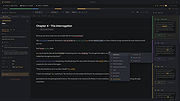 |
 |
Plot Digitizer v2.6.11 Plot Digitizer v2.6.11 Digitize data points off of scanned plots, scaled drawings, or orthographic photographs. Includes an automatic digitization feature that can automatically digitize many types of functional data. Plot Digitizer is a Java program used to digitize scanned plots of functional data. Often data is found presented in reports and references as functional X-Y type scatter or line plots. In order to use this data, it must somehow be digitized. This program will allow you to take a scanned image of a plot (in GIF, JPEG, or PNG format) and quickly digitize values off the plot just by clicking the mouse on each data point. The numbers can then be saved to a text file and used where ever you need them. Plot Digitizer works with both linear and logarithmic axis scales. Besides digitizing points off of data plots, this program can be used to digitize other types of scanned data (such as scaled drawings or orthographic photos). To make the digitizing task easier, this program includes many handy features. For example: You can recalibrate the Y axis without having to recalibrate the X axis (multiple sets of data are commonly plotted with the same X axis). You can insert points between two already digitized points by right clicking and choosing "Insert" from the pop-up menu. You can delete points by right-clicking on the points and choosing "Delete". You can move points by clicking and dragging them. You can compute the length of a digitized curve and you can compute the area of a digitized polygon. You can zoom images in and out. You can save calibrations for an image for later use, and finally, there is unlimited undo/redo. A special feature of this program is the ability to semi-automatically digitize lines off a plot. The user simply indicates where the line ... |
|
914 | Mar 12, 2025 Joseph A. Huwaldt 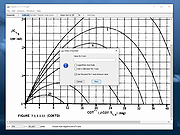 |
| Showing rows 1 to 2 of 2 | Showing Page 1 of 1 | 1 |
OlderGeeks.com Copyright (c) 2026
