|

|
Processed through Paypal No account required. |








Buy our over-priced crap to help pay the bills.



|
|
Processed through Paypal No account required. |
| Files | ||||
| File Name | Rating | Downloads | ||
 |
EarTrumpet v2.3.0.0 EarTrumpet v2.3.0.0 👉 A free, powerful per-app volume mixer and audio device controller for Windows. Features • Visualize audio with multi-channel aware peaking • Standalone volume mixer • Move apps between playback devices • Default playback device management • Automatic updates via the Microsoft Store • Support for light/dark mode and all accent colors • Configurable hotkeys • Modern context menus • Growing multilingual support Supported operating systems: Windows 10/11 Supported languages: Chinese (Simplified), Chinese (Traditional), Chinese (Traditional, Hong Kong SAR), English (United States), French, German, Spanish, Italian, Portuguese, Dutch, Afrikaans, Amharic, Arabic, Norwegian, Czech, Polish, Swedish, Romanian, Turkish, Japanese, Korean, Russian, Thai, Vietnamese Changes: v2.3.0.0 06-11-25 Added setting to turn on/off ability to change volume with the scroll wheel anywhere (thanks @Tester798!) Added setting to turn on/off ability to change volume with the scroll wheel when hovering over the EarTrumpet icon (thanks @Tester798!) Added new community settings area Added new community setting to turn on/off use of a logarithmic volume scale (thanks @yonatan-mitmit!) Added legacy shortcuts to the context menu pointing to [App volume and device preferences] / [Volume mixer] Added ability to use the Windows key in shortcuts (thanks @iamevn!) Added linguistic display name sorting for audio devices (thanks @Tester798!) Added a workaround for Windows Search (CortanaUI) showing a default asset (X) icon Fixed an issue where installation of EarTrumpet via AppInstaller would fail if the Visual C++ libs package was not installed Fixed an issue where EarTrumpet tooltips were not updating live while scrolling the mouse ... |
 |
1,407 | Jun 02, 2026 File-New-Project 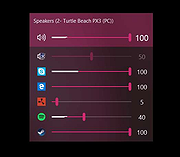 |
|
foobar2000 v2.26 foobar2000 v2.26 👉 Advanced freeware audio player with tagging, conversion, replay gain, and customizable playback features. foobar2000 is an advanced freeware audio player designed for playing mainstream audio formats out of the box, with support for additional decoder components, gapless playback, advanced tagging, Audio CD ripping, transcoding, ReplayGain, internet radio, customizable keyboard shortcuts, and a flexible component architecture for extending functionality. Features: • Plays all mainstream audio formats out of the box • Supports additional decoder components for more formats • Gapless playback • Stream music on your local network • Easily customizable user interface layout • Advanced tagging capabilities • Audio CD ripping and audio transcoding • Full ReplayGain support • Customizable keyboard shortcuts • Built-in DSP effects with support for more through components • Internet radio support • Open component architecture for third-party extensions • No telemetry or data collection Supported operating systems: • Windows 7 or newer • macOS 11 Big Sur or newer Supported languages: • English Changes: v2.26 06-26-26 Converter changes New preset format, presets stored as .ini files in profile subfolder. Old presets imported on first run. Better error messages when receiving unexpected data format change in mid-conversion; made discard blank chunks before checking for format match. Added extensible post-conversion actions which can be used for ReplayGain scanning, integrity testing, etc. On conversion error, encoder's stderr output is forwarded to foobar2000 console. Ogg chaining is now off by default, Ogg chapters written by default instead. Added %source_list_index% & %source_list_total%, only for multi track image naming pattern use, to allow use of list indexes in the pattern. Made file name preview recognize newly added %source_list_index%. Made show output of command-line encoder program in error popup if conversion has failed. Made "no DSP reset" explicitly shown in overview, as ... |
|
6,754 | Oct 05, 2026 foobar2000.org 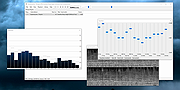 |
 |
Media Player Classic Black Edition v1.9.0 Media Player Classic - Black Edition v1.9.0 👉 Lightweight, open-source audio and video player for Windows with built-in codecs. Media Player Classic - Black Edition (MPC-BE) is a free and open-source audio and video player for Microsoft Windows. Based on the original Media Player Classic and Media Player Classic Home Cinema projects, MPC-BE provides a clean, familiar interface with powerful playback features and a wide range of built-in audio and video codecs. It is designed to be lightweight, efficient, and highly compatible with modern multimedia formats while maintaining the classic Windows-style look and feel. Features: • Supports a wide range of video and audio formats using built-in codecs • High-quality video rendering with support for DXVA hardware acceleration • Subtitle support (external and embedded) with customizable styles • Playlist support and favorite files management • Audio switcher and built-in audio renderer • Customizable interface and toolbar • Screenshot capture and preview thumbnails • Video frame stepping and playback speed control • Command line support and extensive configuration options • Available in portable and installer versions Supported operating systems: • Windows 7, Windows 8, Windows 8.1, Windows 10, Windows 11 Supported languages: English, Russian, Ukrainian, Belarusian, German, French, Spanish, Italian, Polish, Czech, Slovak, Hungarian, Dutch, Portuguese (Brazil), Portuguese (Portugal), Romanian, Bulgarian, Greek, Turkish, Chinese (Simplified), Chinese (Traditional), Japanese, Korean Changes: v1.9.0 06-27-26 Splitters: Fixed crashes in some situations. AudioSplitter: Added support for the RF64 format. Fixed reading of channe This download is for the Windows 64bit installer version (very bottom of page). All other download assets are below: 32bit installer 64bit portable 32bit portable Standalone Filters 64bit Standalone Filters 32bit Use 7-Zip to unzip this file. Click here to visit the author's website. |
|
3,773 | Jul 11, 2026 MPC-BE Devs 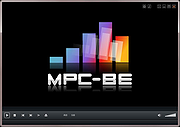 |
|
MediaPlayerOK v1.01 MediaPlayerOK v1.01 👉 Fast and portable media player for Windows. MediaPlayerOK is a compact portable media player for Windows that plays audio and video files with playlists, docking support, tray function, flexible playlists, drag & drop and automatic resume playback. Features: • Plays audio and video files • Compact and portable • Playlist support • Flexible playlists • Docking mode • Tray function • Automatic resume playback • Optional portable mode • Small system resource usage • No installation required Supported operating systems: • Windows XP, Windows Vista, Windows 7, Windows 8.1, Windows 10, Windows 11, Windows Server 2012-2025, 32-bit and 64-bit Supported languages: German, English, Italian, Korean, French, Greek, Traditional Chinese Changes: v1.01 06-11-26 • Minor adjustments in MediaPlayerOK • New languages added to MediaPlayerOK: Italian, Korean, French, Greek, and Traditional Chinese. Click here to visit the author's website. |
|
615 | Sep 23, 2026 Nenad Hrg 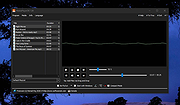 |
|
PotPlayer v260622 PotPlayer v260622 👉 A multimedia player for Windows with built-in codec support, subtitle handling, 3D playback, and hardware acceleration. PotPlayer is a multimedia player designed for Windows that provides maximum performance with minimum resource usage using DXVA, CUDA, and QuickSync. It supports various types of 3D glasses and 3D output formats, including Side by Side, Top and Bottom, and Page Flipping. PotPlayer also supports multiple subtitle formats such as SMI, SRT, DVD Vobsub, Blu-ray subtitles, ASS/SSA animation, and SMI Ruby tags. It includes OpenCodec support so users can add codecs easily, and offers advanced playback features such as smooth video playback, sound card selection, scene preview snapshots, bookmarking favorite scenes or chapters, and support for devices such as DVD, TV, and HDTV. Features: • Provides maximum performance with minimum resource usage using DXVA, CUDA, and QuickSync • Supports various types of 3D glasses and 3D output formats • Supports text subtitles, DVD subtitles, Blu-ray subtitles, ASS/SSA animation, and SMI Ruby tags • Supports OpenCodec so users can easily add additional codecs • Smooth and seamless video playback • Lets you choose which sound card to use when multiple sound cards are installed • Allows scene preview with snapshots • Lets you bookmark favorite scenes or chapters • Supports Direct3D9 Ex Flip Mode and Overlay • Supports devices such as DVD, TV, and HDTV Supported operating systems: • Windows 7, Windows 8, Windows 8.1, Windows 10, Windows 11 Supported languages: • Korean, Chinese (Simplified), Chinese (Traditional), English, Ukrainian, Russian, Polish Changes: v260622 08-06-26 * Removed Kakao TV + Added pause function when navigating via the navigation bar - Significantly improved internal stability - Fixed an issue where colors appeared strange during RGB24 processing - Improved playback for some HTTP streams - Improved sync processing for the built-in audio renderer - Fixed an issue where certain MP4 files behaved abnormally during playback This download is for the Windows 64bit version. If you need the 32bit version, download here. Click here ... |
|
5,040 | Aug 06, 2026 Kakao Corp. 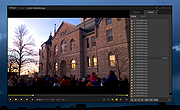 |
| Showing rows 1 to 5 of 5 | Showing Page 1 of 1 | 1 |
OlderGeeks.com Copyright (c) 2026
