|

|
Processed through Paypal No account required. |








Buy our over-priced crap to help pay the bills.



|
|
Processed through Paypal No account required. |
| Files | ||||
| File Name | Rating | Downloads | ||
 |
Right-Click Tools v2.0.4 Right-Click Tools v2.0.4 👉 Add powerful administrative and maintenance tools to the Windows Explorer right-click menu. Right-Click Tools adds a collection of useful commands to the Windows File Explorer context menu, providing quick access to command prompts, PowerShell, Registry Editor, ownership controls, elevated file managers, shell maintenance tools and other frequently needed Windows functions. The tools can be accessed by right-clicking a folder, drive or the background of an open Explorer window. Features: • Adds a customizable collection of tools to the Windows Explorer context menu • Opens Command Prompt or PowerShell in the selected folder • Opens Command Prompt or PowerShell with Administrator privileges • Opens Command Prompt or PowerShell with TrustedInstaller privileges • Supports Windows Terminal, Console Host and optional PowerShell Core configuration • Opens Registry Editor as a standard user, Administrator or TrustedInstaller • Takes ownership of folders and grants access using SetACL • Supports folders containing Unicode characters and long file paths • Adds or removes the selected folder from the user or system PATH variable • Toggles the display of hidden and protected system files • Clears recent items, auto-suggest entries, temporary files and Windows Defender history • Clears the Windows Defender quarantine folder • Refreshes the Windows shell after icon or display changes • Resets the Windows icon and thumbnail caches • Restarts Windows Explorer and reopens the selected folder • Opens a preferred file manager with Administrator or TrustedInstaller privileges • Supports both standard and administrator Windows accounts • Supports multiple user accounts on the same computer • Optional scheduled task reduces repeated UAC prompts • Uses registry-based menu entries instead of a continuously running context menu handler • Adds no background process or significant overhead when opening the context menu • Supports the Windows 11 modern context menu through Custom Context Menu • Automatically detects and supports Windows dark mode • Allows context menu labels and translations to be edited in Language.ini • Available as an installer or portable application • ... |
 |
976 | Oct 13, 2026 LesFerch 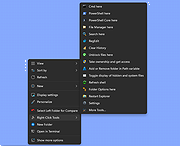 |
 |
Tweaking.com - Reset File Permissions 2.8.8 Tweaking.com - Reset File Permissions 2.8.8 Same as registry permissions, will add admins and system with full access. Will not remove current permissions or owner. This tool is also a part of Windows Repair (All In One). What will this fix? Fixes any problem where not having the right permissions to a file will cause things to break, such as windows updates and programs. |
 |
10,108 | Jan 12, 2022 Tweaking.com |
|
Tweaking.com - Reset Registry Permissions v2.9.2 Tweaking.com - Reset Registry Permissions v2.9.2 This will change the owner of the reg keys to Administrators and give admins & system full control. This will not remove any current permissions, it only adds to them. This tool is also a part of Windows Repair (All In One). What will this fix? A lot of things actually. Here are a few examples. You try to install some Windows updates but they fail. If the updates don't have permission to certain keys the updates will fail. Software wont work. Same as windows updates, if a program cant access a key it needs it will fail. Registering files gives you an error. When trying to register some system files you get an error that it failed. This is because the reg keys the file needs arent accessible. By fixing the permissions you can again register the files. |
|
10,265 | Jan 08, 2018 Tweaking.com 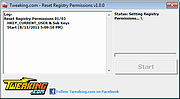 |
| Showing rows 1 to 3 of 3 | Showing Page 1 of 1 | 1 |
OlderGeeks.com Copyright (c) 2026
