|

|
Processed through Paypal No account required. |








Buy our over-priced crap to help pay the bills.



|
|
Processed through Paypal No account required. |
| Files | ||||
| File Name | Rating | Downloads | ||
 |
FreeCAD v1.1.1 FreeCAD v1.1.1 👉 Open-source parametric 3D modeling software for designing real-world objects, from simple parts to complex engineering projects. FreeCAD is an open-source parametric 3D modeler made primarily to design real-life objects of any size. It uses parametric modeling so you can revise designs by going back into the model history and changing parameters, and it also includes tools for solids, BRep objects, NURBS, BIM, FEM, CAM/CNC, and robot simulation workflows. Features: • Parametric 3D modeling with editable model history • Advanced geometry engine based on Open CASCADE Technology • Support for solids, Boundary Representation (BRep) objects, and NURBS • Dedicated BIM workbench for architectural and building workflows • Finite Element Analysis tools with experimental CFD support • CAM/CNC workbench for manufacturing and machining tasks • Robot simulation module for studying robotic movements • Cross-platform availability for Windows, macOS, and Linux Supported operating systems: • Windows 8, Windows 10, Windows 11 (64-bit) • macOS • Linux Supported languages: • English, German, French, Italian, Spanish, Turkish, Croatian, Vietnamese, and over two dozen total interface languages/community translations Changes: v1.1.1 03-25-26 [Backport releases/FreeCAD-1-1] Spreadsheet: Don't show overlay by @freecad-ci-runner in #28017 [Backport releases/FreeCAD-1-1] core: fix issue #26478 select all instances even in group with mirror'd objects by @freecad-ci-runner in #28018 [Backport releases/FreeCAD-1-1] measurement: label drag when infront of model by @freecad-ci-runner in #28019 [Backport releases/FreeCAD-1-1] Gui: Clear cached shape after change to Deviation by @freecad-ci-runner in #28024 [Backport releases/FreeCAD-1-1] Draft: fix clone diffuse color regression by @freecad-ci-runner in #28025 [Backport releases/FreeCAD-1-1] BIM: remove switch to profile beam creation based on dimensions by @freecad-ci-runner in #28220 [Backport releases/FreeCAD-1-1] Part: Make 3D View properly checkable by @freecad-ci-runner in #28031 [Backport releases/FreeCAD-1-1] Gui: update CoinPtr to not use boost::intrusive_ptr by @freecad-ci-runner in #28623 [Backport releases/FreeCAD-1-1] Base: use magnitude for unit schema thresholds by @freecad-ci-runner in #28589 [Backport releases/FreeCAD-1-1] Part: Avoid LowerDistanceParameter exception to prevent MacOS crash (… by @freecad-ci-runner in #28494 TechDraw: manual backport of PR#28097 by @WandererFan in #28423 [Backport releases/FreeCAD-1-1] PartDesign: fix the ... |
 |
5,155 | Jun 19, 2026 The FreeCAD project 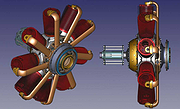 |
|
OpenSCAD v2026.06.21 OpenSCAD v2026.06.21 👉 A script-based solid 3D CAD modeler for programmers, makers and tinkerers. OpenSCAD is free software for creating solid 3D CAD objects using a scripting language instead of a traditional point-and-click drawing interface. Instead of drawing shapes interactively, you write code that defines the geometry, making designs easy to reproduce, modify, and share. This approach is especially useful for engineers, makers, educators, hobbyists, and anyone who wants complete control over their models. OpenSCAD focuses on constructive solid geometry (CSG), allowing complex objects to be built by combining simple primitives such as cubes, spheres, cylinders, polygons, and polyhedrons using union, difference, and intersection operations. Variables, loops, functions, modules, and mathematical expressions can be used to create highly customizable and parametric models that can be quickly adapted for different sizes or configurations. The built-in editor includes syntax highlighting, code completion, bookmarks, snippets, and multiple document tabs to simplify development. Models can be previewed rapidly during design and fully rendered for accurate geometry before exporting. OpenSCAD supports importing and exporting several common formats including STL, 3MF, AMF, SVG, DXF, OFF, and PDF, making it suitable for 3D printing, CNC machining, laser cutting, documentation, and interoperability with other CAD applications. It also provides a command-line interface for automated rendering and batch processing, a Customizer for creating user-adjustable parameters, and extensive official documentation, tutorials, language references, and cheat sheets. Recent snapshot builds also include support for the optional Manifold geometry engine, which can significantly improve rendering performance for many complex models. Supported operating systems: • Windows 10 64-bit or newer, Intel/AMD systems only • macOS 11 Big Sur or newer, Intel and Apple Silicon • Linux x86 64-bit AppImage • Linux ARM 64-bit AppImage, built and tested only for Raspberry Pi OS 64-bit • Linux Snap, Linux Flatpak, Debian, Ubuntu, Fedora, openSUSE, Arch Linux Supported languages: English, Chinese, Armenian, French, Russian, Polish, German Changes: v2026.06.21 06-21-26 Not provided. This ... |
|
6,823 | Jun 25, 2026 Marius Kintel 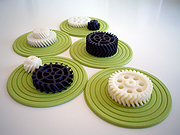 |
| Showing rows 1 to 2 of 2 | Showing Page 1 of 1 | 1 |
OlderGeeks.com Copyright (c) 2026
