|

|
Processed through Paypal No account required. |








Buy our over-priced crap to help pay the bills.



|
|
Processed through Paypal No account required. |
| Files | ||||
| File Name | Rating | Downloads | ||
 |
Portmaster Free v2.1.7 Portmaster Free v2.1.7 👉 Free and open-source application firewall focused on privacy and network control. Portmaster Free is a free and open-source application firewall and privacy suite that helps you monitor and control your computer's network activity. It can expose application connections, block ads, trackers, malware hosts, secure DNS requests, and let you create global or per-application rules to better manage how software communicates over the network. Features: • Monitor all network activity • Block ads, trackers, and malware hosts system-wide • Secure DNS queries with DNS-over-TLS • Create your own privacy and network rules • Set global and per-application settings • Cut applications off from the Internet when needed • Block specific connection types such as p2p or connections to certain countries • Open-source with documentation and source code available Supported operating systems: • Windows 10 64-bit, Windows 11 64-bit • Ubuntu 64-bit, Debian 64-bit, Fedora 64-bit, Arch Linux 64-bit, Other Linux 64-bit Supported languages: English Changes: v2.1.7 12-17-25 Note: A manual restart of the Portmaster user interface is required after an automatic update for certain fixes to take effect. New: • "Pause" functionality • (UI) Auto-reload connections Fixes: • The "SPN Cannot Bootstrap" issue • Mouse "back" button causing the Portmaster UI to lock up • (Linux) UI crash in rust-dark-light module • DNSMonitor module crash on stop • UI WebSocket shutdown lifecycle • UI issue when loading grouped connections from the "future" • (Linux) iptables recovery This download is for the Windows version (very bottom of page). All other download assets are below: Debian/Ubuntu: Portmaster_2.1.7_amd64.deb Fedora: Portmaster-2.1.7-1.x86_64.rpm Click here to visit the author's website. |
 |
3,117 | Apr 01, 2026 Safing ICS Technologies GmbH 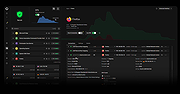 |
 |
TCP Over HTTP Tunnel v14.0.0 TCP Over HTTP Tunnel v14.0.0 Free Server Provided by Fastssh.com Server: tcp.serverip.co Ports: 80, 8080, 3128 Password: fastssh.com Works only with fastssh.com SSH accounts. In some networks, the use of CONNECT method is blocked. In such cases, an HTTP tunnel can still be implemented using only the usual HTTP methods as POST, GET, PUT and DELETE. The server runs outside the blocked network and acts as a special HTTP server. The client program is run on a computer inside the blocked network. Whenever any network traffic is passed from the client, the client repackages the traffic data as an HTTP request and relays the data to the outside server, which extracts and executes the original network request for the client. The response to the request, sent to the server, is then repackaged as an HTTP response and relayed back to the client. Since all traffic is encapsulated inside normal GET and POST requests and responses, this approach works through most proxies and firewalls. Features TCP Tunneling Over HTTP HTTP tunneling without using CONNECT Server script config generator. Hide to Windows Try Icon System. English and Portuguese Tutorials. Show Logs Free Fastssh.com Server Target Rules Click here to visit the author's website. |
|
6,097 | Jul 16, 2020 tcpoverhttp 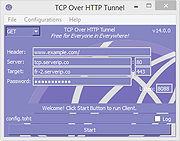 |
| Showing rows 1 to 2 of 2 | Showing Page 1 of 1 | 1 |
OlderGeeks.com Copyright (c) 2026
