|

|
Processed through Paypal No account required. |








Buy our over-priced crap to help pay the bills.



|
|
Processed through Paypal No account required. |
| Files | ||||
| File Name | Rating | Downloads | ||
 |
FreePlane v1.13.3 FreePlane v1.13.3 👉 Free and open-source mind mapping, knowledge management and project planning software. Freeplane is a free and open-source application for mind mapping, knowledge management, project management, note taking, outlining and organizing ideas. It helps you capture thoughts, structure information, analyze relationships, create visual maps and manage personal, school or work projects. Features: • Create and edit mind maps, concept maps and information maps • Organize ideas, notes, tasks, projects and research • Navigate large maps with folding, filtering and searching • Add links, notes, icons, attributes and formatted content • Supports add-ons and scripting for extended functionality • Can run installed or from removable storage • AI integration support in newer Java environments • Open-source and community-developed Supported operating systems: • Windows with Java 8 to 22, or Windows installer with embedded Java • macOS Intel and Apple Silicon using DMG builds with embedded Java • Linux using DEB installer or ZIP archive, requires Java 11 to 21 Supported languages: Multilingual, English source language, Freeplane is translated into 40 languages using Weblate Changes: v1.13.3 07-14-26 Tag category AI tools Tag category scripting API Copying selected chat messages as markdown Options to show root node text or bookmark titles on tab titles and map menu labels - Preferences…->Appearance->Look and Feel->Tab titles - Preferences…->Appearance->Look and Feel->Maximum tab title length Bookmarks outline and bookmark toolbar can follow the view root Switch AI Chat tool availability between reading, editing and disabled Add reusable AI prompts that are managed in a dialog like assistant profiles, exposed as dynamic actions - Tools->AI prompts->Edit prompts... Thinking effort and temperature configuration Search and filter AI model selectors in chat, reusable prompts and assistant profiles - Keep one session-wide filter across selectors - Navigate filtered models with Up and Down and confirm a model with Enter Configure OpenAI, OpenRouter, Requesty, custom OpenAI-compatible, Gemini and Ollama providers concurrently - Manage provider and model settings in the separate AI models ... |
 |
6,134 | Oct 02, 2026 Dimitry Polivaev 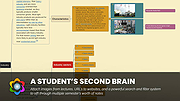 |
 |
Stick A Note v3.1.1 Stick A Note v3.1.1 Stick a text note to a window of program or document. The note shows only on that window and moves with it! Press hotkey Win+n on a program or document window to stick a note to it. Right click on tray icon and select Settings, to define the hotkey and other values. Note: Add a shortcut to the .exe file to the Windows Start folder to have the program autostart with Windows. 1) Select the Start button and scroll to find the app you want to run at startup. 2) Right-click the app, select More, and then select Open file location. This opens the location where the shortcut to the app is saved. If there isn't an option for Open file location, it means the app can't run at startup. 3) With the file location open, press the Windows logo key + R, type shell:startup, then select OK. This opens the Startup folder. 4) Copy and paste the shortcut to the app from the file location to the Startup folder. Click here to visit the author's website. |
|
3,861 | Sep 07, 2022 Anand Gupta 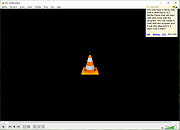 |
|
Treesheets v3247 TreeSheets v3247 👉 Hierarchical spreadsheet-style note taking for organizing complex information visually. TreeSheets is a unique information organizer that combines the structure of a spreadsheet with the flexibility of a hierarchical outliner. It allows you to create deeply nested grids of cells, making it ideal for managing complex data, brainstorming ideas, planning projects, or structuring large amounts of information in a compact and visual way. Unlike traditional spreadsheets, TreeSheets supports recursive cell structures, meaning each cell can contain another grid. This makes it especially powerful for breaking down large concepts into manageable sections while keeping everything accessible in a single document. TreeSheets is lightweight, fast, and portable, making it suitable for quick note-taking or large structured documents alike. Features: • Hierarchical spreadsheet-style data organization • Unlimited recursive grids within cells • Compact visual layout for dense information • Keyboard-driven navigation and editing • Fast search across entire document • Import and export to multiple formats including text and HTML • Printing support with automatic layout adjustments • Lightweight and portable application • Open-source and actively maintained Supported operating systems: • Windows 7, Windows 8, Windows 10, Windows 11 • macOS 10.13 or higher • Linux (AppImage and source builds) Supported languages: English, Dutch, German, Spanish, French, Italian, Russian, Chinese, Japanese Changes: v3247 07-12-26 Revert "Do not overwrite existing cells when grid is merged or multi-… This download is for the Windows 64bit installer version (very bottom of page). All other download assets are below: Other Windows: TreeSheets-3247-winx64.zip TreeSheets-3247-winarm64.exe TreeSheets-3247-winarm64.zip macOSX: TreeSheets-3247-Darwin.dmg Linux: treesheets_3247_amd64.deb treesheets_3247_arm64.deb Click here to visit the author's website. |
|
5,724 | Jul 13, 2026 Wouter van Oortmerssen 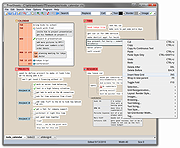 |
| Showing rows 1 to 3 of 3 | Showing Page 1 of 1 | 1 |
OlderGeeks.com Copyright (c) 2026
