|

|
Processed through Paypal No account required. |








Buy our over-priced crap to help pay the bills.



|
|
Processed through Paypal No account required. |
| Files | ||||
| File Name | Rating | Downloads | ||
 |
Alternate File Move v2.120 Alternate File Move v2.120 A simple program for synchronization (or mirroring) of the content of two folders. To achive this, the amount of necessary file operations is reduced to a minimum. The program offers several options/settings to do this processing like - File comparison by size - File comparison by date (different, older, newer) - File comparison by content - Adding missing files to target folder - Removing files that are not contained in source folder - Include empty folders into synchronization IMPORTANT NOTE: You are using this program at your own risk. In any cases of doubt please always do backups of the file that you want to process. This program is freeware/open source. Changes in this version: - Installation updated - Error corrections MD5 value: 4c4991a80a7872ecbcaee8e84bd73f1b Supported operating systems: Windows 98, Me, 2000, XP, Server 2003, Vista, Server 2008, 7, 8, 8.1, 10 Languages included: English, German, Spanish, French, Chinese, Swedish, Arabic, Italian, Greek, Russian, Japanese, Hungarian, Turkish, Polish Click here to visit the author's website. |
 |
6,291 | Dec 21, 2021 Alternate Tools 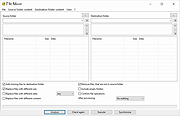 |
 |
Disable, Move and Reset Password for Expired AD Accounts v1.0 Disable, Move and Reset Password for Expired AD Accounts v1.0 Searches Active Directory for any accounts that have expired. Then... disables them if not already disabled, sets a new password, and moved them to the desired OU for review and de-provisioning. This is a Powershell script that should be ran in Powershell or Terminal admin. Click here to visit the author's website. |
|
3,159 | Apr 17, 2022 Brad Call 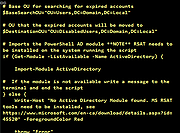 |
|
MagicMouseMove v1.0.3 MagicMouseMove v1.0.3 👉 Prevent idle time with automatic natural mouse movement. MagicMouseMove is a small Windows tool that performs minimal, natural-looking mouse movements after an adjustable period of inactivity. It is designed to help prevent unwanted idle states, connection drops, standby interruptions, and similar inactivity-related issues during tasks such as streaming, remote access, presentations, or long-running sessions. MagicMouseMove runs as a lightweight utility and is also available in a portable version, making it easy to use without a complicated setup. Its focus is simple automatic mouse activity simulation with natural movement behavior. Features: • Performs small, natural-looking mouse movements automatically • Helps prevent idle time and connection drops • Adjustable inactivity timing before movement begins • Small and lightweight utility • Available as a portable version for flexible use Instructions: • Download and run MagicMouseMove or the portable version • Set the idle time delay before automatic mouse movement starts • Let the program run while you need to avoid inactivity-related interruptions • Adjust settings as needed for your session or workflow Supported operating systems: • Windows XP, Windows Vista, Windows 7, Windows 8.1, Windows 10, Windows 11 • Windows Server 2016, Windows Server 2019 Supported languages: • German, English, Dutch, Traditional Chinese, Spanish, Russian, Simplified Chinese, Korean, French, Hebrew Changes: v1.0.3 05-10-2026 • Minor adjustments and general bug fixes • Updated MagicMouseMove language file and new languages: Korean, French, Hebrew • Many thanks to Venus Girl for the Korean translation. • Many thanks to Drake4478 for the French translation. • Many thanks to peterg for the Hebrew translation. Click here to visit the author's website. |
|
723 | Aug 04, 2026 Nenad Hrg  |
|
TeraCopy Free v4.0.3 TeraCopy Free v4.0.3 👉 Fast and reliable file copy and move utility for Windows. TeraCopy Free is a Windows file transfer utility designed to replace the standard Windows copy and move functions with a faster, more reliable alternative. The free version improves large file transfers, verifies copied files to ensure data integrity, automatically retries failed transfers, and integrates directly into Windows Explorer for seamless everyday use. It also supports checksum generation and verification, secure file deletion, and copying locked files. This listing is for the free Windows edition intended for home and non-profit use only. Features: • Faster file copy and move operations than Windows Explorer • Verify copied files to ensure data integrity • Automatically retry failed file transfers • Skip problematic files without stopping the entire transfer • Preserve original file date and time stamps • Copy locked files • Integrates with Windows Explorer context menus • Run shell scripts (CMD or PowerShell) when transfers complete • Generate and verify checksum files including CRC32, MD5, SHA-1, SHA-256, SHA-512, Panama, Tiger, RipeMD, Whirlpool, and xxHash • Securely delete files • Keeps a history of recently used folders for quicker navigation • Free for home and non-profit use Supported operating systems: • Windows 7, Windows 8, Windows 8.1, Windows 10, Windows 11 • Windows Server 2003–2025 Supported languages: • Arabic, Bengali, Bulgarian, Catalan, Chinese Simplified, Chinese Traditional, Croatian, Czech, Danish, Dutch, English, Estonian, Finnish, French, Georgian, German, Greek, Hebrew, Hindi, Hungarian, Indonesian, Italian, Japanese, Korean, Lithuanian, Malay, Norwegian, Persian, Polish, Portuguese, Portuguese (Brazilian), Romanian, Russian, Santali, Serbian, Slovak, Slovenian, Spanish, Spanish (Argentina), Spanish (Mexico), Swedish, Thai, Turkish, Ukrainian, Vietnamese Changes: v4.0.3 07-14-26 Fixed file enumeration on macOS SMB shares: worked around a bug in Apple’s SMB server that truncates large directory listings. Fixed issue with file sizes on Macrium tbFAT. Per-user installation no longer requires elevation. ... |
|
10,220 | Jul 16, 2026 Code Sector 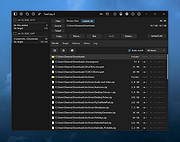 |
| Showing rows 1 to 4 of 4 | Showing Page 1 of 1 | 1 |
OlderGeeks.com Copyright (c) 2026
