|

|
Processed through Paypal No account required. |








Buy our over-priced crap to help pay the bills.



|
|
Processed through Paypal No account required. |
| Files | ||||
| File Name | Rating | Downloads | ||
 |
Pulover's Macro Creator v5.4.0 Pulover's Macro Creator v5.4.0 Pulover's Macro Creator is a full featured automation tool for Windows and it's free for everyone! Get started watching the Video Tutorials! Feature Highlights Pulover’s Macro Creator can automate from simple mouse clicks to complex macros with loops and conditions. The built-in Recorder is a handy tool to create precise macros with little effort. Mouse & Keyboard Send keystrokes, keyboard commands, move and click. Control Commands Control windows in the background. Set and get information from a window’s control. Window Commands Wait for a window to exist or be active. Move, resize, maximize, minimize and set various window’s settings. Image & Pixel Search Search for an image or pixel on the screen. Make screenshots and define actions to be taken. Loops Simple and advanced loops. Iterate through files and folders, text files and objects. If Statements Control the flow of your macros setting conditions. Variables & Functions Define and modify variables and objects. Use strings, numbers and variables. Create arrays. Internet Explorer & General COM objects Simplified interface for IE and support for Auto-Hotkey Expressions allowing to control applications like Excel and Word. User-Defined Functions Define your own functions with input and output values to be used in your macros. v5.4.0 Fixed missing or mixed rows when importing files. Automatically adding escape char in delimiter em omit chars in Loop window. Click here to visit the author's website. |
 |
4,216 | Feb 22, 2021 Rodolfo Batista 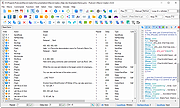 |
 |
Work by Speech v3.0 Work by Speech v3.0 Control and work on your Windows computer by speech alone. Work by Speech is a Windows app that allows efficient computer use by speech alone. It includes voice commands for common actions, application switching and opening, custom voice commands, macro recording, dictation mode and speech-controlled mouse control. Features: • Work on a computer by speech alone • Quiet speaking support • Application switching and opening by speech • Built-in voice commands for common actions • Custom voice commands management • Macro recording • Separate dictation mode • Speech-controlled mouse actions • Customizable and movable mousegrid with up to 2550 figures • Automatic mousegrid optimization for every used application • Very low processor usage • Works with any microphone • Requires .NET Framework 4.7.2 or higher • Requires administrator rights for mouse clicking and key pressing in administrator-run apps Supported operating systems: • Windows 7 SP1, Windows 8.1, Windows 10, Windows 11 Supported languages: • English Changes: v3.0 07-19-26 Fixed a Smart Mousegrid bug occurring after updating from version 2.7 or earlier to versions 2.8 or 2.9, or from version 2.6 or earlier to versions 2.7, 2.8, or 2.9. Note: This program requires administrator rights to run (without them mouse clicking and keys pressing by speech would not work in apps that were run as administrator). Click here to visit the author's website. |
|
492 | Jul 21, 2026 Mikolaj Magowski 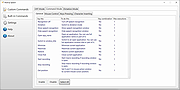 |
| Showing rows 1 to 2 of 2 | Showing Page 1 of 1 | 1 |
OlderGeeks.com Copyright (c) 2026
