|

|
Processed through Paypal No account required. |








Buy our over-priced crap to help pay the bills.



|
|
Processed through Paypal No account required. |
| Files | ||||
| File Name | Rating | Downloads | ||
 |
Giant Log Viewer v1.0.1 Giant Log Viewer v1.0.1 A free, opensource, cross-platform and portable application that allows viewing text files of any size when the less command is not available. Needing to check a 4.9 GB log file on a platform where the less file pager is not available? Don't cry. This software is going to save you! This software loads instantly with same low memory footprint regardless of a 4 MB, 4 GB or 4 TB text file is opened, as long as it doesn't hit any limitations (see Limitations below). The JVM is limited to use at most 80 MB heap memory (plus overheads) currently. Limitations: • Supports UTF-8 encoding and ASCII text files only • Doesn't work if there is a long line (>= 1 MB) in the file • Emoji sequences are not supported -- it would be displayed as multiple emoji characters • Doesn't work if your OS has no GUI • Doesn't work if you are not using Windows, macOS nor Linux • Not as powerful as less yet How to Use: 1) Drag and drop a UTF-8 / ASCII text file to this application. 2) Navigate with a keyboard. The less key bindings can be used. Click the "?" button in the top-right corner for the full keymap. This download is for the Windows version (very bottom of page). All other download assets are below: macOS: GiantLogViewer-v1.0.1-macos-X64.dmg GiantLogViewer-v1.0.1-macos-ARM64.dmg Linux: GiantLogViewer-v1.0.1-linux-X64.tar.gz Click here to visit the author's website. |
 |
984 | Apr 15, 2025 Sunny Chung 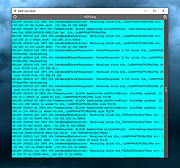 |
|
MyRouter Log v1.1 MyRouter Log v1.1 MyRouter Log is essentially a UDP listener, designed to listen to log file broadcasts like those produced by most home style ADSL Modem / Routers. Routers keep a log file of activity but when the router crashes in most instances the log is lost. You need a program like "MyRouterLog" to capture the log file so you can review the log files after a crash. MyRouter Log has the following features: Configurable to listen on any port Logs the results to a text file in logs directory. Captures log results and displays in the UI. Minimises to the system tray and shows last message User Guide included in help menu Main application window with live logging of router broadcasts. Preferences Screen Minimised to system tray, showing last router message Shortcut to Log file directory. Version 1.1 Released 1/06/2018 Updated due to installer issues, no functional change Requires updated .net 4.6.1 or later Click here to visit the author's website. |
|
6,113 | Jan 05, 2020 homedev 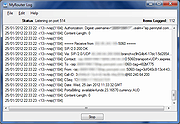 |
 |
Open DroneLog v3.3.0 Open DroneLog v3.3.0 👉 Open-source drone flight logging, fleet tracking, and operational management platform. Open DroneLog is an open-source drone flight logging and fleet management platform built to help drone pilots, hobbyists, and commercial operators maintain accurate and organized flight records. It provides a centralized system where users can log detailed flight information, manage aircraft and equipment inventories, track battery usage cycles, and maintain pilot credentials and documentation. Open DroneLog is designed as a web-based application that can be self-hosted, allowing full control over your operational data. By keeping all records in one place, it simplifies compliance, improves maintenance tracking, and helps ensure that drones and related equipment remain airworthy and properly documented. Its structured layout makes it easy to review flight history, analyze usage trends, and maintain a complete operational logbook. Which drones and flight logs are supported? Open DroneLog supports all DJI drones that generate .txt flight logs including DJI Mini, Mavic, Air, and Phantom series. It also supports Litchi CSV exports with automatic metric/imperial unit detection. Features: • Detailed flight logging with customizable flight records • Centralized drone fleet management • Equipment and component tracking • Battery cycle tracking and usage monitoring • Pilot management with record keeping • Maintenance and service history tracking • Organized digital logbook for compliance and auditing • Web-based interface accessible from modern browsers • Self-hosted deployment for full data ownership • Open-source project with publicly available source code Supported operating systems: • Windows, macOS, and Linux as a desktop application. You can also deploy it as a self-hosted web app using Docker on any server or NAS device. Supported languages: • English Changes: v3.3.0 05-01-26 What's New Proxy Configuration Support for DJI Keychain Implemented asynchronous keychain fetching using the reqwest library. This allows the application to respect and utilize system-level proxy configurations, resolving connectivity issues in restricted network environments. (Discussion #184) HTML Report Generation for single flights Added a new HTML report generation export option and ... |
|
710 | Jul 06, 2026 Arpan Ghosh  |
|
PilotEdit Lite v21.5.0 PilotEdit Lite v21.5.0 👉 Free text and hex editor designed for working with large files and advanced text processing tasks. PilotEdit Lite is a lightweight yet powerful text and source code editor built for users who need to handle large files, perform advanced search and replace operations, edit hex data, and manage coding projects efficiently. The Lite edition provides many of the core editing and file management tools found in the full version while remaining free for personal use. It is especially useful for programmers, web developers, log file analysis, and anyone working with very large text files that standard editors may struggle to open or process smoothly. Features: • Open and edit large text files • Syntax highlighting for multiple programming languages • Hex editor mode for binary file editing • Advanced multi-line search and replace • Column mode editing • Regular expression support • File compare functionality • FTP and SFTP file transfer support • Unicode and UTF-8 support • Customizable text encoding options • Line sorting and duplicate removal tools • Powerful file search across directories • Bookmark support for quick navigation • Word wrap and split window editing • Configurable keyboard shortcuts • Session and workspace management • Automatic file backup support • Portable version available Supported File Types: AHK Script, ASP, ASP.NET, AngularJS TypeScript, Apache Pig Latin Script, Assembly, AutoIt Script, BAT/CMD, C#, C/C++, COBOL, CSS, CSV, Conf, D Programming, DSV, Eiffel, Erlang, F#, Go, Groovy, HTML, Haskell, INF, INI, Inno Setup Script, J#, JSON, JSP, Java, Javascript, LESS, LISP, LaTex, Log, Lua, MATLAB, Markdown, MicroBasic Pro, PHP, Pascal, Perl, PilotEdit Script, PowerShell Script, Python, R Programming, REXX, RHTML, Ruby, SQL, Scala, TCL/TK, TSV, Text, Textile, UNIX/Linux Shell, VC++ Resource, Visual Basic, XHTML, XML Supported operating systems: • Windows 7, Windows 8, Windows 10, Windows 11, Windows Server 2008, Windows Server 2012, Windows Server 2016, Windows Server 2019, Windows Server 2022 Supported languages: Arabic, Dutch, English, Finnish, French, German, Hindi, Italian, ... |
|
9,988 | Oct 07, 2026 PilotEdit 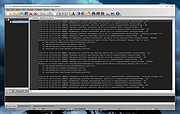 |
|
USBDriveLog v1.15 USBDriveLog v1.15 👉 Displays a log of USB drives plugged into Windows 10 and Windows 11 computers. USBDriveLog displays a log of all USB drives plugged into your computer, including device model, revision, manufacturer, serial number, plug time, unplug time, device ID, device capacity, and more. It can retrieve USB drive log information from the local computer, a remote computer on your network, or an external hard drive. Features: • View USB drive connection and disconnection history • Displays model, manufacturer, serial number, device ID, capacity, plug time, and unplug time • Read logs from the local computer • Read logs from a remote computer on your network • Read logs from an external Windows drive • Export selected items to text, CSV, HTML, XML, or JSON • Copy selected entries to the clipboard • Standalone portable executable with no installation required Supported operating systems: • Windows 10, Windows 11 • 32-bit and 64-bit systems supported Supported languages: English, Dutch, French, German, Greek, Hungarian, Italian, Japanese, Persian, Polish, Russian, Simplified Chinese, Slovak, Traditional Chinese, Turkish Changes: v1.15 Fixed a bug with the 'Mark Odd/Even Rows' option. Click here to visit the author's website. |
|
3,706 | May 22, 2026 Nir Sofer 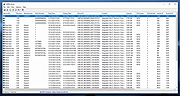 |
| Showing rows 1 to 5 of 5 | Showing Page 1 of 1 | 1 |
OlderGeeks.com Copyright (c) 2026
