|

|
Processed through Paypal No account required. |








Buy our over-priced crap to help pay the bills.



|
|
Processed through Paypal No account required. |
| Files | ||||
| File Name | Rating | Downloads | ||
 |
JSON Studio v1.0.0 JSON Studio v1.0.0 👉 A private, lossless desktop workspace for large JSON files. JSON Studio is a free, open source desktop application for working with large JSON files. It enables you to explore, search, query, compare, and inspect JSON, JSONL, and NDJSON files up to 500 MB entirely on your own machine. Designed for developers working with large, sensitive, or precision-critical data, JSON Studio keeps the original data intact by preserving big integers, high-precision decimals, key order, and the original source text without rounding, reordering, or reformatting. The application provides multiple ways to view and analyze JSON data, including tree, raw source, and table views. It features fast searching across keys and values, RFC 9535 JSONPath query support, structural document comparison, JSONL/NDJSON table inspection, inline image previews for supported embedded image formats, and automatic session restoration. Because it runs completely offline, there are no accounts, uploads, telemetry, analytics, or network calls, ensuring your files and settings remain private. Features: • Open JSON, JSONL, and NDJSON files up to 500 MB • Preserves big integers, high-precision decimals, key order, and original source text • Tree, raw source, and table views • Collapse and expand navigation with expand-to-depth support • Syntax highlighting, line numbers, wrapping, and parse error reporting • Fast searching with case-sensitive, whole-field, regular expression, and subtree search options • RFC 9535 JSONPath query support with history, execution timing, and result export • Structural JSON comparison with configurable array matching and optional key-order ignoring • Virtualized table view for JSONL and NDJSON files with field statistics and invalid-row highlighting • Inline preview of embedded PNG, JPEG, GIF, WebP, and SVG images • Multiple document tabs, scratch workspace, session restore, and live file reload • Fully offline operation with no uploads, analytics, telemetry, or network access Supported operating systems: • Windows • macOS • Linux Supported languages: • English Changes: v1.0.0 06-26-26 Initial release. Note: This file has two hits on VirusTotal. We have confirmed ... |
 |
462 | Jun 27, 2026 Anton Liberant 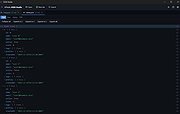 |
 |
Web Link Communications Security Inspector v1.3.2.0 Web Link Communications Security Inspector v1.3.2.0 Safely inspect and analyze suspicious web links from email or other messages before opening them in your web browser. About: This application inspects communications used in URIs without compromising your endpoint security and privacy. Just read and accept the built-in EULA to use the application's fully enabled features. A User's Guide is bundled along with the Application in the .zip file. More info, licensing and uses: The application may be used at no cost after reading and accepting the built-in EULA. Web Link Communications Security Inspector safely provides useful analytical information on web link communications whether you use it in a professional setting or personally from your own computer. In addition to analyzing suspicious web links from your email or other messaging system, you can also use this application to diagnose or validate communications with your company webservers or with your personal webserver before setting them up live on the Internet. This application may also be useful in security awareness training scenarios, to illustrate how the security of protocols used often varies from link-to-link or when client or server configurations place constraints on TLS negotiation. SHA-256: 2186f8898e92517f1838a3d1bc10c81a96be35d2bc052ee5023be26d3423df19 Requirements: x64 .NETฎ 6 Desktop runtime must be installed before using this application. Get it from Microsoft. Click here to visit the author's website. |
|
2,974 | May 22, 2022 Steve Chaison Software 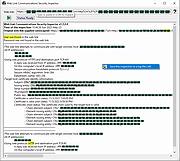 |
|
Window Inspector v2.3 Window Inspector v2.3 Inspect Your Desktop Windows View the window class, text, properties, and more, simply by moving your mouse cursor over the target window. View Window Properties View a window's class, text, properties, dimensions, and much more by simply moving your mouse ovr the window. Desktop Window Hierarchy View the desktop window hierarchy by process, by window owner and by window parents. HotKeys Use hotkeys to lock onto windows, freeze the auto-updating, or save the current window info. Window Inspector works with these versions of Windows: Windows 10, 8.1, 8, and 7 SP1 (32-bit and 64-bit) Windows Server 2019, 2016, 2012 R2, 2012, and 2008 R2 (32-bit and 64-bit) Download without Installer This no-installer version is ONLY for people interested in testing Window Inspector. Window Inspector should be installed using the setup download at the bottom of the page to work 100% correctly. Download ZIP Now Window Inspector Changes: v2.3 • Mar 6, 2020 Change: Updated UI for improved clarity Change: Massive performance improvements Hashes: Installer: 9A949801A1FD0E34AB41833CE64EE564F625183E (SHA1) Without Installer (ZIP): 164EEF583EBEB4591D734EDC5ED51E07F169212D (SHA1) Click here to visit the author's website. |
|
4,387 | Mar 10, 2020 Binary Fortress Software 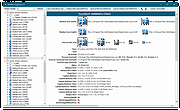 |
| Showing rows 1 to 3 of 3 | Showing Page 1 of 1 | 1 |
OlderGeeks.com Copyright (c) 2026
