|

|
Processed through Paypal No account required. |








Buy our over-priced crap to help pay the bills.



|
|
Processed through Paypal No account required. |
| Files | ||||
| File Name | Rating | Downloads | ||
 |
ID3 Tag Editor v3.7.0.0 ID3 Tag Editor v3.7.0.0 Any audio file can contain meta data that can be used by audio players to identify composition and search song in playlist. Abyssmedia ID3 Tag Editor is an easy and intuitive audio tag editor for Windows. It helps you organize your music collection and edit/copy/add/remove meta data from audio file. ID3 Tag Editor support MP3 tags, MP4 tags, FLAC tags, WMA tags, OGG Vorbis tags and APE tags. Main features: Abyssmedia ID3 Tag Editor is completely free. Add or edit tag information such as genre, title, artist, album, year, bpm, key, e.t.c. Clear all tag information from audio file. Support MP3, M4A, FLAC, WMA, OGG and APE file formats. Close integration with other audio tools. Minimum System Requirements Windows: XP/Vista/7/8/10 Processor: Intel / AMD compatible at 1000 MHz or higher RAM: 256 MB or higher Administrative permissions for program installation Version 3.7.0.0 Added High-DPI monitor support. Updated audio decoders. Fixed wrong tab order for tag fields. |
 |
6,228 | Feb 21, 2019 Abyssmedia 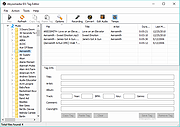 |
|
MP3tag v3.34.1 MP3tag v3.34.1 👉 Powerful and easy-to-use tag editor for managing audio file metadata. MP3tag is a popular and reliable tag editor designed to make organizing and managing your digital music collection simple and efficient. It supports batch editing of tags, import of metadata from online databases, and full Unicode support, making it suitable for both casual users and serious collectors. MP3tag works with a wide range of audio formats and allows you to rename files based on tag information or generate tags from filenames. The application is lightweight, fast, and focuses on doing one job extremely well: keeping your music library clean and properly tagged. Features: • Batch editing of audio file tags • Support for ID3v1, ID3v2, APEv2, MP4, Vorbis Comments, and more • Import tags from online databases such as Discogs and MusicBrainz • Automatic file renaming based on tag information • Create tags from filenames and directory structures • Full Unicode support for international music collections • Lightweight, fast, and portable-friendly design Supported operating systems: • Windows 7, Windows 8, Windows 10, Windows 11 Supported languages: English, German, French, Spanish, Italian, Portuguese, Dutch, Polish, Czech, Russian, Ukrainian, Chinese, Japanese, Korean, Hungarian, Romanian, Swedish, Turkish Changes: v3.34.1 05-07-26 FIX: large integer metadata values were truncated to the preferred storage width when writing MP4 atoms like `ITUNESCATALOGID`. (#71185) FIX: minor performance regression in the action groups dialog that could slow downloading or adding large numbers of action groups. (#71129) FIX: using 'Convert > Tag - Tag' changed the last used Quick Action to 'Format value'. (#71086) FIX: configuring or performing an action via a custom toolbar button also changed the last used Quick Action to this action type. LNG: updated French, Hungarian, and Traditional Chinese translations. This download is for the Windows 64bit version (very bottom of page). If you need the Windows 32bit version, download here. Click here to visit the author's website. |
|
6,341 | Jun 18, 2026 Florian Heidenreich 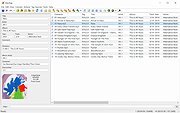 |
| Showing rows 1 to 2 of 2 | Showing Page 1 of 1 | 1 |
OlderGeeks.com Copyright (c) 2026
