|

|
Processed through Paypal No account required. |








Buy our over-priced crap to help pay the bills.



|
|
Processed through Paypal No account required. |
| Files | ||||
| File Name | Rating | Downloads | ||
 |
ReIcon v2.2 ReIcon v2.2 Restore your Desktop icon layout. ReIcon is portable freeware that enables you to save and restore your desktop icon layout. If you frequently change your screen resolution (e.g. to play games or use applications that require a specific resolution), you are probably familiar with the problem of your desktop icons being jumbled into a mess after you switch back to your normal resolution. ReIcon solves this problem by allowing you to save your desktop icon layout and restore it later with the click of a button (or with the right-click context menu). ReIcon is very easy to use. Set your icons the way you like them, save the layout, then restore this layout later when the need arises. Features: • Save your favorite icon layout for each resolution • Save many different layouts • It’s portable, no need to install anything • Unicode support • Easily add “Save/Restore Icon Layout” to the right-click context menu • CMD support (at CMD, type ReIcon /? for help) • Align icons to Grid – this allows you to snap your desktop icons to a grid, similar to Windows’ Auto-Arrange feature) Usage: Extract the ZIP to any folder and then run the program. Click the “Save Icon Layout” button to save the current desktop icon layout. Then in the list of saved layouts you will see the name of the “New Icon Layout”, its resolution, and the number of icons. To restore a saved layout, select the layout from the list and then click the “Restore Icon Layout” button. You can also right-click the saved layout and choose “Restore” from the context menu. Yet another way is to double-click any saved layout in the list to quickly restore that layout. To delete ... |
 |
6,326 | Feb 09, 2026 Sordum.org 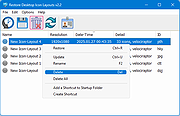 |
| Showing rows 1 to 1 of 1 | Showing Page 1 of 1 | 1 |
OlderGeeks.com Copyright (c) 2026
