|

|
Processed through Paypal No account required. |








Buy our over-priced crap to help pay the bills.



|
|
Processed through Paypal No account required. |
| Files | ||||
| File Name | Rating | Downloads | ||
 |
iDescriptor v0.5.0 iDescriptor v0.5.0 👉 Free, open-source, cross-platform iDevice management tool. Itunes? We don't need no stinkin' iTunes! iDescriptor is a free, open-source, and cross-platform iDevice management tool for working with supported Apple devices from Windows, macOS, and Linux. It provides a modern interface for connecting to devices over USB, browsing files, managing photos, viewing live screens, using AirPlay, checking cable information, discovering devices on the local network, and performing certain device actions. The project also includes tools such as App Store app downloading and installation, virtual location simulation, SSH terminal access for jailbroken devices, and developer disk image management. Features: • USB connection support for Windows, macOS, and Linux • AirPlay screen casting to your computer • Download and install apps directly from the Apple Store • Virtual location simulation for supported iOS versions • iFuse filesystem mounting on Windows and Linux • Gallery access and wireless gallery import • File Explorer for browsing device files • Cable authenticity and connection information • Network device discovery on the local network • SSH terminal access for jailbroken devices • Query MobileGestalt for hardware and software details • Live wired screen viewing • Developer disk image management • Device actions including restart, shutdown, and recovery mode entry Supported operating systems: • Windows • macOS • Linux Supported languages: English Changes: v0.5.0 04-19-26 BUG FIX: Fixed an issue where exporting more than 240 files would fail (#77) IMPROVEMENT: AirPlay now uses legacy ports by default on Linux (thanks @medaminezghal, #73) Warning (macOS): If you encounter a "damaged" error when opening the app on macOS, run the following command in Terminal: xattr -c ~/Applications/iDescriptor.app This occurs because macOS blocks apps that are not signed with an Apple Developer ID. Clearing extended attributes bypasses this restriction. Alternatively, you can remove only the quarantine attribute: xattr -dr com.apple.quarantine /Applications/iDescriptor.app This download is for the Windows installer version (very bottom of page). All other download assets are below: Other Windows: iDescriptor-v0.5.0-Windows_x86_64.portable.zip macOS: iDescriptor-v0.5.0-Apple_Silicon.dmg iDescriptor-v0.5.0-Apple_Intel.dmg Linux: iDescriptor-v0.5.0-Linux_x86_64.AppImage.zip Click here to visit the author's website. |
 |
1,019 | Jul 29, 2026 uncor3 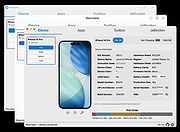 |
| Showing rows 1 to 1 of 1 | Showing Page 1 of 1 | 1 |
OlderGeeks.com Copyright (c) 2026
