Searching 'gestures'


Processed through Paypal
No account required.


Buy our over-priced crap to help pay the bills.

OlderGeeks 2025


Follow us on BlueskyFollow us on XJoin our Facebook groupFollow us on InstagramOur RSS FeedJoin us on TikTokJoin us on LinkedIn


 Home » OlderGeeks.com Freeware Downloads » Searching Files   
Search Results
Files
  File Name Rating Downloads
Last Update/Developer
OpenLogi v0.6.3
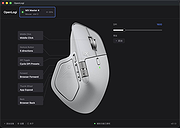
OpenLogi v0.6.3 👉 A local-first Logitech mouse configurator for macOS with no account, cloud or telemetry. OpenLogi is a native, open-source alternative to Logitech Options+ that lets you remap Logitech mouse buttons, control DPI, adjust SmartShift wheel behavior and use per-app profiles directly over HID++. It works locally on your Mac, stores settings in a plain TOML config file, and does not require a Logitech account, cloud service or telemetry. Features: • Remap Logitech mouse buttons from a native macOS interface • Built-in action catalog plus custom keyboard shortcut recording • DPI control with presets and cycle/set-preset actions • SmartShift wheel control for ratchet, free-spin and automatic switching • Per-application profiles that switch when the focused app changes • Supports Logi Bolt, Bluetooth-direct and wired USB connections • Live paired-device carousel with battery percentage and charge state • Plain-text TOML configuration • No Logitech account required • No telemetry, analytics or cloud sync • Open source and dual licensed under MIT / Apache-2.0 • Signed and notarized macOS DMG available Supported operating systems: • macOS Supported languages: English, Danish, German, Greek, Spanish, Finnish, French, Italian, Japanese, Korean, Norwegian Bokmεl, Dutch, Polish, Portuguese (Brazil), Portuguese (Portugal), Russian, Swedish, Simplified Chinese, Traditional Chinese (Hong Kong), Traditional Chinese (Taiwan) Changes: v0.6.3 06-09-26 • Added unified Binding model and gesture-button menu. • Added gesture buttons on Middle, Back and Forward via the OS hook. • Release v0.6.3. This download is for the macOS ARM64 version (very bottom of page). If you need the macOS Intel version, download here. Click here to visit the author's website.
5/5 26 Jun 10, 2026
AprilNEA
Vivaldi v8.0.4033.44
Vivaldi v8.0.4033.44 👉 Highly customizable web browser built for power users, privacy, and productivity. Vivaldi is a feature-rich Chromium-based web browser designed for users who want extensive control over their browsing experience. Created by former Opera developers, Vivaldi focuses on customization, efficiency, privacy, and integrated productivity tools rather than simplified mainstream browsing. It combines advanced tab management, built-in communication tools, customizable interface layouts, and strong privacy protections into a single browser package. Vivaldi allows users to tailor nearly every aspect of the interface, including tab placement, themes, keyboard shortcuts, gestures, toolbars, and panel layouts. The browser includes built-in features such as Mail, Calendar, Feed Reader, Notes, screenshot capture, ad and tracker blocking, Workspaces, split-screen tab tiling, and powerful session management tools. Unlike many browsers that rely heavily on extensions for advanced functionality, Vivaldi includes many professional-grade tools directly within the browser itself. Features: • Chromium-based browser engine for modern website compatibility • Highly customizable user interface and layout controls • Advanced tab stacking, tiling, and grouping features • Workspaces for organizing projects and browsing sessions • Built-in Mail, Calendar, and RSS Feed Reader • Integrated Notes tool with webpage attachments and screenshots • Custom keyboard shortcuts and mouse gestures • Built-in ad blocker and tracker protection • Split-screen browsing with tab tiling support • Sidebar web panels for quick access to websites and tools • Session saving and restoration tools • Command Chains for creating browser automation shortcuts • Quick Commands search interface for tabs, bookmarks, and settings • Extensive theme customization with scheduling support • Bookmark manager with nickname and folder organization • Built-in screenshot and page capture utility • Sync support for bookmarks, passwords, history, tabs, and settings • Reader View for distraction-free reading • Compatible with Chrome Web Store extensions • Privacy-focused browsing with reduced telemetry Supported operating systems: • Windows 10, Windows 11 • macOS 11 Big Sur or higher • Linux Debian, Ubuntu, Fedora, openSUSE, RHEL, Arch Linux • Android 8.0 or higher • ...
5/5 6,238 Jun 09, 2026
Vivaldi Technologies
   
Showing rows 1 to 2 of 2 Showing Page 1 of 1  1 


OlderGeeks.com Copyright (c) 2026