|

|
Processed through Paypal No account required. |








Buy our over-priced crap to help pay the bills.



|
|
Processed through Paypal No account required. |
| Files | ||||
| File Name | Rating | Downloads | ||
 |
Borderless v1.0.4.0 Borderless v1.0.4.0 👉 Automatically control borderless, fullscreen, and custom window layouts in Windows. Borderless is a free, open-source Windows utility that automatically applies and maintains customized window layouts for games and applications. Create rules that identify programs by their window title, executable name, or both, and Borderless automatically applies your chosen settings whenever a matching window appears. Despite its name, Borderless does considerably more than simply remove window borders. Rules can maximize a window to its current monitor, position and resize it to custom dimensions, keep it always on top, control the mouse cursor, remove standard window menus, and mute a program when it loses focus. This can be particularly useful with games that lack a proper borderless-windowed mode, older software that doesn't remember its window position, and programs you always want opened on a particular part of the screen. Features: • Automatically applies window rules to games and applications • Converts matching windows to a borderless layout • Matches applications using window titles, executable names, or both • Supports regular expressions for flexible window-title matching • Includes a live process picker for quickly selecting running applications • Reapplies selected window settings while Borderless is running • Prevents applications from simply restoring borders after they are removed • Maximizes windows to the current monitor • Supports custom window positions and dimensions • Keeps selected windows always on top • Locks the mouse cursor to the focused window • Releases the cursor when switching away with Alt+Tab • Hides the mouse cursor while a selected window is focused • Restores the cursor when focus moves away from the window • Removes standard window menu bars when configured • Mutes an application's audio while it is in the background • Allows individual rules to be enabled or disabled • Shows live rule status information • Provides configurable defaults for newly created rules • Runs from the Windows system tray • Can start automatically with Windows • Can ... |
 |
236 | Aug 13, 2026 Venipa 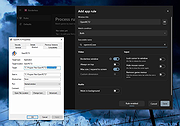 |
|
DxWnd v2.06.15 DxWnd v2.06.15 👉 Run older fullscreen Windows programs and games in a window. DxWnd is a Windows hooker that intercepts system calls to make Win32 fullscreen programs run in a window, improve application compatibility, enhance video modes, stretch timing, and emulate CD disk data and audio tracks. It is especially useful for running older Windows games. Features: • Run fullscreen programs in window mode • Perform time stretching to slow down or speed up actions • Add compatibility options for legacy programs • Log operations • Show program status and palette • Emulate CD audio tracks using ripped audio files • Emulate CD and HD file systems • Emulate registry and configuration files • Emulate custom locale • Use through a GUI or customized proxies Supported operating systems: • Windows Supported languages: English Changes: v2.06.15 07-23-26 fix: [avifile.cpp] fixed log message in SetFormat wrapper causing exception add: [ddraw.cpp] added handling of FORCENOPAGELOCK flag fix: [dshow.videowindow] fixed IVideoWindow::put_FullScreenMode wrapper fix: [dxwnd.cpp] fixed flags logging fix: [excepthandler.cpp] ignoring exception 0xE0000001 trown by CoCreateInstance in codecs. fixes "Barbie Explorer" add: [gdi32.cpp, gdi32.mapping.cpp] added wrappers for OffsetViewportOrgEx and OffsetWindowOrgEx, fixed other wrappers add: [gdi32.cpp] added NOPALETTEANIMATION flag fix: [gdi32.cpp] bypass system palette emulation when used with VineVDM fix: [gdi32.cpp] fixed BitBlt wrapper for scaled mode fix: [gdi32.cpp] added FIXGNOMEMOVIES hack to fix G-Nome movies add: [gdi32.cpp] added wrapper for legacy FloodFill call fix: [gdi32.cpp] fixed GetDIBits hook add: [kernel32.cpp, vfilesys.cpp] added handling of fake raw-device for CD add: [kernel32.cpp] added FINDCLOSECHECK flag add: [kernel32.cpp] added ADDSHAREDDIRPATH flag to help mm director and quicktime > 2 work with quicktime files in the shared dir fix: [kernel32.cpp] added emulation of OCTL_CDROM_MEDIA_REMOVAL IOControl code add [msvfw.cpp] added automatic search of vfw codecs in shared "codecs" folder add [user32.cpp] added FILTERADAPTERWCLASS flag fix [user32.cpp] apply REFRESHONREALIZE flag on UserRealizePalette wwrapper fix [winmm.cpp] improved async handling of WaveOut functions add [GUI] when running Win16 programs remap WinMM system folders to DxWnd system folders Note: This file has one hit on VirusTotal. We have confirmed this to be a false positive. The file is safe. Use 7-Zip to unzip this file. Click here to visit the author's ... |
|
7,338 | Sep 22, 2026 ghotik 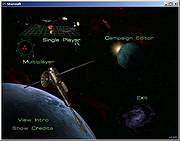 |
|
FocusWriter v1.9.0 FocusWriter v1.9.0 👉 A simple, distraction-free word processor designed for focused writing. FocusWriter is a full-screen, distraction-free word processor that hides toolbars and menus so you can concentrate completely on your writing. It creates a clean workspace where the interface stays out of your way, helping you stay immersed in your words. With support for themes, timers, alarms, and daily goals, FocusWriter is ideal for novelists, students, bloggers, and anyone who wants a clutter-free writing environment. FocusWriter allows you to customize backgrounds, fonts, colors, and layouts to create a writing space that suits your style. Despite its minimal interface, it includes powerful features such as spell checking, document statistics, and support for multiple file formats. Sessions can be tracked with timers and daily progress goals to keep your productivity on target. Features: • Full-screen, distraction-free writing interface • Customizable themes with backgrounds, fonts, and colors • Daily writing goals with live progress tracking • Timers and alarms to manage writing sessions • Spell checking support • Live statistics including word count and paragraph count • Support for TXT, RTF, and ODT file formats • Automatic document saving • Typewriter sound effects (optional) • Multiple open documents with quick switching Supported operating systems: • Windows 7, Windows 8, Windows 10, Windows 11 Supported languages: English, German, Spanish, French, Italian, Portuguese, Dutch, Russian, Polish, Chinese, Japanese, Korean, and others Changes: v1.9.0 01-05-25 • Updated Qt framework • Improved compatibility with newer operating systems • Minor bug fixes and performance improvements This download is for the Windows portable version (very bottom of page). If you need the Windows Installer version, download here. Click here to visit the author's website. |
|
8,170 | Jun 27, 2026 Graeme Gott 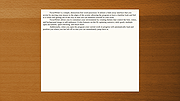 |
| Showing rows 1 to 3 of 3 | Showing Page 1 of 1 | 1 |
OlderGeeks.com Copyright (c) 2026
