|

|
Processed through Paypal No account required. |








Buy our over-priced crap to help pay the bills.



|
|
Processed through Paypal No account required. |
| Files | ||||
| File Name | Rating | Downloads | ||
 |
Fast Folder Eraser Pro v3.8 Fast Folder Eraser Pro v3.8 Quickly delete folders with a large number of files. Fast Folder Eraser Pro is a useful Windows OS utility designed to quickly delete folders with a large number of files, without degrading the system performances and maintaining the PC usable, so you can continue to use the PC normally without worrying about interrupting your work. Folders are erased much faster than Windows, the files are not sent to the recycle bin, they are deleted directly using native Windows OS APIs. For Windows XP, Vista, 7, 8, 10, 11 (32\64-bit) If you have ever tried to delete a large folder structure with thousands of files inside, you probably noticed that Windows OS can take some time and may slow down the system performances. With this tool large folders are deleted much faster, files are deleted directly, and you can also filter files to delete and reduce the memory usage during deletion. This is the tool you need to delete large folders on Windows. Features Delete Large Folders Quickly delete complicated folder structures and folders with a lot of files. File Wiping Algorithms You can select to permanently delete files so they can't be recovered. Work in Background Delete folders in the background so you can work on the PC while deleting files. Filter File Deletion Filter files to delete by file extension, wildcard, file age, modification date, etc. View Failed Deletions View a list of files that failed the deletion because they are locked or in use. Reduce Memory Usage You can reduce even more the memory usage during the deletion process. Command-Line Included there is also the standalone command-line version. No Spyware\Adware The program is free from spyware, adware or other pests, nothing extra is installed. Free to Use This software is completely free to use for anyone, at home and at work. Click here to visit the author's website. |
 |
3,187 | Mar 06, 2022 NoVirusThanks 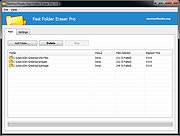 |
|
Slimjet v50.0.0.0 Slimjet v50.0.0.0 👉 Fast and feature-rich Chromium-based web browser focused on privacy and productivity. Slimjet is a powerful web browser built on the Chromium engine, offering high-speed browsing combined with enhanced privacy protection and built-in productivity tools. It includes features that go beyond standard browsers, such as advanced download management, form filling, ad blocking, and video downloading. Slimjet is designed to improve user efficiency while minimizing tracking and unwanted data collection, making it a strong alternative to mainstream browsers. Features: • Built on Chromium for fast and secure browsing • Integrated ad blocker and anti-tracking protection • Built-in video downloader for various websites • Advanced download manager with acceleration • Automatic form filler and password manager • Customizable toolbar and interface options • Flexible tab management and session control • Photo salon for quick image editing and enhancement • Supports Chrome extensions • Privacy-focused with reduced data collection Supported operating systems: • Windows 7, Windows 8, Windows 10, Windows 11 • macOS 10.10 or higher • Linux Supported languages: English, German, French, Spanish, Italian, Portuguese, Dutch, Polish, Russian, Chinese, Japanese, Korean Changes: v50.0.0.0 04-18-26 Migrate to Chromium 144 This download is for the Windows 64bit installer version (very bottom of page). All other download assets are below: Other Windows: sjtsetup_x86.exe (32bit installer) sjt7z_x64.exe (64bit portable) sjt7z_x86.exe (32bit portable) MacOS: slimjet.dmg (Intel) slimjet_arm.dmg (Apple Silicone) Linux: slimjet_amd64.deb slimjet_amd64.tar.xz Click here to visit the author's website. |
|
3,340 | Apr 20, 2026 FlashPeak Inc.  |
 |
WizFile v3.15 WizFile v3.15 👉 Ultra-fast file search tool for Windows that instantly finds files by name. WizFile is a high-speed file search utility designed to locate files on your system almost instantly. Unlike traditional search tools, WizFile reads the Master File Table (MFT) directly from NTFS-formatted drives, allowing it to display results in real time as you type. This makes it especially useful for quickly finding files on large drives where standard Windows search can be slow or unresponsive. WizFile supports advanced filtering, wildcard searches, and sorting by file size, making it easy to identify large files and manage disk space efficiently. Its clean interface and immediate indexing ensure that users can locate files without waiting for background indexing processes. Features: • Instant file search using direct MFT access (NTFS drives) • Real-time results displayed as you type • Supports wildcard and filter-based searches • Sort results by file name, size, or path • Quickly locate large files to manage disk space • Minimal system resource usage with no background indexing • Supports network drives (limited functionality) • Portable version available (no installation required) Supported operating systems: • Windows 7, Windows 8, Windows 10, Windows 11 Supported languages: English Changes: 3.15 04-17-26 Fixed bug with date filters not working as expected (introduced in 3.14 when filtering by time was added) Click here to visit the author's website. |
|
6,578 | Apr 17, 2026 antibody-software.com 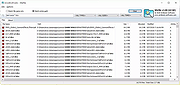 |
| Showing rows 1 to 3 of 3 | Showing Page 1 of 1 | 1 |
OlderGeeks.com Copyright (c) 2026
