|

|
Processed through Paypal No account required. |








Buy our over-priced crap to help pay the bills.



|
|
Processed through Paypal No account required. |
| Files | ||||
| File Name | Rating | Downloads | ||
 |
KeyTweak Portable v2.3.0 KeyTweak Portable v2.3.0 👉 Remap, disable or reassign keyboard keys through a simple visual interface. KeyTweak Portable is a free Windows keyboard-remapping utility that lets you change the function of individual keys without manually editing the Windows Registry. Its visual keyboard displays 126 numbered key positions, allowing you to select a key and assign it a different function or disable it entirely. KeyTweak writes changes to the Windows Scancode Map, making remappings available system-wide after Windows restarts. It can be used to disable unwanted keys, replace the function of a broken key, swap modifier keys or reassign multimedia and specialty buttons. Full Teach Mode and Half Teach Mode help identify keys that may not be easy to locate on the visual keyboard. The program does not need to remain running after changes are applied. Active mappings can be reviewed, undone individually or removed with the Restore All Defaults option. Remapping configurations can also be saved and loaded for later use. Features: • Visual keyboard with 126 numbered key positions • Remap individual keyboard keys • Disable unwanted or troublesome keys • Full Teach Mode for identifying and remapping physical keys • Half Teach Mode for quickly identifying a source key • Support for multimedia and specialty buttons • View currently active remappings • Undo the most recent remapping • Restore all keys to their default functions • Save and load remapping configurations • Applies remappings system-wide through the Windows Scancode Map • Does not require a background service after changes are applied • No install required • Manual included Note: A system restart is required after applying any remap for changes to take effect. Supported operating systems: • Windows 7, Windows 8, Windows 8.1, Windows 10, Windows 11 Supported languages: English Changes: v2.3.0 Not Provided Note: This file has two hits on VirusTotal. We have confirmed these to be false positives. The file is safe. Click here to visit the author's website. |
 |
434 | Jul 15, 2026 Travis Krumsick & OlderGeeks.com 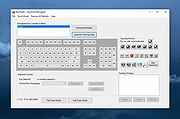 |
|
O&O ShutUp10++ v3.2.1111 O&O ShutUp10++ v3.2.1111 👉 Free privacy control tool for Windows 10 and Windows 11. O&O ShutUp10++ is a portable utility that allows you to take control of your Windows privacy and security settings with ease. It provides a simple interface where you can disable or enable various system features related to data collection, telemetry, location tracking, and automatic updates, giving you full control over what information your system shares. O&O ShutUp10++ does not require installation and can be run directly, making it ideal for quick adjustments or use on multiple systems. It groups settings into categories and provides recommended options, allowing both beginners and advanced users to configure Windows privacy without needing deep technical knowledge. Features: • Disable Windows telemetry and data collection • Control location services, camera, and microphone access • Manage Windows Update behavior and automatic updates • Turn off advertising ID and tracking features • Portable – no installation required • Simple interface with recommended settings • Grouped configuration categories for easy navigation • System restore point creation before applying changes • Works offline without requiring internet access Supported operating systems: • Windows 11, Windows 10 Supported languages: English, German, French, Italian, Spanish, Russian and Chinese (simplified) Changes v3.2.1111 07-15-26 Added: Disable Click to Do Disable the Settings agent Disable AI features in Notepad Disable AI actions in File Explorer Disable Find My Device Disable Microsoft account cloud content search ( Disable work or school cloud content search Disable device search history Disable Start menu recommendations for tips, shortcuts and new apps Disable Start menu account notifications Disable Settings app account notifications Disable extension of Windows search with Bing Deny app access to generative AI ... |
|
8,704 | Jul 28, 2026 O&O Software GmbH 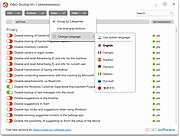 |
 |
Tweaking.com - Disable or Enable Data Execution Prevention (DEP) v1.0.0 Tweaking.com - Disable or Enable Data Execution Prevention (DEP) v1.0.0 This will allow a user to easily turn DEP on or off. DEP can cause some programs to crash, and as such you may need to turn it off. As a plus, for system where DEP is grayed out by windows, you can still enable DEP with this tool. DEP will still be grayed out, but it will be working. Personal note: I have to keep DEP off on my system for some older programs that I use will work. With DEP on these older programs crash. |
|
9,706 | Sep 02, 2017 Tweaking.com 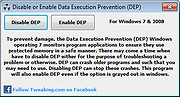 |
| Showing rows 1 to 3 of 3 | Showing Page 1 of 1 | 1 |
OlderGeeks.com Copyright (c) 2026
