|

|
Processed through Paypal No account required. |








Buy our over-priced crap to help pay the bills.



|
|
Processed through Paypal No account required. |
| Files | ||||
| File Name | Rating | Downloads | ||
 |
PearPass v2.1.0 PearPass v2.1.0 👉 Peer-to-peer password manager with private, device-to-device syncing. PearPass is an open-source password manager that prioritizes privacy and user control by avoiding centralized servers. Built on Pear Runtime, it uses peer-to-peer technology to sync your credentials directly between your devices, ensuring your data remains private, secure, and fully under your control. Instead of relying on cloud storage, PearPass keeps your information encrypted and shared only between your authorized devices. With a clean and minimal interface, it provides a straightforward way to manage passwords while maintaining modern security practices and full data ownership across desktop and mobile devices. Features: • Peer-to-peer syncing between devices with no central server • Built on Pear Runtime for decentralized application architecture • End-to-end encryption to protect all stored credentials • Local-first storage with no mandatory cloud dependency • Open-source codebase for transparency and independent auditing • Secure device-to-device authorization for syncing • No tracking, telemetry, or third-party data collection • Simple vault-style organization for managing credentials • Clean, minimal interface focused on ease of use • Fast access and retrieval of stored passwords • Designed for full user ownership and control of sensitive data • Lightweight application with low resource usage • Cross-platform support including desktop and mobile devices Supported operating systems: • Windows 10, Windows 11 • macOS • Linux • Android • iOS Supported languages: English Changes: v2.1.0 05-20-26 New features TOTP support: including OTP-to-login matching, duplicate-code warnings, and account search. Vault Deletion: Local vault removal with automatic cross-device syncing. Bitwarden Import: Support for encrypted vault imports. UI & UX Improvements UX improvements: Cleaned up core UI flows (Home, Settings, Autofill, Passkeys). Stability & Performance Faster Diagnostics: Optional local logs for monitoring for quicker bug fixes. Reliable Sync: Fixed Home screen vault name updates and improved cross-device syncing. This download is for the Windows 64bit version (very bottom of page). All ... |
 |
860 | Sep 16, 2026 Tether Data, S.A. de C.V. 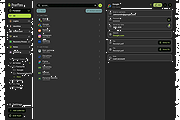 |
|
Syncthing v2.0.2 Syncthing v2.0.2 A continuous file synchronization program that securely syncs files between multiple devices. Syncthing is a continuous file synchronization program designed to keep files synchronized between two or more computers in real time. It replaces proprietary cloud sync and file-sharing services with an open, transparent, and decentralized solution that puts you fully in control of your data. All communication is encrypted, and no central server is required, ensuring privacy and security at all times. Syncthing automatically detects changes to files and folders and propagates them efficiently across connected devices. It supports versioning, conflict handling, and fine-grained folder controls, making it suitable for backups, collaborative work, or keeping data in sync across desktops, laptops, servers, and mobile devices. Features: • Continuous real-time file synchronization • Fully decentralized architecture with no central server • Secure encrypted connections between all devices • Open source and transparent design • Automatic discovery of devices on local networks • Global discovery option for syncing over the internet • File versioning and recovery options • Conflict detection and resolution handling • Web-based user interface for easy management • Cross-platform support for desktops and servers Supported operating systems: • Windows 7, Windows 8, Windows 10, Windows 11 • macOS 10.15 or higher Supported languages: English, Arabic, Bulgarian, Chinese, Croatian, Czech, Danish, Dutch, Finnish, French, German, Greek, Hebrew, Hungarian, Indonesian, Italian, Japanese, Korean, Norwegian, Polish, Portuguese, Romanian, Russian, Slovak, Spanish, Swedish, Turkish, Ukrainian Private & Secure • Private. None of your data is ever stored anywhere else other than on your computers. There is no central server that might be compromised, legally or illegally. • Encrypted. All communication is secured using TLS. The encryption used includes perfect forward secrecy to prevent any eavesdropper from ever gaining access to your data. • Authenticated. Every device is identified by a strong cryptographic certificate. Only devices you have explicitly allowed can connect to your ... |
|
3,525 | Jun 23, 2026 The Syncthing Project 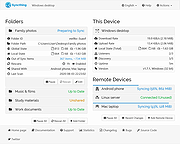 |
| Showing rows 1 to 2 of 2 | Showing Page 1 of 1 | 1 |
OlderGeeks.com Copyright (c) 2026
