|

|
Processed through Paypal No account required. |








Buy our over-priced crap to help pay the bills.



|
|
Processed through Paypal No account required. |
| Files | ||||
| File Name | Rating | Downloads | ||
 |
Refloow Photo Studio v1.1.0 Refloow Photo Studio v1.1.0 👉 A free, open source, privacy-focused photo editor with local AI background removal, filters, cropping, layering, text and image adjustments. Refloow Photo Studio is a free and open source desktop photo editor designed to provide professional-looking results without complicated workflows, accounts, subscriptions, advertisements, watermarks or data collection. All image processing runs locally on your computer, including its AI-powered background removal. The editor provides more than 40 built-in filters along with cropping, mirroring, brightness, contrast, saturation and warmth adjustments. Images can be dragged onto the canvas as layers to build compositions, while an undo and redo history lets you move backward or forward through up to 15 editing actions. Text can also be added to images, resized and positioned as layers. The workspace supports zooming and panning for easier navigation while editing. Features: • Free and open source photo editor • All image processing is performed locally • No accounts or logins required • No subscriptions • No advertisements • No watermarks • No data collection • One-click AI-powered background removal • AI background removal runs locally using the U-2-Netp model • More than 40 built-in professional filters • Crop images • Mirror images • Adjust brightness, contrast, saturation and warmth • Add text to images with imported fonts and customizable colors • Resize and position text as layers • Overlay multiple images to create compositions • Drag-and-drop support • Layer management for arranging compositions • Workspace zooming with the scroll wheel • Workspace panning with the middle mouse button • Undo and redo history for up to 15 actions • High-quality WYSIWYG image exporting Supported operating systems: • Windows 10 64-bit, Windows 11 64-bit • macOS Intel, macOS Apple Silicon • Linux Ubuntu, Linux Debian • Linux distributions capable of running the supplied AppImage Supported languages: English Changes: v1.1.0 06-23-26 • Added the ability to add custom text directly to compositions using imported fonts and customizable text colors. • Added full workspace zooming, panning and canvas movement. • Added smart crop ... |
 |
116 | Sep 08, 2026 Veljko Vuckovic 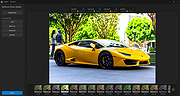 |
| Showing rows 1 to 1 of 1 | Showing Page 1 of 1 | 1 |
OlderGeeks.com Copyright (c) 2026
