|

|
Processed through Paypal No account required. |








Buy our over-priced crap to help pay the bills.



|
|
Processed through Paypal No account required. |
| Files | ||||
| File Name | Rating | Downloads | ||
 |
Dropbox Offline Installers v260.4.2926 Dropbox Offline Installers v260.4.2926 👉 Cloud storage and file synchronization service for easy file access and sharing across devices. These are the full offline installers for all platforms. Dropbox is a cloud storage service that lets you store, sync, and share files across computers, smartphones, and tablets. After installing Dropbox, a special folder is created on your computer. Any files placed in this folder are automatically uploaded and synchronized with your Dropbox account, allowing them to be accessed from other devices or through the web interface. Dropbox makes collaboration simple by allowing users to share files or folders with others through links or shared folders. Changes made by collaborators are automatically synced, ensuring everyone always has the latest version. The service also maintains version history and file recovery, allowing users to restore previous versions or recover deleted files. Dropbox integrates with many productivity tools and provides features such as selective sync, automatic camera uploads from mobile devices, and offline access to files. With its straightforward interface and reliable syncing technology, Dropbox is widely used for personal file storage, team collaboration, and secure file sharing. Features: • Automatic file synchronization across devices • Easy file and folder sharing through secure links • File version history and recovery of deleted files • Selective sync to control which folders are stored locally • Offline access to important files • Integration with many productivity and collaboration tools Supported operating systems: • Windows 7, 8, 8.1, 10, 11 • macOS 10.13 or later. • Linux distributions supporting Dropbox client Supported languages: English, Spanish, French, German, Italian, Portuguese, Dutch, Japanese, Korean, Chinese (Simplified), Chinese (Traditional), Russian Changes: v260.4.2926 07-10-26 Fixed in this update: Fixed an issue that would cause Dropbox items to not appear in the right-click menu for some Windows users. Improved the reliability of opening several share dialogs at the same time. Fixed a ... |
 |
11,671 | Jul 16, 2026 Dropbox 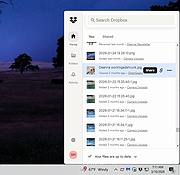 |
|
Zotero v10.0.1 Zotero v10.0.1 👉 A powerful free research assistant for collecting, organizing, annotating, citing and sharing research. Zotero is a free, open-source research and reference manager designed to help you collect, organize, annotate, cite and share research sources. It can manage books, journal articles, reports, web pages, artwork, films, letters, manuscripts, recordings, legal materials and many other types of sources. Each item can contain detailed bibliographic metadata as well as attached PDFs, files, web snapshots, links and notes. The Zotero Connector integrates with supported web browsers to capture research directly from websites. When Zotero recognizes a book, article or other source, it can automatically create the appropriate library item, fill in available metadata, download a full-text PDF when available and attach related links or supplemental files. Zotero can also create items directly from ISBNs, DOIs and PubMed IDs. Research can be organized into collections and tagged for easier retrieval. An item can appear in multiple collections without creating duplicate copies, and saved searches automatically update as new matching material is added. Zotero also provides synchronization between computers and shared group libraries for collaborative research. Features: • Collect books, journal articles, reports, web pages, artwork, films, letters, manuscripts, recordings, legal materials and many other types of research sources • Automatically capture bibliographic information from supported websites using the Zotero Connector • Automatically download full-text PDFs when they are available while saving sources • Save web pages as locally stored snapshots for later viewing, including while offline • Add sources automatically using ISBN, DOI or PubMed ID identifiers • Attach PDFs, images, audio, video and other files to library items • Create rich-text notes attached to individual sources or independent notes • Organize research into collections and subcollections without duplicating library items • Assign unlimited tags to items and use colored tags for quick identification • Quickly search metadata, tags and full-text content • Use advanced searches for ... |
|
182 | Aug 28, 2026 Digital Scholar 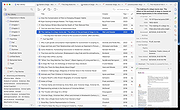 |
| Showing rows 1 to 2 of 2 | Showing Page 1 of 1 | 1 |
OlderGeeks.com Copyright (c) 2026
