|

|
Processed through Paypal No account required. |








Buy our over-priced crap to help pay the bills.



|
|
Processed through Paypal No account required. |
| Files | ||||
| File Name | Rating | Downloads | ||
 |
LyX v2.5.2 LyX v2.5.2 👉 A powerful document processor that combines an easy graphical interface with the professional typesetting capabilities of TeX/LaTeX. LyX is a free, open-source document processor designed around the idea of focusing on the structure and content of a document rather than manually formatting every element. It combines the power and flexibility of TeX/LaTeX with a familiar graphical interface, making professional typesetting much more accessible. LyX is especially well suited for academic papers, scientific documents, theses, books and other complex publications, while also working well for letters, reports, novels, presentations and scripts. A fully integrated equation editor makes creating mathematical content straightforward, while built-in support for bibliographies, indexes, cross-references, tables, figures and structured document layouts helps manage large and complicated projects. Documents can be produced in formats including PDF, PostScript, DVI, HTML and OpenDocument. Features: • WYSIWYM (What You See Is What You Mean) document editing that emphasizes structure instead of manual formatting • Combines a graphical document editor with the TeX/LaTeX typesetting system • Integrated equation editor for creating complex mathematical and scientific formulas • Designed for academic articles, theses, dissertations, books and scientific publications • Also suitable for letters, reports, novels, presentations, plays and film scripts • Built-in support for bibliographies and reference lists • Automatic index creation and management • Powerful cross-referencing for sections, figures, tables, equations and other document elements • Handles structured documents without requiring users to manually manage page formatting • Includes a broad collection of ready-made document layouts • Supports tables, figures, footnotes and other common publishing elements • Supports professional-quality mathematical typesetting through LaTeX • Supports PDF, PostScript, DVI, HTML and OpenDocument output • Supports external LaTeX packages for greatly expanding document capabilities • Supports bibliography managers and other external publishing tools • Supports spell-checking systems including Hunspell, GNU Aspell and Enchant • Can use ImageMagick and Ghostscript for additional image and PostScript conversion capabilities • Supports numerous external converters, reference managers ... |
 |
2,094 | Sep 15, 2026 The LyX Project 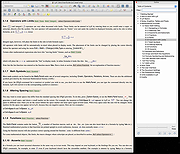 |
|
Zotero v10.0.1 Zotero v10.0.1 👉 A powerful free research assistant for collecting, organizing, annotating, citing and sharing research. Zotero is a free, open-source research and reference manager designed to help you collect, organize, annotate, cite and share research sources. It can manage books, journal articles, reports, web pages, artwork, films, letters, manuscripts, recordings, legal materials and many other types of sources. Each item can contain detailed bibliographic metadata as well as attached PDFs, files, web snapshots, links and notes. The Zotero Connector integrates with supported web browsers to capture research directly from websites. When Zotero recognizes a book, article or other source, it can automatically create the appropriate library item, fill in available metadata, download a full-text PDF when available and attach related links or supplemental files. Zotero can also create items directly from ISBNs, DOIs and PubMed IDs. Research can be organized into collections and tagged for easier retrieval. An item can appear in multiple collections without creating duplicate copies, and saved searches automatically update as new matching material is added. Zotero also provides synchronization between computers and shared group libraries for collaborative research. Features: • Collect books, journal articles, reports, web pages, artwork, films, letters, manuscripts, recordings, legal materials and many other types of research sources • Automatically capture bibliographic information from supported websites using the Zotero Connector • Automatically download full-text PDFs when they are available while saving sources • Save web pages as locally stored snapshots for later viewing, including while offline • Add sources automatically using ISBN, DOI or PubMed ID identifiers • Attach PDFs, images, audio, video and other files to library items • Create rich-text notes attached to individual sources or independent notes • Organize research into collections and subcollections without duplicating library items • Assign unlimited tags to items and use colored tags for quick identification • Quickly search metadata, tags and full-text content • Use advanced searches for ... |
|
182 | Aug 28, 2026 Digital Scholar 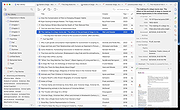 |
| Showing rows 1 to 2 of 2 | Showing Page 1 of 1 | 1 |
OlderGeeks.com Copyright (c) 2026
