|

|
Processed through Paypal No account required. |








Buy our over-priced crap to help pay the bills.



|
|
Processed through Paypal No account required. |
| Files | ||||
| File Name | Rating | Downloads | ||
 |
BATExpert v1.14.5.27 BATExpert v1.14.5.27 Monitor and evaluate the health of your laptop battery. BATExpert gives you a crystal-clear vision of your laptop battery health status right at your fingertips. Designed specifically for notebook and laptop computers, it displays important battery information in a simple interface and helps you monitor battery condition, usage, and performance. BATExpert decodes battery manufacturer information and provides real-time details about charge status, current power usage, battery chemistry, and other useful metrics. The program can also estimate the remaining time before a low-battery warning occurs and recommends a battery upgrade when appropriate. Features: • Clear laptop battery manufacturer data decoding • Displays current charge status • Shows current usage and charge rate • Displays battery type (chemistry) • Displays battery temperature when available • Estimates time remaining before low-level warning • User-friendly interface • Internationalization support • Battery upgrade recommendations when appropriate Supported operating systems: • Windows XP, Windows Vista, Windows 7, Windows 8, Windows 8.1, Windows 10, Windows 11 Supported languages: • English Changes: v1.14.5.27 04-23-23 • Updated ICS library to v8.70 • Updated OpenSSL to v3.1.0 • Added ReactOS detection in logs • Improved Windows Server 2003 detection Click here to visit the author's website. |
 |
10,987 | Jun 05, 2026 KC Softwares 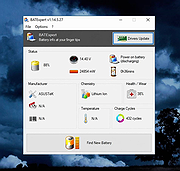 |
 |
Open DroneLog v3.3.0 Open DroneLog v3.3.0 👉 Open-source drone flight logging, fleet tracking, and operational management platform. Open DroneLog is an open-source drone flight logging and fleet management platform built to help drone pilots, hobbyists, and commercial operators maintain accurate and organized flight records. It provides a centralized system where users can log detailed flight information, manage aircraft and equipment inventories, track battery usage cycles, and maintain pilot credentials and documentation. Open DroneLog is designed as a web-based application that can be self-hosted, allowing full control over your operational data. By keeping all records in one place, it simplifies compliance, improves maintenance tracking, and helps ensure that drones and related equipment remain airworthy and properly documented. Its structured layout makes it easy to review flight history, analyze usage trends, and maintain a complete operational logbook. Which drones and flight logs are supported? Open DroneLog supports all DJI drones that generate .txt flight logs including DJI Mini, Mavic, Air, and Phantom series. It also supports Litchi CSV exports with automatic metric/imperial unit detection. Features: • Detailed flight logging with customizable flight records • Centralized drone fleet management • Equipment and component tracking • Battery cycle tracking and usage monitoring • Pilot management with record keeping • Maintenance and service history tracking • Organized digital logbook for compliance and auditing • Web-based interface accessible from modern browsers • Self-hosted deployment for full data ownership • Open-source project with publicly available source code Supported operating systems: • Windows, macOS, and Linux as a desktop application. You can also deploy it as a self-hosted web app using Docker on any server or NAS device. Supported languages: • English Changes: v3.3.0 05-01-26 What's New Proxy Configuration Support for DJI Keychain Implemented asynchronous keychain fetching using the reqwest library. This allows the application to respect and utilize system-level proxy configurations, resolving connectivity issues in restricted network environments. (Discussion #184) HTML Report Generation for single flights Added a new HTML report generation export option and ... |
|
712 | Jul 06, 2026 Arpan Ghosh 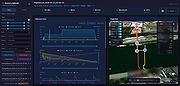 |
|
StressMyPC v5.88 StressMyPC v5.88 👉 Stress test your PC’s CPU, GPU and hard drive. StressMyPC is stress testing software used to put a Windows PC under heavy load for stability testing, battery drain testing or general hardware stress testing. It can stress the processor, graphics card and hard drive, and it is especially useful for seeing how a system behaves under full load. Features: • Start and stop PC stress testing quickly • Paint-Stress for simple GPU stress testing • Aggressive CPU-Stress for processor load testing • HD-Stress for hard drive stress testing • Useful for laptop battery drain testing • Portable, no installation required • Small program size • Multilingual interface Supported operating systems: • Windows 11, Windows 10, Windows 8.1, Windows 7, Windows Desktop and MS Server operating systems Supported languages: German, English, Swedish, Danish, Brazilian Portuguese, Slovak, Spanish, Simplified Chinese, French, Italian, Turkish, Czech, Russian, Ukrainian, Greek, Traditional Chinese, Romanian, Korean, Polish, Hungarian, Japanese, Thai, Arabic, Finnish, Frisian, Norwegian, Irish, Dutch, Portuguese, Vietnamese, Persian, Hindi, Hebrew, Spanish-VE, Malay, Indonesian, Filipino, Bosnian, Croatian, Serbian Changes: v5.88 05-13-26 Updated language files in the app for stress-testing Windows PCs, along with minor corrections in the stress-test app for Windows 11 that ensure a smoother PC stress test experience. Click here to visit the author's website. |
|
10,346 | May 17, 2026 SoftwareOK 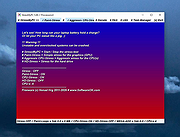 |
|
XBox One Controller Battery Indicator v1.3.1 XBox One Controller Battery Indicator v1.3.1 A tray application that shows a battery indicator for an Xbox-ish controller and gives a notification when the battery level drops to (almost) empty. It was originally written for the XBox One controller since Microsoft dropped all visual hints for low battery, but it should work with any gamepad that can be addressed via XInput (which should be all controllers that work in XBox-controller-enabled games). When more than one controller is present, the tray icon will cycle through the status display every 5 seconds. When a controller reaches low battery level, a notification is displayed. Controllers reported as working/being recognized so far: XBox Series X/S + dongle XBOne S + dongle XBOne S + Bluetooth XBOne Elite + dongle XBOne + dongle XB360 Currently known issues/limitations: Series X/S controllers connected via Bluetooth won't report any or a completely wrong battery level. This seems to be an issue with Microsofts BT implementation and I can't do anything about it. See Issue #49 for details. initial recognition of a newly connected controller can take a while. It will be displayed as "waiting for battery level data" at first but should switch to battery level after ~10 seconds and a button press. (This might be a limitation of the XInput API.) Changes: 1.3.1 The biggest change is that this version can detect if the new light theme introduced with Windows 10 1903 is used and switches to an inverted icon set (black lines instead of white). The switch can take a few seconds since it's coupled with the controller detection cycle (which takes 1-5 seconds for a cycle). See issue #23 for details. Also, as mentioned in issue #25 automatic update check ... |
|
6,129 | Apr 04, 2021 NiyaShy 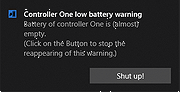 |
| Showing rows 1 to 4 of 4 | Showing Page 1 of 1 | 1 |
OlderGeeks.com Copyright (c) 2026
