|

|
Processed through Paypal No account required. |








Buy our over-priced crap to help pay the bills.



|
|
Processed through Paypal No account required. |
| Files | ||||
| File Name | Rating | Downloads | ||
 |
Automatic Screenshotter v1.11.1 Automatic Screenshotter v1.11.1 Automatic Screenshotter is a tool that lives down in your system tray and takes regular screenshots of your desk or the active window. The intention is to be a fairly lightweight primitive "backup" tool, like an airplane black box, so that in a case of last resort (app or system crash) you can go back and see what was on your screen at a certain time in the past. Future versions may expand to perform more general purpose automatic-screenshotting for folks who want to keep a complete history of what they were doing over time, etc. Suggestions are welcome. Features: It's made to run in the background, taking screenshots of either the currently active foreground window, or the entire desktop. You can configure how often the screenshots are taken, and how they are named. The naming can include putting them into subdirectories and can be based on the data,time, and application name. It will automatically prune older screenshots based on limits you set regarding screenshot age, # screenshots to keep, and total file space you want to use. It will also try to be smart about avoiding saving multiple screenshots when the window (desktop) contents don't actually change, with some configurable tolerances, to minimize disk space used. It can also be told about certain applications to never capture, or alternatively a small list of applications that it should only ever capture. It can be configured to ignore capture when your pc has been idle for a certain amount of time, or when screensaver is running, or when full-screen games are running. You can also manually trigger a capture with a hotkey. You can also toggle capturing on-and-off ... |
 |
5,173 | Jul 02, 2020 Mouser 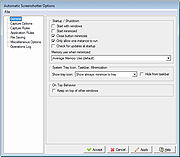 |
 |
Multiple Reboot Scheduler v2.6.0.0 Multiple Reboot Scheduler v2.6.0.0 👉 Automates a series of Windows restarts and records how long each reboot takes. Multiple Reboot Scheduler is a portable technician tool that restarts a Windows PC several times, with a configurable pause between restarts. The sequence is intended to trigger Windows’ built-in boot tracing and optimization. It records the time taken by each reboot so you can see whether startup time improved. It can also run selected maintenance tasks before the sequence, preserve desktop icon positions, and sign the current user in automatically between restarts. Features: • Set the number of reboots and the delay between them. • View the timing history during the sequence and a results summary when it finishes. • Optionally defragment the system partition or process idle tasks before starting. • Back up and restore the desktop icon layout, either automatically or manually. • Set up automatic sign-in for the current user so the sequence can continue unattended. • Pause the countdown, enable a sound for its final 10 seconds, or cancel the sequence. • Run directly as a portable executable. Supported operating systems: • Windows XP, Windows Vista, Windows 7, Windows 8.1, Windows 10, Windows 11, 32-bit and 64-bit Supported languages: English Changes: v2.6.0.0 09-16-24 Not provided. Note: This file has one hit on VirusTotal. We have confirmed this to be a false positive. The file is safe. Click here to visit the author's website. |
No Votes | 12 | Sep 24, 2026 Carifred 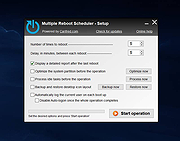 |
| Showing rows 1 to 2 of 2 | Showing Page 1 of 1 | 1 |
OlderGeeks.com Copyright (c) 2026
