|

|
Processed through Paypal No account required. |








Buy our over-priced crap to help pay the bills.



|
|
Processed through Paypal No account required. |
| Files | ||||
| File Name | Rating | Downloads | ||
 |
CPUSetter v1.7.1 CPUSetter v1.7.1 👉 Control CPU cores, hyperthreading, and process CPU usage on macOS. CPUSetter is a macOS utility that lets you control how your Mac's processor resources are used. It can enable or disable CPU cores and hyperthreading on supported processors, apply separate settings for battery and AC power, and limit the CPU usage of individual processes. CPUSetter also includes a process manager for adjusting process priority, viewing running applications, terminating processes, and monitoring system performance with built-in CPU, memory, disk, and network graphs. Administrator privileges are required for hardware-related changes, and a privileged helper tool is installed during first launch. Features: • Enable or disable physical and logical CPU cores • Enable or disable hyperthreading on supported processors • Apply separate CPU settings for battery and AC power • Limit the maximum CPU usage of individual processes • Change process priority (nice value) • Enable or disable throttling of low-priority processes • View and manage all running processes • Terminate running processes • Reveal process executables in Finder • Bring applications to the foreground • Display live CPU, memory, disk, and network performance graphs • Optionally apply saved settings automatically at system startup Supported operating systems: • macOS Big Sur 11.5 or higher Supported languages: English Changes: v1.7.1 12-16-25 • Requires macOS Big Sur (11.5) or later • Updated to Sparkle 2.7.0 • Fixed CPU sampling for hyperthreaded hosts In this screenshot, the Handbrake process has been limited to a maximum of 100% CPU usage (i.e. 1 whole core from the 4 available) and also reduced to a priority of 19. It is constrained as can be seen by it requesting more CPU resource than it is allowed to use. Click here to visit the author's website. |
 |
3,537 | Jun 23, 2026 Bryan Christianson 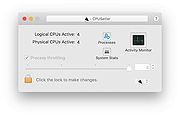 |
|
ExecutedProgramsList v1.15 ExecutedProgramsList v1.15 👉 A portable utility that reveals programs and batch files previously executed on your Windows computer. ExecutedProgramsList is a small system and forensic utility from NirSoft that displays programs and batch files previously run on your computer. It gathers execution information from several Windows Registry locations and the Windows Prefetch folder, making it useful for investigating software activity, troubleshooting a computer, or simply seeing what has been run in the past. For each detected program, it can display the executable file and path, file creation and modification times, and available version information including product name, product version and company name. For some programs, Windows also provides enough information for ExecutedProgramsList to show the last execution time. The program is completely portable. There is nothing to install and no additional DLL files are required. Results can be copied to the clipboard or exported to text, tab-delimited, CSV, HTML or XML files. Command-line options are also available for automatically generating reports. Features: • Displays programs and batch files previously executed on the computer • Collects execution history from multiple Windows Registry locations • Uses Windows Prefetch data as an additional source of execution history • Shows executable filenames and full file paths • Displays executable creation and modification times • Shows product name, product version and company name when available • Displays the last execution time for programs when the information is available • Opens the executable's folder directly in Windows Explorer • Opens the Windows file properties for a selected executable • Copies selected entries to the clipboard • Exports results to text, tab-delimited, CSV, HTML and XML formats • Includes command-line options for automatically saving reports • Name Only column can display the executable filename without its path • Optional black background with white text • Automatically sizes columns when configured to do so • Portable with no installation or additional DLL files required Supported operating systems: • Windows XP, ... |
|
6,751 | Aug 07, 2026 Nir Sofer 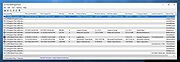 |
| Showing rows 1 to 2 of 2 | Showing Page 1 of 1 | 1 |
OlderGeeks.com Copyright (c) 2026
