|

|
Processed through Paypal No account required. |








Buy our over-priced crap to help pay the bills.



|
|
Processed through Paypal No account required. |
| Files | ||||
| File Name | Rating | Downloads | ||
 |
Zotero v10.0.1 Zotero v10.0.1 👉 A powerful free research assistant for collecting, organizing, annotating, citing and sharing research. Zotero is a free, open-source research and reference manager designed to help you collect, organize, annotate, cite and share research sources. It can manage books, journal articles, reports, web pages, artwork, films, letters, manuscripts, recordings, legal materials and many other types of sources. Each item can contain detailed bibliographic metadata as well as attached PDFs, files, web snapshots, links and notes. The Zotero Connector integrates with supported web browsers to capture research directly from websites. When Zotero recognizes a book, article or other source, it can automatically create the appropriate library item, fill in available metadata, download a full-text PDF when available and attach related links or supplemental files. Zotero can also create items directly from ISBNs, DOIs and PubMed IDs. Research can be organized into collections and tagged for easier retrieval. An item can appear in multiple collections without creating duplicate copies, and saved searches automatically update as new matching material is added. Zotero also provides synchronization between computers and shared group libraries for collaborative research. Features: • Collect books, journal articles, reports, web pages, artwork, films, letters, manuscripts, recordings, legal materials and many other types of research sources • Automatically capture bibliographic information from supported websites using the Zotero Connector • Automatically download full-text PDFs when they are available while saving sources • Save web pages as locally stored snapshots for later viewing, including while offline • Add sources automatically using ISBN, DOI or PubMed ID identifiers • Attach PDFs, images, audio, video and other files to library items • Create rich-text notes attached to individual sources or independent notes • Organize research into collections and subcollections without duplicating library items • Assign unlimited tags to items and use colored tags for quick identification • Quickly search metadata, tags and full-text content • Use advanced searches for ... |
 |
183 | Aug 28, 2026 Digital Scholar 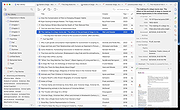 |
| Showing rows 1 to 1 of 1 | Showing Page 1 of 1 | 1 |
OlderGeeks.com Copyright (c) 2026
