|

|
Processed through Paypal No account required. |








Buy our over-priced crap to help pay the bills.



|
|
Processed through Paypal No account required. |
| Files | ||||
| File Name | Rating | Downloads | ||
 |
Zeal v0.7.2 Zeal v0.7.2 An offline documentation browser for software developers. Download Docsets: After installing Zeal go to Tools ⟶ Docsets to browse and download docsets. Search Filters: You can limit search results to a specific (or a set of specific) docsets. The docset filter and the search query are delimited by a colon character (:). Examples: • string will search all docsets for string • python:string will search only docsets related to Python for string Keyboard Shortcuts: IDE Plugins: Emacs IntelliJ IDEA KTextEditor (Kate, KWrite, KDevelop, Kile, etc) Sublime Text VIM Or you can use https://github.com/keith/investigate.vim with something like this in .vimrc: let g:investigate_command_for_python = '/usr/bin/zeal ^s' A simpler way to integrate with Vim is a simple mapping, like :nnoremap gz :!zeal "<cword>"&<CR><CR> Visual Studio Code This download is for the Windows 64bit version. If you need the Linux version, download here. Click here to visit the author's website. |
 |
4,061 | Jul 28, 2025 Oleg Shparber 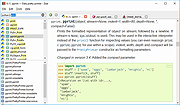 |
| Showing rows 1 to 1 of 1 | Showing Page 1 of 1 | 1 |
OlderGeeks.com Copyright (c) 2026
