|

|
Processed through Paypal No account required. |








Buy our over-priced crap to help pay the bills.



|
|
Processed through Paypal No account required. |
| Files | ||||
| File Name | Rating | Downloads | ||
 |
Gamepad Tester .NET v19.5.0.0 Gamepad Tester v19.5.0.0 Test controller buttons, triggers, thumbsticks, vibration, and headset audio. Gamepad Tester is a Windows gaming utility for checking Xbox and PlayStation controllers for possible hardware problems, including buttons, triggers, thumbsticks, vibration motors, and headset audio output. Features: • Tests controller buttons, triggers, and thumbsticks • Checks vibration motors • Headset audio pass-through tester • Supports Xbox and PlayStation controllers • XInput/DirectX based engine • Portable, Lite, and Microsoft Store versions available • Code-signed files • Donationware Supported operating systems: • Windows 8, Windows 10, Windows 11 Supported languages: English Changes: v19.5.0.0 Not provided. Click here to visit the author's website. |
 |
781 | Jun 05, 2026 OMID SOFT 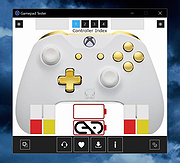 |
 |
XBox One Controller Battery Indicator v1.3.1 XBox One Controller Battery Indicator v1.3.1 A tray application that shows a battery indicator for an Xbox-ish controller and gives a notification when the battery level drops to (almost) empty. It was originally written for the XBox One controller since Microsoft dropped all visual hints for low battery, but it should work with any gamepad that can be addressed via XInput (which should be all controllers that work in XBox-controller-enabled games). When more than one controller is present, the tray icon will cycle through the status display every 5 seconds. When a controller reaches low battery level, a notification is displayed. Controllers reported as working/being recognized so far: XBox Series X/S + dongle XBOne S + dongle XBOne S + Bluetooth XBOne Elite + dongle XBOne + dongle XB360 Currently known issues/limitations: Series X/S controllers connected via Bluetooth won't report any or a completely wrong battery level. This seems to be an issue with Microsofts BT implementation and I can't do anything about it. See Issue #49 for details. initial recognition of a newly connected controller can take a while. It will be displayed as "waiting for battery level data" at first but should switch to battery level after ~10 seconds and a button press. (This might be a limitation of the XInput API.) Changes: 1.3.1 The biggest change is that this version can detect if the new light theme introduced with Windows 10 1903 is used and switches to an inverted icon set (black lines instead of white). The switch can take a few seconds since it's coupled with the controller detection cycle (which takes 1-5 seconds for a cycle). See issue #23 for details. Also, as mentioned in issue #25 automatic update check ... |
|
6,128 | Apr 04, 2021 NiyaShy 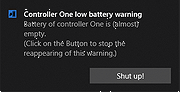 |
| Showing rows 1 to 2 of 2 | Showing Page 1 of 1 | 1 |
OlderGeeks.com Copyright (c) 2026
