|

|
Processed through Paypal No account required. |








Buy our over-priced crap to help pay the bills.



|
|
Processed through Paypal No account required. |
| Files | ||||
| File Name | Rating | Downloads | ||
 |
WhoCrashed Free Home Edition v7.10 WhoCrashed Free Home Edition v7.10 👉 Analyze Windows crash dump files and identify the cause of system crashes. WhoCrashed Free Home Edition is a diagnostic utility designed to help users determine why their computer has crashed or become unstable. By analyzing crash dump files generated by Windows, it provides easy-to-understand reports that identify the drivers or system components responsible for Blue Screen of Death (BSOD) errors. WhoCrashed Free Home Edition simplifies complex debugging data into readable explanations, making it useful for both everyday users and technicians. It scans system logs and memory dump files, then presents a detailed analysis that highlights probable causes of crashes, including faulty drivers, hardware issues, or system misconfigurations. Features: • Analyzes Windows crash dump files and BSOD events • Identifies faulty drivers and probable crash causes • Provides clear, human-readable crash reports • Supports kernel, mini, and full memory dump analysis • One-click analysis with minimal technical knowledge required • Displays detailed system information for troubleshooting • Lightweight and fast operation Supported operating systems: • Windows 11, Windows 10, Windows 8.1, Windows 8, Windows 7, Windows Vista, Windows XP x64 editions, Windows XP SP3 32-bit editions • Windows Server 2022, Windows Server 2019, Windows Server 2016, Windows Server 2012, Windows Server 2008, Windows Server 2003 Supported languages: English Changes: v7.10 10-21-24 Certain dump files could not be analyzed due to a buffer overflow error Certain crash dump files could not be analyzed with WhoCrashed because of a "buffer overflow error". This would cause the program to terminate. This bug has been fixed. Updated debug DLLs The debug DLL versions used for analyzing crash dumps have been updated. Wrong bugcheck analysis problem fixed WhoCrashed could draw the wrong conclusion analyzing certain crash dumps. The analysis process has been improved to prevent this. Clicking on "cancel" during dump analysis could produce unexpected behavior Clicking the cancel button while a dump analysis process was in progress could give unexpected results. This problem ... |
 |
10,482 | Mar 24, 2026 Resplendence Software Projects Sp. 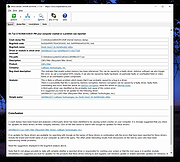 |
| Showing rows 1 to 1 of 1 | Showing Page 1 of 1 | 1 |
OlderGeeks.com Copyright (c) 2026
