|

|
Processed through Paypal No account required. |








Buy our over-priced crap to help pay the bills.



|
|
Processed through Paypal No account required. |
| Files | ||||
| File Name | Rating | Downloads | ||
 |
Bluefin v20260527 Bluefin v20260527 👉 A modern Fedora-based Linux workstation built for everyday use and cloud-native development. Bluefin is a next-generation Linux desktop operating system based on Fedora Atomic and the Universal Blue project. It is designed to provide a stable, secure, and maintenance-friendly workstation experience while still offering modern development tools, gaming support, multimedia features, and a polished GNOME desktop environment. Unlike traditional Linux distributions that rely heavily on manual package management and upgrades, Bluefin uses an immutable image-based system architecture. This allows the operating system to update atomically, reducing the risk of broken updates and making system recovery significantly easier through built-in rollback capabilities. Bluefin is focused on delivering an “install and use” Linux experience with many essential tools already configured. The system integrates Flatpak applications, Homebrew package management, containerized development environments, and modern virtualization technologies directly out of the box. It also includes developer-oriented workflows for Docker, Podman, devcontainers, and cloud-native software development. Features: • Fedora Atomic based immutable operating system • Built on Universal Blue technology stack • Modern GNOME desktop environment with user-friendly layout • Separate standard images for AMD/Intel graphics and NVIDIA graphics hardware • Atomic image-based updates with rollback support • Automatic operating system updates and maintenance • Integrated Flatpak application ecosystem with Flathub support • Homebrew package manager preconfigured for command-line software • Developer-ready environment with container-first workflows • Built-in Podman and Docker support • Devcontainer and cloud-native development integration • Distrobox support for running software from other Linux distributions • Tailscale support for secure mesh networking • WireGuard VPN tools included • Virtualization and container management support • Optimized multimedia codec support • Secure Boot compatible • Wayland-based modern graphics stack • Gaming-friendly Mesa and NVIDIA driver support • Integrated terminal enhancements including Starship prompt • Flatpak management utilities included • Rollback functionality for safer upgrades and experimentation • Designed for developers, power users, creators, and advanced desktop users • Minimal manual maintenance required after installation • Fast deployment and recovery ... |
 |
1,070 | May 31, 2026 Project Bluefin and Universal Blue 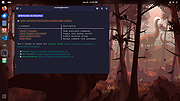 |
 |
Input Remapper v2.2.1 Input Remapper v2.2.1 👉 Remap keyboards, mice, gamepads and other Linux input devices. Input Remapper is an easy to use Linux tool for changing the behavior of your input devices. It supports X11, Wayland, key combinations, programmable macros, joysticks, wheels, triggers, keyboard keys, mouse movements and more. It can map nearly any input to another input, making it useful for custom controls, accessibility tweaks, gaming setups and fixing awkward device layouts. Features: • Remap keyboards, mice, gamepads, joysticks, wheels and other input devices • Supports X11 and Wayland • Create key combinations and programmable macros • Map keys, buttons, triggers and mouse movements • Useful for gaming controls, accessibility needs and custom Linux workflows • Autoload mappings for connected devices • Preset based setup for different devices and layouts Supported operating systems: • Linux • Ubuntu 22.04 or higher • Debian • Fedora • Arch Linux • Void Linux Supported languages: English, Chinese Traditional Changes: v2.2.1 06-12-26 Various important fixes for gamepads Fix similar devices stealing the injection on autoload Preserve forwarded mouse DPI metadata during injection Add zh_TW Traditional Chinese locale Added Void Linux to install instructions Restrict 99-input-remapper.rules to event nodes Fix the .desktop reference in metainfo Fix XDG_CONFIG_HOME being ignored pyproject.toml, new build tool Switch to dasbus Use raw string literals for regexes New icon Add hint for permission problems to logs if device not found Code quality improvements This download is for the Linux Debian version (very bottom of page). Install on other Linux versions: Ubuntu/Debian repository: sudo apt install input-remapper Input Remapper 2.0 and higher requires at least Ubuntu 22.04. Fedora: sudo dnf install input-remapper sudo systemctl enable --now input-remapper Arch: yay -S input-remapper-git sudo systemctl enable --now input-remapper Void Linux: sudo xbps-install -S input-remapper sudo ln -s /etc/sv/input-remapper /var/service sudo sv up input-remapper Other distros: Install packages providing these dependencies: python3-evdev 1.3.0 or higher, gtksourceview4, python3-devel, python3-pydantic, python3-dasbus and python3-psutil. sudo pip install evdev pydantic dasbus PyGObject git clone https://github.com/sezanzeb/input-remapper.git cd input-remapper sudo python3 -m install --root / sudo systemctl enable --now input-remapper Uninstall from source install: sudo python3 -m install.uninstall Click here to visit ... |
|
428 | Jun 30, 2026 Tobi Sezanzeb 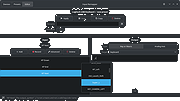 |
 |
Nyrna v2.27.2 Nyrna v2.27.2 👉 Suspend and resume games and applications with the push of a button in Windows and Linux. Nyrna lets you suspend games and applications, similar to the suspend mode found on consoles like the Nintendo Switch and Sony PlayStation. It can pause a running game or program, reduce its resource usage, and resume it later without losing your place. It is especially useful for games that cannot normally be paused, as well as for managing long-running tasks like rendering, encoding, or compiling. Nyrna works by suspending a process at the system level, effectively freezing it in its current state. When resumed, the application continues exactly where it left off. It includes a simple Material Design interface, hotkey support for quick toggling, and command-line options for automation. It can also be configured with per-application hotkeys, making it easy to control specific programs without switching windows. Features: • Suspend and resume games instantly • Pause games that do not normally allow pausing • Freeze applications at the system level and resume without losing progress • Reduce CPU and GPU usage while suspended • Useful for cutscenes, checkpoints, or long idle periods • Supports suspending non-game applications such as rendering, encoding, and compiling • Material Design graphical interface • Global hotkey to toggle suspend/resume for the active window • Per-application hotkey configuration • Command line support using -t or --toggle • Lightweight and easy to use • Free and open source • No ads, no telemetry, and no data collection Supported operating systems: • Windows 10/11 • Linux (X11 environments) Supported languages: English Changes: v2.27.2 05-26-26 Bug Fixes • Use latest SDKs when building on Windows • Fixed crash on Windows with Flutter 3.44+ • Fixed hotkey labels on Windows • Initialize system tray before asynchronous work • Don't try to get release notes when the running version is unknown • Set Windows tray tooltip to prevent random characters from appearing Tests • Skip tests on Windows that aren't supported there This download ... |
|
739 | Aug 26, 2026 Kristen McWilliam 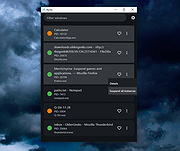 |
|
vokoscreenNG v4.10.0 vokoscreenNG v4.10.0 👉 Record your screen, audio, webcam, windows, and selected areas with a powerful open source screencast tool. vokoscreenNG is a free and open source screen recording program for Windows and Linux. It can record the full screen, a selected area, or a window, with audio recording, webcam overlay support, snapshots, a built-in video player, countdown timer, magnifier, Showclick, Halo, system tray tools, dark mode, and global keyboard shortcuts. Features: • Record the full screen, selected area, or window • Supports audio recording with level meter • Built-in webcam/camera support • Multi-screen recording support • System tray controls • Countdown and timer tools • Magnifying glass tool • Showclick and Halo mouse-click visual effects • Snapshot support • Built-in video player • Global keyboard shortcuts • Dark mode • Linux X11 and Windows: MKV, GIF, MP4 • Linux Wayland: MKV recording with conversion to WebM, GIF, or MP4 after recording Supported operating systems: • Windows 10 64-bit, Windows 64-bit • Linux Flatpak, Debian, Fedora, openSUSE Tumbleweed, openSUSE Leap, Ubuntu, Arch Linux, NixOS Supported languages: Arabic, Arabic (Egypt), Moroccan Arabic, Bengali, Bosnian, Bosnian (Bosnia and Herzegovina), Catalan, Catalan (Spain), Czech, Czech (Czech Republic), German, German (Austria), German (Switzerland), German (Germany), Greek (Greece), English (Australia), English (Canada), English (United Kingdom), English (India), English (United States), English (South Africa), Spanish, Spanish (Latin America), Spanish (Argentina), Spanish (Bolivia), Spanish (Chile), Spanish (Colombia), Spanish (Spain), Spanish (Mexico), Spanish (Peru), Spanish (El Salvador), Spanish (Venezuela), Basque (Spain), Persian (Iran), Finnish (Finland), Filipino (Philippines), French (Canada), French (France), Hebrew, Croatian, Hungarian (Hungary), Indonesian, Indonesian (Indonesia), Italian (Italy), Japanese (Japan), Kazakh (Kazakhstan), Korean (Korea), Lao, Lao (Laos), Lithuanian, Norwegian Bokmεl, Low German, Dutch (Belgium), Dutch (Netherlands), Polish (Poland), Portuguese, Portuguese (Brazil), Portuguese (Portugal), Romanian, Russian, Russian (Russia), Slovak (Slovakia), Slovenian, Serbian, Swedish, Swedish (Sweden), Thai, Thai (Thailand), Turkish (Turkey), Ukrainian (Ukraine), Wu Chinese (Simplified), Chinese (China), Chinese (Hong Kong), Chinese (Taiwan) Changes: v4.10.0 07-01-26 Code: Fixed deprecation warnings Wayland: Audio change from ... |
 |
435 | Jun 30, 2026 Volker Kohaupt 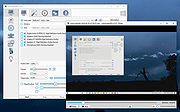 |
| Showing rows 1 to 4 of 4 | Showing Page 1 of 1 | 1 |
OlderGeeks.com Copyright (c) 2026
