|

|
Processed through Paypal No account required. |








Buy our over-priced crap to help pay the bills.



|
|
Processed through Paypal No account required. |
| Files | ||||
| File Name | Rating | Downloads | ||
 |
AppCrashView v1.35 AppCrashView v1.35 👉 View application crash reports from Windows Error Reporting files. AppCrashView is a small NirSoft utility that displays details of application crashes stored in Windows Error Reporting .wer files. It shows crash information in a two-pane window, with the crash list on top and the selected crash report contents below. Crash lists can be saved to text, CSV, HTML, or XML files, or copied to the clipboard for use in Excel or another spreadsheet program. Features: • Displays application crash details from Windows Error Reporting .wer files • Two-pane interface shows crash list and full selected crash report • Save crash lists as text, tab-delimited, CSV, HTML, or XML • Copy selected crash information to the clipboard • Quick Filter support for instantly narrowing crash results • Open report file folder or process folder • Delete selected reports • Run as administrator option • Command-line export options • No installation required Supported operating systems: • Windows Vista, Windows 7, Windows Server 2008, Windows 8, Windows 10 Supported languages: English, Brazilian Portuguese, Danish, Dutch, French, German, Greek, Hungarian, Italian, Japanese, Korean, Persian, Polish, Romanian, Russian, Simplified Chinese, Slovak, Spanish, Swedish, Traditional Chinese, Valencian Changes: v1.35 Added 'Quick Filter' feature (View -> Use Quick Filter or Ctrl+Q). When turned on, you can type a string in the text box under the toolbar and AppCrashView will instantly filter the application crashes list, showing only lines that contain the string you typed. Click here to visit the author's website. |
 |
6,225 | Jun 14, 2026 Nir Sofer 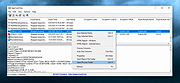 |
| Showing rows 1 to 1 of 1 | Showing Page 1 of 1 | 1 |
OlderGeeks.com Copyright (c) 2026
