|

|
Processed through Paypal No account required. |








Buy our over-priced crap to help pay the bills.



|
|
Processed through Paypal No account required. |
| Files | ||||
| File Name | Rating | Downloads | ||
 |
Uptooda v1.4.5 Uptooda v1.4.5 A free and open-source program for Windows that that allows you to effortlessly upload images, screenshots, and various files to a wide array of hosting services. With Uptooda's capability to capture selected screen areas, it promptly uploads content to image hosting services, while also offering the convenience of automatically copying the URL to your clipboard. Features: • Uploading files to image/file hosting services The program can upload images and files to more than 30 hosting services. Also Uptooda can upload files to FTP/SFTP/WebDAV server. After uploading, Uptooda will generate HTML code, BBCode and Markdown code for forums. It is also possible to specify your own output template. • Grabbing frames from a video clip The program is capable of extracting a specified number of frames from video files in formats such as AVI, MPG, VOB, WMV, MKV, MP4, TS, MOV, and many others. Uptooda can use both the codecs installed on your system and the codecs distributed with the program. The extracted frames can be individually uploaded to the selected hosting service or combined into a single mosaic image. • Screenshots The program can capture screenshots of the entire screen, the active window, or a mouse-selected screen area (rectangular area, selected window, or freeform area). • Image Editor You can easily edit the screenshots you've taken, annotate, highlight or obfuscate parts of the screenshot. • Screen Recording Uptooda provides screen video recording functionality for creating demonstration content, offering two technological approaches. The first method works based on DirectX and Desktop Duplication API without additional ... |
 |
6,162 | Nov 20, 2025 Sergey Svistunov 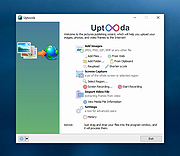 |
| Showing rows 1 to 1 of 1 | Showing Page 1 of 1 | 1 |
OlderGeeks.com Copyright (c) 2026
