|

|
Processed through Paypal No account required. |








Buy our over-priced crap to help pay the bills.



|
|
Processed through Paypal No account required. |
| Files | ||||
| File Name | Rating | Downloads | ||
 |
Superfile v1.6.0 Superfile v1.6.0 👉 A modern, terminal-based file manager built for speed and keyboard-driven efficiency. Superfile is a powerful cross-platform file manager designed to run inside your terminal, offering a fast, keyboard-focused alternative to traditional graphical file explorers. It features a clean interface with customizable themes, intuitive navigation, and efficient file operations, making it ideal for developers, system administrators, and power users who prefer working in the command line. Superfile combines performance with flexibility, allowing users to manage files, browse directories, preview content, and execute commands without leaving the terminal environment. Its lightweight design ensures minimal system resource usage while still delivering advanced functionality and smooth workflow integration. Features: • Fast, keyboard-driven navigation • Multi-panel file browsing • File preview support for various formats • Customizable themes and appearance • Cross-platform compatibility • Copy, move, rename, and delete file operations • Directory bookmarks for quick access • Lightweight and efficient resource usage • Designed for terminal environments • Open source and actively maintained Supported operating systems: • Windows 10, Windows 11 • macOS 12 or higher • Linux (major distributions) Supported languages: English Changes: v1.6.0 06-07-26 This release focuses on preview reliability, richer file metadata, configurable sidebar behavior, and a refreshed website and logo design, alongside navigation improvements, better error messages, refactoring, dependency updates, and bug fixes. Highlights Improved image and file preview reliability through the Bubble Tea v2 migration. Thanks @lazysegtree for the implementation New website & logo design. Thanks @elvisdragonmao for the implementation Added richer file metadata, including binary architecture detection for ELF/PE/Mach-O, Linux attributes, and file type byte support in the permissions column. Thanks @barsaskn, @xelavopelk, and @booth-w for the implementation Sidebar sections can now be configured for visibility and ordering. Thanks @Mjoyufull for the implementation Improved file operation error messages for delete, paste, and file text preview failures. Thanks @xelavopelk for the implementation ... |
 |
1,579 | Jun 27, 2026 Yorukot 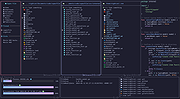 |
| Showing rows 1 to 1 of 1 | Showing Page 1 of 1 | 1 |
OlderGeeks.com Copyright (c) 2026
