|

|
Processed through Paypal No account required. |








Buy our over-priced crap to help pay the bills.



|
|
Processed through Paypal No account required. |
| Files | ||||
| File Name | Rating | Downloads | ||
 |
MyPitch v1.0 MyPitch v1.0 👉 A simple functional ear trainer for musicians MyPitch is a free, open-source, simple, and customizable ear trainer for musicians. It helps train your ability to recognize the functions of scale notes within a tonal context and, by extension, your ability to recognize these pitches. Features: • Interactive quiz mode for all degrees or subsets at any key and octave, even randomized • Pocket mode with automatic speech responses for hands-free practice • Customizable Tonic Drone for anchoring to the key • Melody quiz for drilling melodies within a key context in various scale modes • Stats report after interactive mode showing useful data about strengths and weaknesses • Free and open-source Supported operating systems: • Windows • Linux • Android Supported languages: English Changes: v1.0 08-11-26 update version 👉 This download is for the Windows version (very bottom of page). All other download assets are below: Linux: MyPitch-AppImage-x86_64-1.0alpha.AppImage Android: com.saverin.mypitch-1.0.apk Click here to visit the author's website. |
 |
606 | Sep 28, 2026 SaverinOnRails 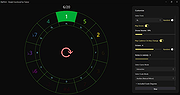 |
 |
Stats v2.11.61 Stats v2.11.61 A free macOS system monitor for your Menu Bar. Stats is a simple, lightweight app that helps you monitor your mac's performance. Get a comprehensive view of your mac's health. Features: • CPU usage and processes monitoring. • GPU usage and processes monitoring. • RAM usage and processes monitoring. • Disk space and usage monitoring. • Sensors and fans monitoring. • Network I/O monitoring. • Battery level monitoring. • Bluetooth devices and their batteries monitoring. • Clock and calendar in your menu bar. Supported operating systems: macOS 10.14 (Mojave) macOS 10.13 (High Sierra) For macOS 10.15 (Catalina) and later Changes: v2.11.61 11-14-25 fix: reverted enabling macOS widget updates since there is still a problem with chronod (#2733) How to install: Manual install 1) Download the latest version for youe macOS version below. 2) Open it and move the app to the application folder. Homebrew Install 1) Open the Terminal app. 2) Type: brew install stats and hit ENTER. This download is for the macOS 10.15 (Catalina) and later version (very bottom of page). If you need the macOS 10.14 (Mojave) version, download here. If you need the macOS 10.13 (High Sierra) version, download here. Click here to visit the author's website. |
|
666 | Nov 14, 2025 Serhiy Mytrovtsiy 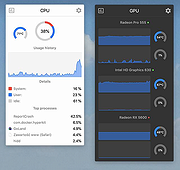 |
| Showing rows 1 to 2 of 2 | Showing Page 1 of 1 | 1 |
OlderGeeks.com Copyright (c) 2026
