|

|
Processed through Paypal No account required. |








Buy our over-priced crap to help pay the bills.



|
|
Processed through Paypal No account required. |
| Files | ||||
| File Name | Rating | Downloads | ||
 |
3D Pinball for Windows - Space Cadet 3D Pinball for Windows - Space Cadet Originally packaged with Microsoft Plus! 95 and later included in Windows NT, Windows Me, Windows 2000 and Windows XP. You are a young Cadet trying to graduate from the Space Academy and make a name for yourself as an officer. You must complete you training and prove your abilities in order to move up through the ranks and increase your score. Do you have what it takes to become a Fleet Admiral? In 3D Space Cadet Pinball you'll find out! 3D Pinball for Windows: Space Cadet (referred to as 3D Pinball or simply Pinball) is the version of the game bundled with various Microsoft products. It was originally packaged with Microsoft Plus! 95 and later included in Windows NT, Windows Me, Windows 2000 and Windows XP. Instructions are available from Microsoft on how to install it on Windows 98. Windows XP is the last version of Windows to include the game, as it was removed in Windows Vista. Controls: - Left Flipper: Z - Right Flipper: / - Left table bump: X - Right table bump: . - Plunger: spacebar Read more at: https://tr.im/GvAc2 Click here to visit the author's website. |
 |
10,568 | Oct 06, 2023 Microsoft 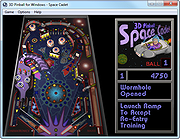 |
 |
CleanSweep2 v3.1 CleanSweep2 v3.1 👉 Remove selected Windows junk files and see how much disk space you reclaim. CleanSweep2 lets you select temporary files, caches, logs, and other cleanup targets. It estimates reclaimable space before cleaning and reports the space recovered afterward. A command-line edition supports selective cleaning, logging, silent operation, and scheduled runs through Windows Task Scheduler. Review your selections carefully before removing File History snapshots or the Windows.old folder. Features: • Select cleanup targets individually. • Remove temporary files, temporary setup files, and temporary internet files. • Clear Chrome and Microsoft Edge caches, thumbnail caches, and Microsoft Office cache. • Clean Windows Update logs, error reports, Defender logs, and Delivery Optimization files. • Empty the Recycle Bin or remove Event Viewer logs when selected. • Optionally remove File History snapshots and the Windows.old folder. • See estimated reclaimable space and the amount recovered. • Save logs and remember selections in the graphical edition. • Run selective or scheduled cleaning with the command-line edition. Supported operating systems: • Windows 7, Windows 8, Windows 8.1, Windows 10, Windows 11 Supported languages: English Changes: v3.1 03-12-26 FIX - Multiple file exceptions on load CHANGE - Default to manual check for updates Click here to visit the author's website. |
|
5,044 | Sep 28, 2026 Thomas Loupe 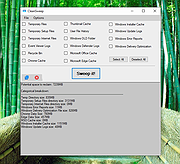 |
|
Dark Space Desktop Theme v1.0 Dark Space Desktop Theme v1.0 A Dark Space desktop theme for Windows 11 / Windows 10 / Windows 8 (8.1) Features 18 HD wallpapers. Click here to visit the author's website. |
|
2,335 | Apr 28, 2023 themepack.me  |
|
Deep Space Fire v1.0.0 Deep Space Fire v1.0.0 Dominate the universe in a classic Battleship game. Deep Space Fire is a game based on a popular board game called Battleship, for two players. Build your own fleet of ships and fight against a computer-controlled enemy in ten epic battles! The mechanics of Battleship Each player has their own board, which they populate with ships. The ships can be rotated in 2 ways, but they cannot touch each other. The point of the game is to select a block on the enemy board, and destroy all enemy ships before they destroy yours. If a player does not hit a ship, the opponent tries next, otherwise the player gets a chance to do the next move immediately. The player who destroys all of the opponent's ships wins. Improvements Deep Space Fire offers several improvements of the original concept. For each won battle, you gain points which you can invest into expanding your fleet, which will help you in the next battle. The objective is to take over 10 enemy territories, while maintaining enough points to produce ships for your fleet. Click here to visit the author's website. |
 |
7,395 | Nov 15, 2025 Satik64 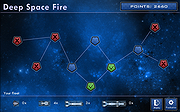 |
|
Delta v0.1.8 Delta v0.1.8 👉 Disk space analyzer with historical snapshot comparison. Delta is a disk space analysis tool that allows you to scan your drives, save storage snapshots, and compare changes over time. It helps you quickly identify which folders and files have grown or shrunk between scans. Designed to work fully offline, Delta stores scan data locally and focuses on lightweight performance with a modern user interface. Features: • Scan drives and analyze folder and file size usage • Save disk usage snapshots for historical tracking • Compare past and current scans to detect size changes • Fully offline operation with no telemetry • Lightweight application built with Rust and Tauri • Modern interface powered by React Supported operating systems: • Windows 10, Windows 11, Linux Supported languages: English Changes: v0.1.8 05-31-26 • Bug fixes • Added sorting improvements • UI changes Note: This file has one hit on VirusTotal. We have confirmed this to be a false positive. The file is safe. This download is for the Windows 64bit setup version (very bottom of page). All other download assets are below: Other Windows: delta_0.1.8_x64_en-US.msi Linux: delta-disk-analyzer_0.1.8_amd64.deb delta-disk-analyzer-0.1.8-1.x86_64.rpm delta-disk-analyzer_0.1.8_amd64.AppImage Click here to visit the author's website. |
|
798 | Jul 11, 2026 Austin Bian 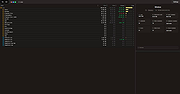 |
|
Endless Sky v0.10.16 Endless Sky v0.10.16 👉 Open-source 2D space trading and combat game inspired by classic Escape Velocity. Endless Sky is a free, open-source space exploration, trading, and combat game where you pilot a small starship through a vast galaxy filled with missions, factions, pirates, merchants, and mysteries. Starting with a basic ship and limited credits, you can earn money by transporting cargo and passengers, engaging in battles, mining asteroids, or completing story-driven missions that shape your path across the stars. As you progress, you can upgrade your ship with new engines, weapons, outfits, and defensive systems, or purchase entirely new ships to build your own fleet. The galaxy is expansive and dynamic, featuring multiple alien species, branching storylines, and player-driven choices that influence reputation and relationships with different factions. Endless Sky also supports community-created plugins and mods, extending gameplay with new ships, missions, and entire story arcs. Features: • Vast open galaxy with hundreds of star systems • Story-driven missions with branching paths • Real-time 2D ship combat with tactical fleet control • Trade goods, passengers, and mining for income • Upgrade ships with engines, weapons, shields, and outfits • Purchase and command multiple ships in your fleet • Multiple factions and alien species • Modding and plugin support for custom content • Cross-platform and fully open source Supported operating systems: • Windows 10, Windows 11 • macOS 11 or Higher • Linux Supported languages: English, Spanish, French, German, Russian, Japanese, Chinese (Simplified), Chinese (Traditional) Changes: v0.10.16 10-25-25 * Bug fixes: * Content bugs: * Typo fixes. (@Deltaspace0) * Resampled various wave files to 44.1 kHz. (@Saugia) * Coalition Yottrite missions will no longer offer on uninhabited gas giants. (@Arachi-Lover) * Fixed the "on visit" message of "Dangerous Games 1" to account for the possibility that the player has ... |
|
7,466 | Jun 27, 2026 Michael Zahniser 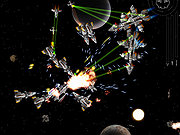 |
|
InstallerClean v3.3.0 InstallerClean v3.3.0 👉 Safely clean orphaned Windows Installer files and reclaim disk space. InstallerClean is a modern, open-source tool for cleaning unneeded files from the hidden C:\Windows\Installer folder. It scans for orphaned .msi and .msp files, checks them against the Windows Installer database, and lets you delete them to the Recycle Bin or move them to a folder you choose. Features: • Scans C:\Windows\Installer for unneeded installer and patch files • Detects orphaned MSI and MSP files • Detects superseded patches, including Adobe Acrobat patches • Uses the Windows Installer API instead of guessing by file names or dates • Shows needed and removable files with sizes • Delete sends files to the Recycle Bin • Move option lets you keep removed files in a safe folder • GUI and command-line versions included • No telemetry, no network activity, no background service, no scheduled task Supported operating systems: • Windows 10, Windows 11 Supported languages: Indonesian, German, English, Spanish, French, Italian, Dutch, Polish, Brazilian Portuguese, Vietnamese, Turkish, Russian, Ukrainian, Japanese, Simplified Chinese, Traditional Chinese, Korean Changes: v3.3.0 10-13-26 Added InstallerClean can now be shown in Traditional Chinese, written for Taiwan's usage with the words Windows itself uses there: every window, dialog, tooltip, button and screen-reader label, the command-line tool's text and the setup wizard. A Windows set to Traditional Chinese shows it automatically, and it can be picked from the main-window language menu. Like the other machine-drafted languages it is published beside the English in docs/translations/zh-Hant.md for anyone who reads it to check, and the README has a Traditional Chinese edition, which the app's README links open. Where the languages stand: Natively done Live machine-translated README only * English · Italian · Japanese · Dutch Simplified Chinese · Traditional Chinese · Russian · Spanish · Brazilian Portuguese · Polish · Turkish · Korean · French · German · ... |
|
1,143 | Oct 13, 2026 no-faff 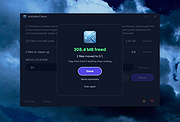 |
|
Lost In The Deep Space 1.1.0 Lost In The Deep Space 1.1.0 A nervous fps-platformer with minimal design ! In the skin of an astronaut, lost on a small planet, you will be challenged to harvest as many crystals in record time. In this game, you will be brought to move from platform to platform using your weapon to activate passage. The objective is to collect a maximum of points before the end of the stopwatch. This game which mixes address and reflex is particularly ideal for fans of speed run. |
|
6,077 | Feb 28, 2017 DianoDiMatteo 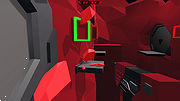 |
|
MeinPlatz v8.66 MeinPlatz v8.66 👉 Quickly scan drives and folders to find lost disk space. MeinPlatz helps you quickly analyze hard drive, SSD, USB drive, and folder space usage so you can see where your storage has gone. It displays results by folder, file type, size, date, percentage usage, file count, and folder count, making it easier to locate large files and space-hogging directories. Features: • Fast disk and folder space scanning • Percentage-based storage analysis • Group results by folders, file types, size, or date • Export results to XLS, CSV, TXT, and HTML • Print function with print preview • Small built-in screen magnifier • Portable version available • Low resource use Supported operating systems: • Windows XP, Windows Vista, Windows 7, Windows 8.1, Windows 10, Windows 11 • Windows Server 2016, Windows Server 2019 Supported languages: German, English, Polish, Chinese Traditional, Chinese Simplified, French, Russian, Dutch, Korean Changes: v8.66 05-22-26 • New: Right-click option to open file properties and the target file path for shortcuts. • Updated MeinPlatz language files. This download is for the Windows 64bit version (very bottom of page). If you need the Windows 32bit version, download here. Click here to visit the author's website. |
|
6,984 | May 22, 2026 Nenad Hrg 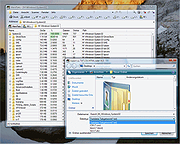 |
|
OpenDisk v1.2.2 OpenDisk v1.2.2 👉 See what is using your Mac’s storage with a fast, interactive disk map. OpenDisk is a free, open-source disk space analyzer for macOS. It scans a drive or selected folder and displays the results in an interactive sunburst chart alongside a sortable folder list. Results appear while the scan is running, and you can click through folders to find large files. Incremental rescans reuse earlier results to check for changes more quickly. Full Disk Access is needed for accurate whole-drive totals. Features: • Interactive sunburst chart shows how folders and files use space. • Live results appear during a scan. • Sortable folder list and breadcrumbs help you navigate the results. • Search the scanned file tree as you type. • Incremental rescans check for changes since the previous scan. • Quick Look previews let you inspect selected files. • Collector lets you gather files and folders, review their combined size, and delete them together. • Shows a breakdown of purgeable space and recognizes connected external drives. • Automatic updates through Sparkle. Supported operating systems: • macOS Sequoia 15 or higher, Apple Silicon and Intel Macs Supported languages: English Changes: v1.2.2 09-23-26 • Hard-linked files are counted once after a quick rescan. • HFS+ drives now use the same scanner as APFS, fixing oversized totals and enabling fast rescans. • Clearer wording in a few messages. Click here to visit the author's website. |
|
61 | Sep 24, 2026 Andeli Goli 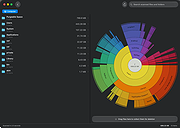 |
|
Race Into Space 1.1 Race Into Space 1.1 Race Into Space a free software version of the Liftoff! board game by Fritz Bronner, originally developed by Strategic Visions and published by Interplay in 1993 and 1994 as Buzz Aldrin's Race Into Space. This project was born in 2005, when the original developers re-obtained rights to the game and released it under the GPL. The project made many releases, each containing more bug fixes and minor features, until releasing 1.0 in 2011. Download game manual. |
|
6,642 | Jun 24, 2016 Interplay  |
|
Space (Dual Monitor/Ultra-Wide) Theme v1.0 Space (Dual Monitor/Ultra-Wide) Theme v1.0 👉 A dual-monitor Windows theme featuring 18 ultra-wide/HD space wallpapers with slideshow support. Space (Dual Monitor) Theme is a desktop theme package for Windows that brings outer space imagery to dual-monitor setups. It includes 18 ultra-wide/HD wallpapers and uses a dramatic slideshow effect that changes in harmony with the Windows color theme. The theme focuses on space-themed imagery such as galaxies, the Milky Way, and other celestial bodies. Features: • Includes 18 ultra-wide/HD dual-monitor wallpapers • Space-themed imagery featuring galaxies and celestial bodies • Dramatic slideshow effect • Changes in harmony with the Windows color theme • Designed for dual-monitor desktop setups Supported operating systems: • Windows 7, Windows 8, Windows 8.1, Windows 10, Windows 11 Supported languages: n/a Changes: v1.0 Not Provided How to span wallpaper across two monitors: • Right-click on the desktop and select Personalize • Click Background • Under “Choose a fit,” select Span • Ensure both monitors use similar resolutions for best results This download is for the Windows 11/10/8/8.1 version (very bottom of page). If you need the Windows 7 version, download here. Click here to visit the author's website. |
|
778 | Apr 02, 2026 themepack.me  |
|
Space Battleship II v2.0.10 Space Battleship II v2.0.10 Destroy everything in space... a lot! Space Battleship is back! Now it is your chance to destroy not only asteroids but also UFOs and motherships. Gather any gun you come across. It will pump up your shooting power. Gather pills of fuel to maintain your engines. Features • Arcade • 80s • Space • Asteroids • UFOS • Shooting • Remake • Levels Click here to visit the author's website. |
|
2,312 | Mar 31, 2023 Ignacio Cea Forniιs 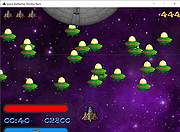 |
|
Space Cat 1.0.5 Space Cat 1.0.5 This action game requires you to have cat reflexes! Your mission sounds simple - kill all the space mice using your intergalactic cannon, However to make it through to the next level your reflexes alone won't do - you must also find the most efficient way to win without running out of ammo Be mindful a well fed cat is a happy cat... Enjoy :-) The game is played using the mouse |
|
5,971 | Jan 05, 2017 Yaniv Levin 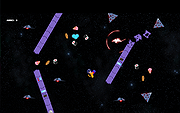 |
|
Space Combat 0.9.16005 Space Combat 0.9.16005 SpaceCombat is an open source PC game. It's a single player space simulation. Similar (commercial) games were TIE Fighter and Freespace. When you liked these games, you will love SpaceCombat. Notes: It's recommended to play the game with a joystick. When you run the game the first time, it will check the internet (souceforge.net) for the complete package (about 500MB). So, take a break, drink some coffee, speak to your mate... Once this download is finished, you can play the game. Later on, it will check once a week for updates. (You may prevent this by modifying the file "data/options.xml".) |
|
8,631 | Mar 02, 2017 Thomas Schroeder 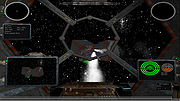 |
|
Space Invaders OpenGL v0.6.1 Space Invaders OpenGL v0.6.1 A 2D/3D game based on the old arcade classic in which you must destroy enemy ships by shooting them up. It is developed in OpenGL under Visual C++, and is still in development. It should run under Windows 98/XP/Vista with a 3D accelerator card and OpenGL drivers. Note: For Windows 7,8,10 and 11 you need to right click the exe file and run as administrator. Also, you need to choose a windowed mode. If you experience an error message about msvcr70.dll please extract and put this file in windows/system32 for win 2000/XP or windows/system for win 98/ME. History Not many people know that Mr Nishikado, who wrote the original Space Invaders, actually based it on a real occurrence in 1977. It was Christmas Eve and what happened was a load of Japanese schoolkids, sitting waiting for Santa to appear in the sky above Hokkaido, saw row upon row of aliens advancing slowly from Venus. The clever kids realized the threat to Earth and quickly cobbled together a laser blaster from the hubcap, spark-plugs and battery of a parked car. They moved left and right, blasting aliens out of the sky. After about four waves, the aliens gave up and the Earth was saved. The next morning (Xmas Day) the kids were rewarded with extra presents and figgy pudding. And that's how it happened. Backed by a thudding bass beat, dozens of invaders from another world descended on our planet in 1978. Within months, Space Invaders was one of the hottest fads on the globe, helping propel the video arcade into a multi-billion dollar industry. The invasion began in Japan. Programmer Toshihiro Nishikado took the classic sci-fi riff of alien invasion and transported it to the video screen. The otherworlders, arranged in a tight row and column formation, marched left and right across ... |
|
5,078 | Jan 04, 2022 maya75 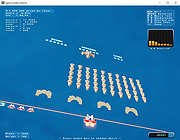 |
|
Super Space Invader for Mac Super Space Invader for Mac An explosive arcade game combining space invaders, bullet hell, some Vlambeer, and other influences. Plough through 13 waves and choose from 13 ship upgrades along the way. If there's one thing you do, make sure to jump into sandbox mode. It's a great way to get a taste for what the game offers and/or get to blowing stuff up quickly, especially if you're finding the normal waves too hard. Sandbox mode to puts you straight into the last (infinite) wave with a fully upgraded ship. There are only two controls (in theory), left and right (or A/D, LMB/RMB). Hold both to confirm your selection of menu item. Tap both to activate and deactivate the ship's shield (available after a couple waves). Auxiliary controls: * Q to quit * P to pause/unpause * Enter/space to select menu item if holding down left and right is too much trouble |
|
6,603 | Feb 25, 2016 BlackBulletIV 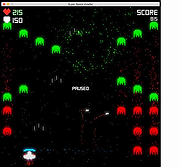 |
|
Super Space Invader for Windows Super Space Invader for Windows An explosive arcade game combining space invaders, bullet hell, some Vlambeer, and other influences. Plough through 13 waves and choose from 13 ship upgrades along the way. If there's one thing you do, make sure to jump into sandbox mode. It's a great way to get a taste for what the game offers and/or get to blowing stuff up quickly, especially if you're finding the normal waves too hard. Sandbox mode to puts you straight into the last (infinite) wave with a fully upgraded ship. There are only two controls (in theory), left and right (or A/D, LMB/RMB). Hold both to confirm your selection of menu item. Tap both to activate and deactivate the ship's shield (available after a couple waves). Auxiliary controls: * Q to quit * P to pause/unpause * Enter/space to select menu item if holding down left and right is too much trouble |
|
6,897 | Feb 25, 2016 BlackBulletIV |
|
WinDirStat v2.9.0 WinDirStat v2.9.0 👉 Disk usage analyzer and cleanup assistant for Microsoft Windows. WinDirStat is a disk usage analyzer and cleanup assistant for Microsoft Windows. It scans local drives, selected drives, individual folders, and command-line targets, then shows where storage is being used through a sortable directory tree, an extension/type breakdown, and an interactive treemap where larger files and folders take up larger areas. Features: • Scan local drives, selected drives, individual folders, and command-line targets • View disk usage with All Files, Largest Files, Duplicate Files, Search Results, File Watcher, Extension, and Treemap views • Interactive treemap navigation with zooming and logical or physical sizing • Sortable file details including size, percentages, item counts, owner, modified time, hardlinks, and hash prefixes • Search, duplicate detection, and filtering with regular expressions • Configurable hash algorithms • File watching and reporting for created, deleted, modified, and renamed events • CSV scan import/export and duplicate CSV export • Built-in actions for opening items, copying paths, selecting in Explorer, moving files, deleting files, and emptying folders or the Recycle Bin • Windows cleanup and maintenance shortcuts • User-defined cleanup actions • Dark mode, portable settings, Explorer context-menu integration, localization, configurable columns, larger toolbar icons, and high-DPI aware UI Supported operating systems: • Windows 7, Windows 8, Windows 8.1, Windows 10, Windows 11 • Windows Server 2008 R2, Windows Server 2012, Windows Server 2012 R2, Windows Server 2016, Windows Server 2019, Windows Server 2022, Windows Server 2025 Supported languages: English, Chinese (Simplified), Chinese (Traditional), Czech, Danish, Dutch, Estonian, Finnish, French, German, Hungarian, Italian, Japanese, Korean, Norwegian Bokmεl, Polish, Portuguese, Russian, Slovenian, Spanish, Swedish, Turkish, Ukrainian Changes: v2.9.0 09-26-26 Enhancements Added selection of multiple individual folders (thanks @djdomi) Added scanning support for MTP portable devices Added volume / free space stats for administrative share drive paths Added size proportion tooltips showing percentages of the total ... |
|
2,729 | Sep 29, 2026 WinDirStat Team 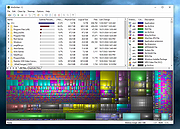 |
|
WizTree v4.33 WizTree v4.33 👉 Ultra-fast disk space analyzer that shows what files and folders are using your hard drive space. WizTree scans your hard drive and displays the files and folders using the most disk space so you can quickly locate and remove unnecessary data. Unlike many disk analyzers that slowly scan every file, WizTree reads the NTFS Master File Table (MFT) directly, allowing it to analyze an entire drive in seconds. This makes it one of the fastest disk space analysis tools available for Windows. WizTree presents results in a clear, sortable list showing folders and files by size, along with a colorful visual treemap that helps identify large files at a glance. You can quickly search for specific files, filter results, and open or delete files directly from within the interface. The program also allows exporting scan results and identifying the largest files on your system instantly. Because of its extremely fast scanning method and simple interface, WizTree is a valuable tool for quickly diagnosing disk space problems, cleaning up large files, and keeping storage organized. Features: • Extremely fast disk scanning using the NTFS Master File Table (MFT) • Visual treemap display showing relative file sizes • Sort files and folders by size, name, or other attributes • Quickly identify the largest files on a drive • Search and filter results to locate specific files • Delete files directly from the interface • Export scan results to CSV file • Supports scanning entire drives or individual folders • Portable version available Supported operating systems: • Windows 7, Windows 8, Windows 10, Windows 11 Supported languages: English, Arabic, Belarusian, Bulgarian, Catalan, Chinese Simplified, Chinese Traditional, Czech, Danish, Dutch, Estonian, Finnish, French, German, Greek, Hebrew, Hungarian, Indonesian, Italian, Japanese, Korean, Latvian, Lithuanian, Norwegian, Polish, Portuguese, Portuguese Brazilian, Romanian, Russian, Serbian, Slovak, Slovenian, Spanish, Swedish, Thai, Turkish, Ukrainian, Vietnamese Changes: v4.33 09-16-26 WizTree is now available for macOS 12 or later ... |
|
11,945 | Sep 23, 2026 antibody-software.com 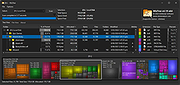 |
|
WizTreeMac v1.00 WizTreeMac v1.00 👉 Find the files and folders taking up space on your Mac. WizTreeMac scans your Mac and shows where storage space is being used. Browse the results as a folder tree, inspect a visual treemap, or search the file list for large files. It can also locate duplicate files and import or export file data as CSV. Scanning uses macOS’s native directory enumeration API with multiple threads. WizTreeMac is free for personal use; commercial use requires a license. Features: • Scan drives and folders to see what is using storage space. • Browse file sizes in a folder tree or visual treemap. • Search the file view to find large files. • Locate duplicate files. • Import and export file data as CSV. • Scan network drives. • Use Full Disk Access to read protected folders, with a separate administrator mode for root-level access. • Run from a removable drive with settings stored alongside the app. Supported operating systems: • macOS 12 or later Supported languages: English, Arabic, Belarusian, Bulgarian, Catalan, Chinese Simplified, Chinese Traditional, Czech, Danish, Dutch, Estonian, Finnish, French, German, Greek, Hebrew, Hungarian, Indonesian, Italian, Japanese, Korean, Latvian, Lithuanian, Norwegian, Polish, Portuguese, Portuguese Brazilian, Romanian, Russian, Serbian, Slovak, Slovenian, Spanish, Swedish, Thai, Turkish, Ukrainian, Vietnamese Changes: v1.00 09-16-26 Initial WizTreeMac release for macOS 12 or later. Includes most of the functionality of WizTree 4.33. Click here to visit the author's website. |
|
62 | Sep 23, 2026 antibody-software.com 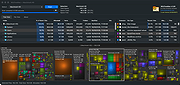 |
| Showing rows 1 to 21 of 21 | Showing Page 1 of 1 | 1 |
OlderGeeks.com Copyright (c) 2026
