|

|
Processed through Paypal No account required. |








Buy our over-priced crap to help pay the bills.



|
|
Processed through Paypal No account required. |
| Files | ||||
| File Name | Rating | Downloads | ||
 |
MyPhoneExplorer v2.3 MyPhoneExplorer v2.3 👉 A freeware Windows tool for managing and syncing Android phones locally. MyPhoneExplorer lets you connect your Android phone to your PC by WiFi, USB cable, or Bluetooth so you can manage contacts, calendar, messages, files, backups, notifications, and more from the desktop. Filebrowser Features: • Sync contacts, calendar, notes, and other data with Outlook, Thunderbird, and other targets • Browse and manage files on your phone with file sync support • Create backups of phone content • Control calls and SMS messages from the PC • Mirror and remotely control your phone from the desktop • Use the PC keyboard to type on the phone • Show phone notifications on the desktop • Share the clipboard between phone and PC • Connect by WiFi, USB cable, or Bluetooth Supported operating systems: • Windows • Android Supported languages: Afrikaans, Albanian, Arabic, Belarusian, Bosnian, Bulgarian, Catalan, Croatian, Czech, Danish, Dutch, English, Finnish, French, Georgian, German, Greek, Hebrew, Icelandic, Indonesian, Italian, Latvian, Lithuanian, Norwegian, Persian, Polish, Portuguese, Romanian, Russian, Serbian, Slovak, Slovene, Swedish, Thai, Turkish, Ukrainian, Vietnamese Changes: v2.3 10-27-25 Barcode and NFC scanner: use your smartphone as scanner for the PC remote controlling the phone via WiFi sync with Microsoft cloud / Outlook (new) better appointment display in calendar alot of smaller changes and bugfixes Phonebook Calendar Messages (SMS and MMS) Datasync with several targets: Its often required to keep data in sync with other databases. Because of this MyPhoneExplorer is able to sync the data of the phone with the most popular PIM suites. MyPhoneExplorer supports: • Outlook since Version 2003 • Thunderbird • Seamonkey • Lotus Notes • Tobit David • Fritz!Box • vCard-File and iCal-File • internal Sync-Database (To keep several phones in sync) Before MyPhoneExplorer changes the database or the phone data, it will confirm the action with you. This will prevent syncing accidents. This download is for ... |
 |
3,955 | Mar 12, 2026 Franz Josef Wechselberger 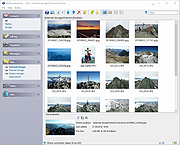 |
 |
SmartTextCrypter v1.03 SmartTextCrypter v1.03 👉 A tiny portable tool for password-encrypting text before sending it through messaging apps, email or SMS. SmartTextCrypter is a free, portable Windows utility designed to encrypt text messages with a password before they are sent through services such as WhatsApp, Telegram, email or SMS. The recipient pastes the encrypted text into SmartTextCrypter and enters the same password to decrypt and read the original message. Everything is processed locally on your computer without uploading your text to a cloud service or server. The program uses the author's proprietary multi-layer encryption method consisting of password-based key generation, XOR encryption, position-dependent mixing, bit rotation and a checksum for detecting errors or incorrect passwords. It supports Unicode text, including Asian, Cyrillic and Arabic characters. SmartTextCrypter requires no installation and can be run directly from a USB drive, external drive or ordinary folder without creating registry entries. Features: • Password-based encryption and decryption of text • Send encrypted text through WhatsApp, Telegram, email, SMS and other services • Proprietary multi-layer encryption using XOR, positional mixing and bit rotation • Generates a 32-byte key from your password • Checksum detects errors and incorrect passwords • Unicode support for Asian, Cyrillic, Arabic and other characters • Completely local operation with no cloud service or server uploads • Portable and requires no installation • Can run directly from a USB drive, external drive or any folder • Does not create registry entries • Low CPU usage • Adjustable text sizes for improved readability • Free for private use Supported operating systems: • Windows XP, Windows Vista, Windows 7, Windows 8, Windows 8.1, Windows 10, Windows 11, Windows Server 2012-2025 • 32-bit and 64-bit Windows Supported languages: German, English, Italian, Chinese-Traditional, Dutch, Russian, Japanese, Korean, Spanish, Portuguese, Malay Changes: v1.03 08-26-26 • SmartTextCrypter language file update • Minor fine-tuning in SmartTextCrypter for all Windows operating systems. Click here to visit the author's website. |
|
170 | Sep 03, 2026 Nenad Hrg 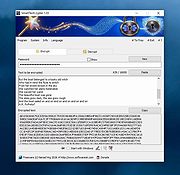 |
| Showing rows 1 to 2 of 2 | Showing Page 1 of 1 | 1 |
OlderGeeks.com Copyright (c) 2026
