|

|
Processed through Paypal No account required. |








Buy our over-priced crap to help pay the bills.



|
|
Processed through Paypal No account required. |
| Files | ||||
| File Name | Rating | Downloads | ||
 |
IsMyMemoryOK v1.33 IsMyMemoryOK v1.33 👉 Quick and reliable RAM testing tool for Windows systems. IsMyMemoryOK is a lightweight memory diagnostics utility designed to test the stability and performance of DDR3, DDR4, DDR5, and DDR6 RAM modules on Windows PCs. The program allows users to quickly check for memory errors, instability, or hardware issues that can cause crashes, freezes, and blue screens. Its portable design means no installation is required, making it useful for technicians, troubleshooting, and system diagnostics on both older and modern Windows systems. Features: • Fast RAM stability and stress testing • Supports DDR3, DDR4, DDR5, and DDR6 memory • Portable application with no installation required • Adjustable test duration and memory load • Quick benchmark and diagnostic functions • Helps identify defective or unstable RAM • Simple and lightweight user interface • Optional screenshot functionality • Low CPU overhead during testing • Suitable for technicians and troubleshooting tasks Supported operating systems: • Windows XP, Windows Vista, Windows 7, Windows 8, Windows 8.1, Windows 10, Windows 11, Windows Server 2016, Windows Server 2019 Supported languages: English, German, French, Spanish, Italian, Portuguese, Dutch, Polish, Czech, Slovak, Hungarian, Romanian, Bulgarian, Greek, Russian, Ukrainian, Turkish, Chinese, Japanese, Korean, Arabic Changes: v1.33 05-11-26 Minor adjustments to the IsMyMemoryOK memory test application for all Windows operating systems. Bug fix in the screenshot function. Improved system language translation. This download is for the Windows 64bit version (very bottom of page). If you need the Windows 32bit version, download here. Click here to visit the author's website. |
 |
1,332 | May 15, 2026 Nenad Hrg 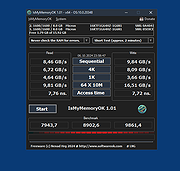 |
 |
Novabench v6.0.3 Novabench v6.0.3 👉 Free PC benchmarking and hardware performance testing utility. Novabench is a free benchmarking program that allows you to quickly test and evaluate your computer’s overall performance. It measures CPU, GPU, RAM, and storage speeds using a simple interface designed for both casual users and technicians. The free version provides a complete system benchmark score along with detailed hardware information and comparison tools to help identify performance bottlenecks or hardware problems. Novabench can be useful for checking system stability after upgrades, comparing hardware performance against similar systems, troubleshooting slow computers, and monitoring the effects of overclocking or driver updates. Benchmark results can also be uploaded online to compare your PC with other systems using the Novabench database. Features: • Free CPU, GPU, RAM, and disk benchmarking • Generates an overall system performance score • Quick benchmark testing with minimal setup required • Displays detailed hardware and system information • Compare benchmark results with other systems online • Useful for testing gaming PCs, laptops, and workstations • Helps identify hardware bottlenecks and slow components • Portable benchmark results that can be shared online • Lightweight interface suitable for beginners and technicians • Supports stress testing and stability verification tools • Includes temperature and hardware monitoring support • Can help verify system improvements after upgrades or repairs Supported operating systems: • Windows 10, Windows 11 • macOS 11 Big Sur or higher • Linux distributions supporting modern x86-64 hardware Supported languages: • English Changes: v6.0.3 06-09-26 • Improved benchmark reliability and scoring consistency • Updated hardware detection and compatibility support • General bug fixes and stability improvements This download is for the Windows installer version (very bottom of page). All other download assets are below: Other Windows: novabench-arm64.exe macOS: novabench.dmg Linux: novabench-x64.deb novabench-arm64.deb novabench-x64.rpm novabench-arm64.rpm Click here to visit the author's website. |
|
7,802 | Jun 09, 2026 Novawave Inc. 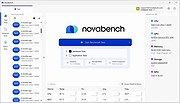 |
 |
QuickMemoryTestOK v5.55 QuickMemoryTestOK v5.55 👉 Quickly test your Windows PC's RAM for errors. QuickMemoryTestOK is a small Windows utility that helps check your computer's RAM for bad or corrupted memory areas, and can also be used to test system behavior under high memory usage. Features: • Quick memory test for RAM errors • Helps detect bad or corrupted memory areas • Test Windows behavior under high memory usage • Customizable test runs • Pause and resume testing • Clear memory status display • Shows CPU load during testing • Access to useful memory and system tools • Zoom option for easier viewing • Very small program with low CPU usage • Portable version available Supported operating systems: • Windows 11, Windows 10, Windows 8.1, Windows 7, Windows Server 2012-2025, Windows Server 2022, x64, x32, x86 Supported languages: German, English, Korean, French, Bulgarian, Japanese, Traditional Chinese, Slovenian, Polish, Afrikaans, Simplified Chinese, Russian, Portuguese, Hungarian, Italian, Thai, Spanish, Hebrew, Hindi, Vietnamese, Malay, Indonesian, Filipino, Dutch, Norwegian, Danish, Finnish, Greek, Spanish-VE, Czech, Arabic, Bosnian, Turkish, Ukrainian Changes: v5.55 06-07-26 • Update of language files in the Memory Test Tool for all MS Windows operating systems • Improvements to RAM detection 👉 This download is for the Windows 64bit portable version (very bottom of page). All other download assets are below: Other Windows: QuickMemoryTestOK.zip (32bit portable) Click here to visit the author's website. |
|
6,380 | Sep 18, 2026 Nenad Hrg 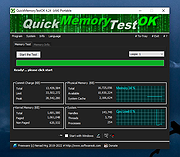 |
|
RAMagic v1.22 RAMagic v1.22 👉 Lightweight tool to quickly optimize and free up RAM on Windows systems. RAMagic is a small and portable Windows utility designed to help improve system responsiveness by freeing unused memory with a single click. It provides a simple interface that allows users to quickly reclaim RAM without complicated configuration. RAMagic is especially useful on systems with limited memory or when running multiple applications that consume significant resources. The program runs without installation and can be used as a quick-access tool to refresh available memory and potentially reduce slowdowns. Features: • Quick RAM optimization with one click • Portable application, no installation required • Simple and user-friendly interface • Displays current memory status • Designed for minimal system resource usage Supported operating systems: • Windows XP, Windows Vista, Windows 7, Windows 8, Windows 10, Windows 11 (32-bit and 64-bit) Supported languages: German, English, Korean, French, Traditional Chinese, Greek, Simplified Chinese, Italian, Polish, Russian, Spanish, Turkish, Dutch, Swedish, Norwegian, Portuguese, Danish, Irish, Thai, Spanish, Spanish (Venezuela), Hebrew, Persian, Malay, Indonesian, Filipino, Finnish, Bosnian, Japanese, Bulgarian, Hungarian, Arabic Changes: v1.22 05-06-26 • General improvements in RAMagic, the RAM optimizer for Windows • New language in RAMagic: Spanish and Italian • Many thanks to Rastafe for the Spanish language support. • Many thanks to bovirus for the Italian language support. Click here to visit the author's website. |
|
869 | Aug 04, 2026 Nenad Hrg 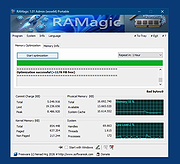 |
| Showing rows 1 to 4 of 4 | Showing Page 1 of 1 | 1 |
OlderGeeks.com Copyright (c) 2026
