|

|
Processed through Paypal No account required. |








Buy our over-priced crap to help pay the bills.



|
|
Processed through Paypal No account required. |
| Files | ||||
| File Name | Rating | Downloads | ||
 |
D2X-XL v2.0.5 D2X-XL v2.0.5 👉 Play Descent 1 and Descent 2 with a thoroughly rebuilt engine, modern graphics, and improved multiplayer. D2X-XL is a substantial overhaul of the Descent 1 and Descent 2 source code. Version 2 replaces the older OpenGL renderer with optimized DirectX 12 and Vulkan 1.3 renderers, moves the program to SDL 2, and removes many historic code burdens. Around 800 bugs and instabilities have been fixed. The new rendering system combines fast GPU-based lightmap baking with full per-pixel lighting, hardware ray tracing, light cast through open doors, and improved shadows. Displacement mapping with parallax and hardware tessellation add depth to surfaces. Effects such as smoke, explosions, and fog have also been improved. Audio uses OpenAL for spatial 3D sound and automatic reverb calculation. The robot AI, HUD, and 3D cockpits have been improved, while multiplayer receives updated network communication and tracker-based matchmaking. D2X-XL v2 supports older Descent 1 and Descent 2 missions and levels, and can load older pilot files and demos, but savegames from earlier versions are not compatible. Original Descent game data is required and is not included. Features: • Rebuilt and optimized renderers based on DirectX 12 and Vulkan 1.3 • Ported to SDL 2 • Extensive code cleanup, with around 800 bugs and instabilities fixed according to the author • Fast GPU-based lightmap baking • Full per-pixel lighting and hardware ray tracing • Portal lighting that casts light through open doors • Contact shadows and improved shadow casting • Displacement-mapped textures with parallax and hardware tessellation • Spatial 3D audio with OpenAL and automatic reverb calculation • Massively improved robot AI • Improved smoke, explosions, and fog effects • Improved HUD and 3D cockpits ... |
 |
8,236 | Oct 16, 2026 Dietfrid Mali 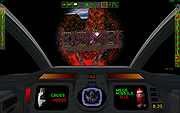 |
 |
Digi Flip Screensaver v1.0 Digi Flip Screensaver v1.0 👉 Free digital flip clock screensaver for Windows. Digi Flip Screensaver is a free digital clock screensaver for Windows that displays the current time using animated flipping digits updated in real time. It features a sleek, modern look designed to add a fun and interactive clock display to your desktop or laptop while the screensaver is active. The program is built with the OpenGL framework and is designed to work with a wide range of screen resolutions, including HD and 4K. Features: • Real-time digital flip clock display • Animated flipping digits • Smooth 3D effects • OpenGL-based screensaver • Install and uninstall support • Compact size and fast installation • Supports HD and 4K screen resolutions • Free to download and use Supported operating systems: • Windows XP, Windows Vista, Windows 7, Windows 8, Windows 10, Windows 11 Supported languages: English Changes: Not Provided Click here to visit the author's website. |
|
647 | Mar 29, 2026 saversplanet.com  |
|
FurMark 1 v1.39.3.0 FurMark 1 v1.39.3.0 Advanced GPU stress testing and graphics benchmarking utility. FurMark 1 is a powerful OpenGL-based GPU stress testing and benchmarking application designed to push graphics cards to their thermal and performance limits. Commonly used by enthusiasts, overclockers, and technicians, FurMark helps evaluate graphics card stability, cooling efficiency, and overall performance under extreme load conditions. FurMark 1 uses an intensive fur rendering engine that heavily loads the GPU, making it useful for detecting overheating issues, cooling problems, instability, graphical artifacts, or power delivery limitations. The application also provides benchmarking modes, fullscreen and windowed testing, custom resolutions, anti-aliasing options, frame rate monitoring, and GPU temperature tracking. FurMark 1 includes support for GPU monitoring utilities such as GPU-Z and GPU Shark, preset benchmark profiles, screenshot capture, and multi-GPU configurations. It is frequently used to validate graphics card stability after driver updates, hardware upgrades, or overclocking adjustments. Features: • Intensive GPU stress testing and burn-in benchmarking • OpenGL-based rendering engine • Real-time GPU temperature monitoring • Fullscreen and windowed benchmark modes • Custom resolutions and anti-aliasing support • GPU stability and overheating detection • Preset benchmark profiles • Multi-GPU support • FPS monitoring and performance statistics • Screenshot capture support • GPU information support through GPU-Z and GPU Shark • Portable and installer versions available • Useful for overclock stability testing and thermal validation Supported operating systems: • Windows 7, Windows 8, Windows 10, Windows 11 Supported languages: • English Changes: v1.39.3.0 10-08-25 + added support of AMD Radeon RX 7700, Radeon RX 7400 and Radeon PRO W7400. + added support of NVIDIA GeForce RTX 5050, RTX PRO 5000 and RTX 5090 D v2. + added support of AMD Radeon RX 9060 XT, Radeon RX 9060, Radeon RX 9070 GRE, Radeon AI PRO R9700. + added logos in benchmark score box for Qualcomm and Moore Threads. ! updated: GPU Shark 0.33.3.0. ! updated: GPU-Z 2.68.0 ! updated: ZoomGPU 1.43.0 (32-bit GPU monitoring library) Click here ... |
|
8,306 | Jun 05, 2026 Geeks3D 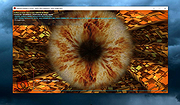 |
|
FurMark 2 v2.10.2 FurMark 2 v2.10.2 OpenGL and Vulkan GPU stress test and graphics benchmark. FurMark 2 is the next-generation edition of the legendary GPU stress testing and benchmarking utility from Geeks3D. Designed for gamers, overclockers, system builders and hardware enthusiasts, FurMark 2 pushes graphics cards to their thermal and performance limits using demanding OpenGL and Vulkan rendering workloads. It is commonly used to test cooling performance, verify GPU stability, identify overheating issues, detect graphical artifacts, and benchmark overall graphics performance. Unlike the original FurMark 1, FurMark 2 introduces a redesigned engine with modern rendering technologies, Vulkan support, improved compatibility with current GPUs, and enhanced benchmarking capabilities. The software can run intensive fullscreen or windowed stress tests while displaying real-time GPU information including temperatures, clocks, usage, fan speeds, and performance statistics. FurMark 2 also includes benchmark presets for quick comparisons, customizable testing modes, anti-aliasing options, artifact scanning, and command-line support for automation and advanced diagnostics. Whether you are validating a fresh GPU installation, testing overclock stability, troubleshooting crashes, or simply comparing benchmark scores with other systems online, FurMark 2 provides a fast and reliable solution for GPU performance analysis. Features: • Advanced OpenGL and Vulkan GPU stress testing • Designed to heavily load GPUs for thermal and stability testing • Modern rendering engine optimized for current graphics hardware • Built-in benchmark presets for quick performance comparisons • Custom benchmark modes with adjustable resolution and anti-aliasing • Real-time GPU monitoring during testing sessions • Displays GPU temperature, clocks, fan speed, usage and performance data • Artifact scanner helps detect rendering errors and unstable overclocks • Supports fullscreen and windowed testing modes • Online benchmark score submission and comparison support • Useful for validating overclocking and cooling system performance • Command-line options for scripting and automated testing • Compatible with many NVIDIA, AMD and Intel graphics cards • Includes GPU information and hardware identification tools • Lightweight interface with quick access to common ... |
|
2,154 | Jun 05, 2026 Geeks3D 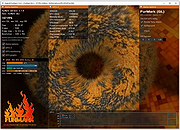 |
|
OpenSpades v0.1.3 OpenSpades v0.1.3 👉 Enhanced open-source client for the classic Ace of Spades voxel shooter. OpenSpades is a free, open-source, cross-platform client for the classic Ace of Spades 0.75 game. Designed as a modern replacement for the original client, it delivers significantly improved graphics, smoother gameplay, enhanced visual effects, and better performance while remaining fully compatible with existing Ace of Spades 0.75 servers. Built using OpenGL, OpenSpades adds advanced lighting, shaders, improved animations, customizable controls, and support for mods, all while preserving the fast-paced block-building and first-person combat that made the original game popular. It also includes numerous quality-of-life improvements such as an integrated server browser, extensive graphics options, configurable controls, localization support, and modern rendering technologies that breathe new life into the classic multiplayer experience. Features: • Compatible with Ace of Spades 0.75 multiplayer servers • Modern OpenGL rendering engine • Dynamic lighting, shadows, and shader effects • Improved character models and animations • High-performance rendering for smoother gameplay • Built-in multiplayer server browser • Support for custom weapon and sound mods • Configurable keyboard shortcuts and controls • Multiple graphics quality options • First-person and spectator viewing modes • In-game chat with expandable chat log • Configurable palette color selection hotkeys • Shotgun tracer effects • Favorites support for frequently used servers • Open-source and community maintained Supported operating systems: • Windows 7, Windows 8, Windows 8.1, Windows 10, Windows 11 • macOS • Linux Supported languages: English, Chinese (Simplified), Dutch, French, German, Greek, Hungarian, Indonesian, Japanese, Korean, Polish, Portuguese (Brazilian), Portuguese (European), Russian, Spanish, Ukrainian, Vietnamese Changes: v0.1.3 01-04-19 Added configurable palette color selection hotkeys. Added shotgun tracers. Added gray coloring for dead players on the scoreboard. Added a hotkey to temporarily expand the chat log. Added Ukrainian translation to packaged release. Updated Spanish, Vietnamese, Ukrainian, Russian, Greek, Hungarian, Chinese (Simplified), and Dutch translations. Fixed camera movement around the player's corpse. Added support for enabling V-Sync via r_vsync. Fixed shader linking error affecting BlackBlockDepthOnly. Improved stability on macOS. This download is for the ... |
|
421 | Jul 09, 2026 yvt 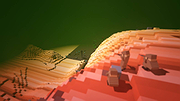 |
|
Space Invaders OpenGL v0.6.1 Space Invaders OpenGL v0.6.1 A 2D/3D game based on the old arcade classic in which you must destroy enemy ships by shooting them up. It is developed in OpenGL under Visual C++, and is still in development. It should run under Windows 98/XP/Vista with a 3D accelerator card and OpenGL drivers. Note: For Windows 7,8,10 and 11 you need to right click the exe file and run as administrator. Also, you need to choose a windowed mode. If you experience an error message about msvcr70.dll please extract and put this file in windows/system32 for win 2000/XP or windows/system for win 98/ME. History Not many people know that Mr Nishikado, who wrote the original Space Invaders, actually based it on a real occurrence in 1977. It was Christmas Eve and what happened was a load of Japanese schoolkids, sitting waiting for Santa to appear in the sky above Hokkaido, saw row upon row of aliens advancing slowly from Venus. The clever kids realized the threat to Earth and quickly cobbled together a laser blaster from the hubcap, spark-plugs and battery of a parked car. They moved left and right, blasting aliens out of the sky. After about four waves, the aliens gave up and the Earth was saved. The next morning (Xmas Day) the kids were rewarded with extra presents and figgy pudding. And that's how it happened. Backed by a thudding bass beat, dozens of invaders from another world descended on our planet in 1978. Within months, Space Invaders was one of the hottest fads on the globe, helping propel the video arcade into a multi-billion dollar industry. The invasion began in Japan. Programmer Toshihiro Nishikado took the classic sci-fi riff of alien invasion and transported it to the video screen. The otherworlders, arranged in a tight row and column formation, marched left and right across ... |
|
5,078 | Jan 04, 2022 maya75 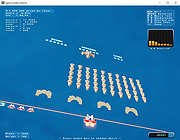 |
|
Stella v7.0c Stella v7.0c 👉 A multi-platform Atari 2600 VCS emulator. Stella is an open source Atari 2600 Video Computer System (VCS) emulator that faithfully recreates the original console on modern computers. It allows you to play thousands of Atari 2600 game ROMs while providing a wide range of enhancements including save states, debugging tools, customizable controls, video filters, bezel support, high score saving, and an advanced ROM launcher. Stella is designed for both casual retro gamers and Atari homebrew developers, offering highly accurate emulation along with powerful analysis and debugging features. Features: • Accurate Atari 2600 VCS emulation • Supports thousands of Atari 2600 ROMs • Advanced ROM launcher with artwork support • Save and load game states • High score saving • Built-in debugger for homebrew development • Multiple video rendering modes and TV effects • Automatic phosphor mode support • Bezel support, including Sinden Lightgun compatibility • Customizable keyboard, mouse, and game controller mappings • Screenshot capture • Multiple UI themes • Open source Supported operating systems: • Windows, macOS, Linux Supported languages: • English Changes: v7.0c 10-05-24 • Enhanced ROM launcher to allow multiple images per ROM • Added many additional ROM launcher images • Added filename searching for ROM launcher images • Added option to start a random ROM • Added automatically enabled phosphor modes • Enhanced Game Properties dialog for multigame ROMs • Added a second UI theme and hotkey for toggling themes • Added bezel support including Sinden Lightgun compatibility • Added optional type format detection based on colors used This download is for the binary ZIP (32-bit and 64-bit) for Windows 7/8/10/11 version (very bottom of page). All other download assets are below: Other Windows: binary installer (exe) for 64-bit Windows 7/8/10/11 binary installer (exe) for 32-bit Windows 7/8/10/11 NOTE for Windows: Visual C++ Redistributable for Visual Studio 2017 is required. MacOS: Binary DMG for macOS (ARM M1 and 64-bit Intel) Linux: Binary 64-bit DEB for Ubuntu 22.04 Source: Source code tarball for all systems Miscellaneous / Extras: Complete distribution and port for the RetroN 77 Snapshot files for ... |
|
8,368 | Jun 21, 2026 The Stella Team 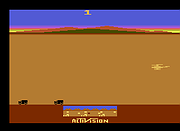 |
| Showing rows 1 to 7 of 7 | Showing Page 1 of 1 | 1 |
OlderGeeks.com Copyright (c) 2026
