|

|
Processed through Paypal No account required. |








Buy our over-priced crap to help pay the bills.



|
|
Processed through Paypal No account required. |
| Files | ||||
| File Name | Rating | Downloads | ||
 |
Angle Mouse v2.0.3 Angle Mouse v2.0.3 The Angle Mouse is a pointing facilitation technique that runs quietly in the background and improves the efficiency and ease of mouse pointing, especially for people with motor impairments. The Angle Mouse is a target-agnostic pointing facilitation technique that works by continually adjusting the control-display (C-D) gain based on how coherent (straight) or divergent (angular) the mouse movement is. When the mouse moves straight, the gain is kept high, but when the mouse corrects abruptly, often near targets, the gain is dropped, making targets bigger in motor-space. If you have any questions or comments, contact Jacob O. Wobbrock at wobbrock@uw.edu. The Angle Mouse requires the Microsoft .NET 2.0 Framework. Download it here. This software is distributed under the New BSD License agreement. Publications Wobbrock, J.O., Fogarty, J., Liu, S., Kimuro, S. and Harada, S. (2009). The Angle Mouse: Target-agnostic dynamic gain adjustment based on angular deviation. Proceedings of the ACM Conference on Human Factors in Computing Systems (CHI '09). Boston, Massachusetts (April 4-9, 2009). New York: ACM Press, pp. 1401-1410. Acknowledgement This work was supported in part by Microsoft Research, Intel Labs, and the National Science Foundation under grants IIS-0811063 and IIS-0812590. Any opinions, findings, conclusions, or recommendations expressed in this work are those of the authors and do not necessarily reflect those of any supporter. Jacob O. Wobbrock James A. Fogarty Shih-Yen (Sean) Liu Shunichi Kimuro Susumu Harada Click here to visit the author's website. |
 |
4,492 | Jan 31, 2020 Dr. Jacob O. Wobbrock 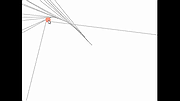 |
|
Aspiring Keyboard v1.4 Aspiring Keyboard v1.4 👉 Control your Windows PC entirely from the keyboard without using a mouse. Aspiring Keyboard is an accessibility and productivity utility designed for touch typists who want to operate Windows with little or no mouse use. Instead of constantly reaching for a mouse or touchpad, the program displays an intelligent on-screen mouse grid that lets you move the pointer and perform mouse actions simply by pressing hotkeys followed by two keyboard characters. This approach makes navigation fast, accurate, and consistent once learned, while helping reduce repetitive mouse movement. The program is especially well suited for power users, keyboard enthusiasts, accessibility needs, repetitive strain reduction, and anyone who already relies heavily on Windows keyboard shortcuts. The included documentation recommends being able to touch type and having a good knowledge of common Windows key combinations to get the most from the program. Aspiring Keyboard offers three operating modes. An OFF mode disables mouse control, while Green and Blue modes provide separate groups of customizable mouse actions that can be switched instantly from the keyboard or system tray. The configurable mouse grid can use hexagonal or several square layouts, allowing you to choose the balance between speed and precision that best fits your workflow. One of the program's most interesting features is Smart Mousegrid. Rather than remaining static, it learns how you use individual applications and gradually assigns easier-to-type character combinations to areas you access most frequently. Learning is maintained separately for each application, keyboard layout, mouse grid type, and grid size, allowing the software to adapt naturally to your workflow over time. Features: • Control the mouse entirely from the keyboard using customizable hotkeys. • Move the pointer by typing just two characters within the on-screen mouse grid. • Perform mouse clicks and other mouse actions without touching a mouse. • Three operating modes: OFF, Green, and Blue for ... |
|
278 | Jul 27, 2026 Mikołaj Magowski 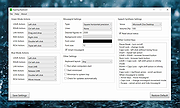 |
 |
Camera Mouse 2018 v1.1 Camera Mouse 2018 v1.1 Camera Mouse is a free program that allows you to control the mouse pointer on a Windows computer just by moving your head. Clicking can be done by making the mouse pointer dwell over a spot on the screen (after first turning Clicking on in Settings). The program was developed at Boston College to help people with disabilities use the computer. The main audience for this program is people who do not have reliable control of a hand but who can move their head. People with Cerebral Palsy, Spinal Muscular Atrophy, ALS, Multiple Sclerosis, Traumatic Brain Injury, various neurological disorders use this program and its predecessors to run all types of computer software. Camera Mouse works as a mouse replacement system for Windows computers and tablets so it should work with just about any application program. For example people use Camera Mouse with entertainment programs, education programs, communication programs, web browsers, and so on. (See the Downloads page for some of the programs and websites that we have used with Camera Mouse.) Camera Mouse works best with application programs that require only a mouse and a left click and that do not have tiny targets. It's easier to use Camera Mouse with application programs that do not require extreme accuracy. What equipment is required? A Windows 10, 8.1, 8, 7, Vista, or XP computer or tablet and a built-in camera or standard USB webcam. We do our development work with a Microsoft LifeCam Studio and a Logitech HD Pro Webcam C920. However the much less expensive Microsoft LifeCam HD-3000 and Logitech HD C270 work well also. Camera Mouse should work with any built-in camera or USB webcam. This program is available for free download. Support for our work has come from the Philanthropy Committee of Mitsubishi Electronic Research Labs ... |
|
6,495 | Jul 02, 2020 Trustees of Boston College 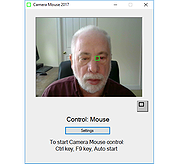 |
|
Dual Monitor Auto Mouse Lock v1.0.0.11 Dual Monitor Auto Mouse Lock v1.0.0.11 A free tool that helps you use dual and multiple monitors. The software automatically locks the mouse cursor to the screen according to your settings. Dual Monitor Auto Mouse Lock (DMAML) avoids certain unintentional operations and helps you use your computer quickly and efficiently. The way the software works is that if the foreground window is on full screen, the mouse cursor will be locked to that screen. The software runs in the background, displaying an icon in the system tray. The icon is used to access the settings, and its colour and appearance let you know about the software status: locked, unlocked, paused or disabled. You can also set sound notifications for status changes. The mouse cursor lock is automatically removed when a non-full-screen window appears in the foreground. It is also possible to exit the locked state by using the configurable hotkey and the system tray icon. It is possible to exclude certain software from automatically operating DMAML. You can make a list of these items and they will never cause a mouse cursor lock. By default, the main screen is the screen defined by Windows. The software monitors changes to the main screen and locks the mouse cursor to the main screen if necessary. DMAML allows you to change the main screen. Supported operating systems: Windows 10/11 Changes: v1.0.0.11 12-18-25 Add: Brazilian Portuguese language Click here to visit the author's website. |
|
1,915 | Dec 18, 2025 Peter Panisz 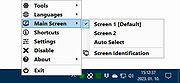 |
|
Input Director v2.3 Input Director v2.3 Enables the control of multiple Windows systems using the keyboard/mouse attached to one computer. Switch control between systems either by hotkey or by moving the cursor to the screen edge on one computer for it to appear on the next one Input Director supports a shared clipboard - copy on one computer, switch control, and paste. Supported operating systems: Windows 11, Windows 10, Windows 8/8.1 and Windows 7. The systems must be networked. Supported languages: English Features Easy to Use • Easy to follow installation and usage guides - setup only takes a few minutes • Input Director's flexible monitor layout system makes it easy to accurately reflect a monitor's physical location and size: • Multi-monitor support • Shared Clipboard - copy and paste between computers (including files!) • Compatible with Windows 11, Windows 10, Windows 8/8.1 and Windows 7 • Only Input Director ensures the cursor remains visible and correct if the mouse is disconnected on a Windows 10 or Window 11 system • Transitioning control to another computer is as simple as moving your cursor off the screen on one computer for it to jump to the other • Able to control a computer without needing to login to it first Supports Windows fast user switching • Compatible with Windows User Account Control pop-ups Manage all your computers at once • Simultaneously lock all computers • Import/Export Input Director configuration and apply configuration updates from the command line • Synchronize screensavers across your computers • Synchronize shutdown of your system (or individually configure whether a computer goes to standby, hibernate or shuts down) • Wake systems over the network Security • Encrypt network data between Input ... |
|
4,861 | Feb 09, 2026 Shane Richards 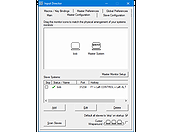 |
|
Input Remapper v2.2.1 Input Remapper v2.2.1 👉 Remap keyboards, mice, gamepads and other Linux input devices. Input Remapper is an easy to use Linux tool for changing the behavior of your input devices. It supports X11, Wayland, key combinations, programmable macros, joysticks, wheels, triggers, keyboard keys, mouse movements and more. It can map nearly any input to another input, making it useful for custom controls, accessibility tweaks, gaming setups and fixing awkward device layouts. Features: • Remap keyboards, mice, gamepads, joysticks, wheels and other input devices • Supports X11 and Wayland • Create key combinations and programmable macros • Map keys, buttons, triggers and mouse movements • Useful for gaming controls, accessibility needs and custom Linux workflows • Autoload mappings for connected devices • Preset based setup for different devices and layouts Supported operating systems: • Linux • Ubuntu 22.04 or higher • Debian • Fedora • Arch Linux • Void Linux Supported languages: English, Chinese Traditional Changes: v2.2.1 06-12-26 Various important fixes for gamepads Fix similar devices stealing the injection on autoload Preserve forwarded mouse DPI metadata during injection Add zh_TW Traditional Chinese locale Added Void Linux to install instructions Restrict 99-input-remapper.rules to event nodes Fix the .desktop reference in metainfo Fix XDG_CONFIG_HOME being ignored pyproject.toml, new build tool Switch to dasbus Use raw string literals for regexes New icon Add hint for permission problems to logs if device not found Code quality improvements This download is for the Linux Debian version (very bottom of page). Install on other Linux versions: Ubuntu/Debian repository: sudo apt install input-remapper Input Remapper 2.0 and higher requires at least Ubuntu 22.04. Fedora: sudo dnf install input-remapper sudo systemctl enable --now input-remapper Arch: yay -S input-remapper-git sudo systemctl enable --now input-remapper Void Linux: sudo xbps-install -S input-remapper sudo ln -s /etc/sv/input-remapper /var/service sudo sv up input-remapper Other distros: Install packages providing these dependencies: python3-evdev 1.3.0 or higher, gtksourceview4, python3-devel, python3-pydantic, python3-dasbus and python3-psutil. sudo pip install evdev pydantic dasbus PyGObject git clone https://github.com/sezanzeb/input-remapper.git cd input-remapper sudo python3 -m install --root / sudo systemctl enable --now input-remapper Uninstall from source install: sudo python3 -m install.uninstall Click here to visit ... |
|
454 | Jun 30, 2026 Tobi Sezanzeb 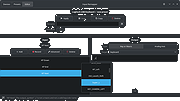 |
|
Keyboard and Mouse Simulator v1.3 Keyboard and Mouse Simulator v1.3 Keyboard and Mouse Simulator is a special tool to simulate all possible keyboard and mouse actions, which can be done by a real user. To get started, you have to create a special list of actions and commands of what to simulate, or record a sequence of keyboard and mouse actions, both of which will later be simulated step by step. Click here to visit the author's website. |
|
6,739 | Jul 02, 2020 2xDSoft 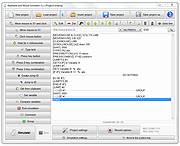 |
|
MagicMouseMove v1.0.3 MagicMouseMove v1.0.3 👉 Prevent idle time with automatic natural mouse movement. MagicMouseMove is a small Windows tool that performs minimal, natural-looking mouse movements after an adjustable period of inactivity. It is designed to help prevent unwanted idle states, connection drops, standby interruptions, and similar inactivity-related issues during tasks such as streaming, remote access, presentations, or long-running sessions. MagicMouseMove runs as a lightweight utility and is also available in a portable version, making it easy to use without a complicated setup. Its focus is simple automatic mouse activity simulation with natural movement behavior. Features: • Performs small, natural-looking mouse movements automatically • Helps prevent idle time and connection drops • Adjustable inactivity timing before movement begins • Small and lightweight utility • Available as a portable version for flexible use Instructions: • Download and run MagicMouseMove or the portable version • Set the idle time delay before automatic mouse movement starts • Let the program run while you need to avoid inactivity-related interruptions • Adjust settings as needed for your session or workflow Supported operating systems: • Windows XP, Windows Vista, Windows 7, Windows 8.1, Windows 10, Windows 11 • Windows Server 2016, Windows Server 2019 Supported languages: • German, English, Dutch, Traditional Chinese, Spanish, Russian, Simplified Chinese, Korean, French, Hebrew Changes: v1.0.3 05-10-2026 • Minor adjustments and general bug fixes • Updated MagicMouseMove language file and new languages: Korean, French, Hebrew • Many thanks to Venus Girl for the Korean translation. • Many thanks to Drake4478 for the French translation. • Many thanks to peterg for the Hebrew translation. Click here to visit the author's website. |
|
722 | Aug 04, 2026 Nenad Hrg  |
|
Mouse Jiggler v2.0.25 Mouse Jiggler v2.0.25 Mouse Jiggler is a very simple piece of software whose sole function is to "fake" mouse input to Windows, and jiggle the mouse pointer back and forth. Useful for avoiding screensavers or other things triggered by idle detection that, for whatever reason, you can't turn off any other way; or as a quick way to stop a screensaver activating during an installation or when monitoring a long operation without actually having to muck about with the screensaver settings. (Added in 1.8+): The "-h" / "--help" command-line switch displays version and help information. Note: This version will prompt you to install the latest version of Microsoft's .NET 5.0 Desktop Runtime if you don't already have it. Changes: v2.0.25 4-8-21 Identical to last, save for portable update. Click here to visit the author's website. |
|
7,776 | Apr 09, 2021 Alistair Young 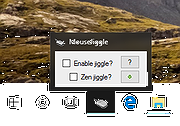 |
|
Mouse without Borders v2.1.8.0105 Mouse without Borders v2.1.8.0105 Mouse without Borders is a product that makes you the captain of your computer fleet by allowing you to control up to four computers from a single mouse and keyboard. This means that with Mouse without Borders you can copy text or drag and drop files across computers. Mouse Without Borders is a Microsoft Garage project by Truong Do. Garage projects are side projects that Microsoft employees like Truong build for fun on their nights and weekends. Mouse Without Borders was designed for people who use many computers in the same room. For example, a laptop or tablet that you take to meetings might sit right alongside the desktop PC in your office. Supported Operating System Windows 10 , Windows 7, Windows 8, Windows 8.1, Windows Server 2003, Windows Server 2008, Windows Server 2012, Windows Server 2016 Windows 10, Windows Server 2016, Windows 8.1, Windows 8, Windows Server 2012, Windows 7, Windows Server 2008 (32/64 bit). .Net 4.0 & up. Install Instructions Download and run the installer on each of your machines. The Mouse without Borders setup experience will be launched after installation. Follow the instructions to configure Mouse without Borders. NOTE: The same version of Mouse without Borders must be run in the machines, old version can be uninstalled in Control Panel or by just running this command: msiexec /uninstall {D3BC954F-D661-474C-B367-30EB6E56542E} /qr. Visit https://aka.ms/mm for help & questions. Additional Information New in this release: Bug fixes and improvements. Click here to visit the author's website. |
|
6,664 | Jul 02, 2020 Truong Do 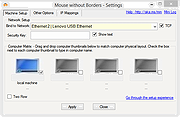 |
|
MPos - Mouse Position v0.4 MPos - Mouse Position v0.4 Open source, portable program to display mouse coordinates and DPI info/logging on the Windows 8.1, Windows 10 and Windows 11 desktop. MPos is a minimalistic and easy to use tool to track the current position of the cursor on the screen. MPos especially considers High-DPI monitors and DPI scaling of Windows 10. The mouse position is provided in physical/ unscaled Windows pixels and in coordinates scaled by DPI-virtualization. The tool also provides information about the DPI scaling and the raw/ physical DPI of the current monitor. Note: MPos requires Windows 8.1 or newer and .NET Framework v.4.6 or newer. Features Track the cursor position in physical pixels (Physical) and scaled pixels (Scaled) See the cursor position relative to the active window (Relative) See the DPI scaling of the current monitor (Scaling) See the raw (real) DPI of the current monitor (Raw Dpi) Determine the color of the pixel at the cursor position (RGB) Flexibly adjust shown data Grab the current cursor position with global shortcut Log of last grabbed cursor positions for easy copying Changes: v.0.4 (2021-10) New: "Customize" window: configure font family and font size Changed: Only log visible position data Click here to visit the author's website. |
|
3,532 | Oct 15, 2021 Bluegrams 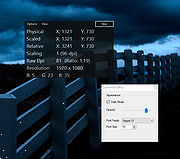 |
|
OpenLogi v0.6.3 OpenLogi v0.6.3 👉 A local-first Logitech mouse configurator for macOS with no account, cloud or telemetry. OpenLogi is a native, open-source alternative to Logitech Options+ that lets you remap Logitech mouse buttons, control DPI, adjust SmartShift wheel behavior and use per-app profiles directly over HID++. It works locally on your Mac, stores settings in a plain TOML config file, and does not require a Logitech account, cloud service or telemetry. Features: • Remap Logitech mouse buttons from a native macOS interface • Built-in action catalog plus custom keyboard shortcut recording • DPI control with presets and cycle/set-preset actions • SmartShift wheel control for ratchet, free-spin and automatic switching • Per-application profiles that switch when the focused app changes • Supports Logi Bolt, Bluetooth-direct and wired USB connections • Live paired-device carousel with battery percentage and charge state • Plain-text TOML configuration • No Logitech account required • No telemetry, analytics or cloud sync • Open source and dual licensed under MIT / Apache-2.0 • Signed and notarized macOS DMG available Supported operating systems: • macOS Supported languages: English, Danish, German, Greek, Spanish, Finnish, French, Italian, Japanese, Korean, Norwegian Bokmεl, Dutch, Polish, Portuguese (Brazil), Portuguese (Portugal), Russian, Swedish, Simplified Chinese, Traditional Chinese (Hong Kong), Traditional Chinese (Taiwan) Changes: v0.6.3 06-09-26 • Added unified Binding model and gesture-button menu. • Added gesture buttons on Middle, Back and Forward via the OS hook. • Release v0.6.3. This download is for the macOS ARM64 version (very bottom of page). If you need the macOS Intel version, download here. Click here to visit the author's website. |
|
463 | Jun 10, 2026 AprilNEA 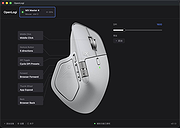 |
|
ScreenArc v1.4.1 ScreenArc v1.4.1 👉 Create polished screen recordings with automatic cinematic zooming and mouse tracking. ScreenArc is a free and open-source screen recorder and editor designed to turn ordinary screen captures into polished videos. It automatically follows mouse activity and creates smooth cinematic zoom and pan effects, making it particularly useful for software demonstrations, tutorials, presentations, product walkthroughs, and instructional videos. Record your screen, edit the resulting footage, adjust its appearance, and export the finished project without having to build every movement and zoom manually. Features: • Record your screen for tutorials, demonstrations, presentations, and other projects • Automatic cinematic zoom and pan effects • Mouse tracking automatically follows activity on the screen • Smooth focus and zoom animations based on mouse activity • Built-in video editing tools for refining recordings • Timeline-based editing for working with captured footage • Webcam recording and overlay support • Customize video frames and backgrounds • Add colors, gradients, wallpapers, and shadows to recordings • Multiple aspect ratios for traditional, square, and vertical videos • Save styling choices as reusable presets • Export completed recordings as video • Cross-platform desktop application • Free and open-source software released under the GNU GPL v3 Supported operating systems: • Windows, version not specified by author • macOS 12.3 or higher • Linux x64 with X11 display server, Wayland is not currently supported Supported languages: English Changes: v1.4.1 07-22-26 Bug Fixes: • Overwrite stale recording outputs. This download is for the Windows version (very bottom of page). All other download assets are below: macOS: ScreenArc-1.4.1-universal.dmg ScreenArc-1.4.1-universal-mac.zip 1) After downloading and attempting to open the app, you'll see a security warning 2) Close the warning dialog 3) Open System Settings > Privacy & Security 4) Scroll down to the "Security" section 5) Click "Open Anyway" next to the warning about ScreenArc 6) Click "Open" in the confirmation dialog Linux: ScreenArc-1.4.1-linux-x64.AppImage ScreenArc-1.4.1-linux-x64.zip ScreenArc-1.4.1-linux-x64.deb ScreenArc-1.4.1-linux-x64.rpm Click here to visit the ... |
|
851 | Sep 14, 2026 Tam Nguyen 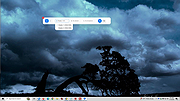 |
|
X-Mouse Button Control v2.20.5 X-Mouse Button Control v2.20.5 👉 Customize and remap your mouse buttons with application-specific profiles. X-Mouse Button Control is a powerful freeware utility that lets you reconfigure and expand the capabilities of virtually any mouse. It allows you to assign different functions to mouse buttons on a per-application or per-window basis, making it easy to tailor your mouse behavior for productivity, gaming, multimedia, or any other task. Profiles activate automatically as you switch between applications, and each profile can contain up to 10 configurable layers that can be toggled with hotkeys or mouse buttons. Features: • Remap mouse buttons to hundreds of built-in actions • Create application-specific and window-specific button profiles • Configure up to 10 independent button mapping layers per profile • Assign simulated keystrokes, shortcuts, and macros • Launch programs, documents, or folders from mouse buttons • Control multimedia playback and system volume • Customize mouse wheel behavior, scrolling, and cursor movement • Automatically activate profiles when switching applications • Import and export profile configurations • Portable version available with no installation required • Runs quietly from the system tray with minimal resource usage Supported operating systems: • Windows XP, Windows Vista, Windows 7, Windows 8, Windows 8.1, Windows 10, Windows 11 Supported languages: • Arabic, Bulgarian, Chinese (Simplified), Chinese (Traditional), Croatian, Czech, Danish, Dutch, English, Finnish, French, German, Greek, Hebrew, Hungarian, Italian, Japanese, Korean, Norwegian, Polish, Portuguese (Brazil), Portuguese (Portugal), Romanian, Russian, Serbian, Slovak, Slovenian, Spanish, Swedish, Turkish, Ukrainian Changes: v2.20.5 06-24-23 • Fixed inability to abort WAIT, WAITMS, HOLD, and HOLDMS commands when using the {flush} queue. • Fixed sticky repeat simulated key behavior after being released or aborted by another button. • Fixed an issue where simulated Volume Down stopped working while Volume Up continued to function. • Attempted to resolve a deadlock between the repeat timer thread and the main hook thread that could cause hangs or lockups. This download is for the Windows portable version (very bottom of ... |
|
7,535 | Jun 30, 2026 Phillip Gibbons 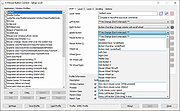 |
| Showing rows 1 to 14 of 14 | Showing Page 1 of 1 | 1 |
OlderGeeks.com Copyright (c) 2026
