|

|
Processed through Paypal No account required. |








Buy our over-priced crap to help pay the bills.



|
|
Processed through Paypal No account required. |
| Files | ||||
| File Name | Rating | Downloads | ||
 |
Free Business Card Maker v1.0 Free Business Card Maker v1.0 Free Business Card Maker is a handy application for creating business cards. Free Business Card Maker helps you create amazing cards with shapes, Images, Logo, Text and print them right-away on any Windows compatible printer. |
 |
6,262 | Oct 23, 2019 HLP Software 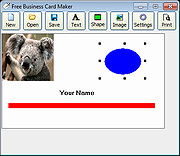 |
 |
Glass Button Maker v1.0.0.4 Glass Button Maker v1.0.0.4 Glass Button Maker helps to create neat looking glass-like buttons for your applications or websites. It is a very simple application that allows you to create colorful or greyscale glass buttons. It also displays the colors you choose in both RGB and hex values for use in your CSS/HTML when creating matching layouts. Glass Button Maker requires the the Microsoft .NET 2.0 framework installed on your system. You can download it from Microsoft’s website, or through Windows Updates. For Linux hosts, you will need Wine with Mono. Tested Operating Systems: Windows® XP, Windows® 7, Windows® 10, Xubuntu 16.10 Click here to visit the author's website. |
|
5,917 | Oct 24, 2019 HazteK Software 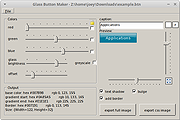 |
|
Hew v1.0.0 Hew v1.0.0 👉 A free, open-source, cross-platform 3D modeler with a familiar SketchUp-style workflow and solids-first design. Hew is a free and open-source 3D modeling application designed around the approachable workflow familiar to SketchUp users. Draw directly on faces, push and pull shapes into three dimensions, snap to endpoints, midpoints and axes, and enter exact measurements while working. Unlike traditional surface-based modeling, Hew creates discrete, watertight solid objects that do not automatically weld together when they touch. Objects are combined only when you explicitly use operations such as Union, Subtract or Intersect. Hew includes tools for drawing, precision modeling, materials, organization, annotation, printing and preparing models for fabrication or 3D printing. It can import existing SketchUp 2017 files as well as COLLADA, glTF and STL models, while its own open .hew format is documented and designed to avoid locking your work into a proprietary format. Models can be exported to formats including glTF, STL, 3MF, USDZ and SVG. The program also includes groups, reusable components, tags, saved scenes and an Outliner for organizing complicated models. Materials and textures can be applied to faces and objects, while dimensions, leader text and 3D text provide annotation tools. Hew can print drawings at an exact scale, tile full-size templates across multiple sheets, save PDF output and create vector SVG drawings. Features: • Solids-first modeling creates discrete, watertight objects instead of automatically welding touching geometry • Familiar SketchUp-style drawing and direct-modeling workflow • Line, rectangle, circle, arc and polygon drawing tools • Draw directly on existing faces • Push/Pull tool for creating solids, reshaping faces and cutting holes • Follow Me tool for sweeping profiles along paths • Offset and Slice tools • Move, Rotate and Scale tools with snapping, axis locking and exact values • Copy objects and create repeated arrays • Inference snapping to model geometry and axes • Type exact, unit-aware dimensions while modeling • Tape Measure ... |
|
87 | Sep 10, 2026 hew3d  |
|
OBLIGE Level Maker v7.70 OBLIGE Level Maker v7.70 OBLIGE is a random level generator for classic DOOM games. The goal is to produce high quality levels which are fun to play. CHANGES IN 7.70 + Heretic support! - Makefile.macos file, courtesy Doctor Nick - fixed error when Steepness setting is "NONE" - fixed blocked paths when using the "Alternate Starts" setting |
|
6,745 | Mar 24, 2019 Andrew Apted 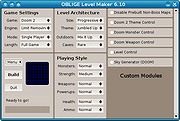 |
|
Scheme Maker v1.4 Scheme Maker v1.4 A free, open source application designed to enable you to create cross-stitch and knitting schemes from images and photos. While working with a scheme this tool will allow you: • Select any part of the image for scheme to be created from; • Determine the size of the scheme in cm, inches or cross-stitches • Detect color for every cell using some algorithms • Lessen the number of colors of the scheme in comparison with original image or photo • Choose one of the types of scheme: colored, colored with symbols, black and white with symbols • Get the key containing numbers of stranded thread needed (4 firms are available now), the amount of cross-stitches of each color and the approximate length of stranded thread, ordered by color, number or amount of every thread • Change the size of a cell on any step of image creating • Save scheme in several popular graphic formats, e.g. PNG, JPEG, etc. This download is for the Windows setup version (very bottom of page). All other download assets are below: Windows: scheme_maker_1.4.zip scheme_maker_help_ui_de.zip Click here to visit the author's website. |
|
3,247 | May 19, 2025 Mariya Davydova 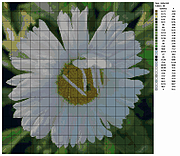 |
|
StereoPhoto Maker Pro v6.04 StereoPhoto Maker Pro v6.04 StereoPhoto Maker(SPM) functions as a versatile stereo image editor \ viewer and can automatically batch-align hundreds of images and mount them to the 'window'. It also allows users with no knowledge of HTML to create WebPages using the 'StereoPhotoViewer Applet'. You simply upload the contents of the applet-project to a Server using a freeware FTP program. More experienced users can create the entire webpage themselves or amend the file produced by SPM. Ver6.03->6.04 Fixed a problem that the file name sequential numbered still image could not be converted to video when the width was an odd number. Also, resizing has been enabled. Added the ability to specify the start time when extracting audio from a video In order to use the movie function with StereoPhoto Maker (SPM), it is necessary to put ffmpeg.exe in the SPM folder. Download FFmpeg(official site) FFmpeg Builds Click here to visit the author's website. |
|
4,005 | Aug 13, 2020 Masuji Suto 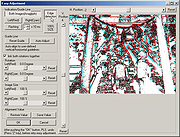 |
|
WinIcon Maker v1.0 WinIcon Maker v1.0 Create Windows icons from any PNG or JPG images. WinIcon Maker is a simple app for creating beautiful Windows icon (ico file) from JPG or PNG images. Simple frag and drop any image to the main window to get started. Supports Windows 10 and Windows 11. Features • Create ico file from JPG or PNG images. • Add border, background and badge. Click here to visit the author's website. |
|
4,264 | Jul 12, 2023 Tweaknow.com 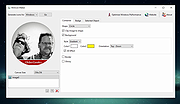 |
| Showing rows 1 to 7 of 7 | Showing Page 1 of 1 | 1 |
OlderGeeks.com Copyright (c) 2026
