|

|
Processed through Paypal No account required. |








Buy our over-priced crap to help pay the bills.



|
|
Processed through Paypal No account required. |
| Files | ||||
| File Name | Rating | Downloads | ||
 |
HashMyFiles v2.51 HashMyFiles v2.51 👉 Calculate and verify file hashes to confirm file integrity and authenticity. HashMyFiles is a lightweight, portable utility that calculates the hash values of one or more files or folders, making it easy to verify file integrity, compare downloaded files against published checksums, detect duplicate content, and confirm that files have not been modified. It supports multiple hashing algorithms including CRC32, MD5, SHA-1, SHA-256, SHA-384, and SHA-512. Hashes can be copied to the clipboard or exported to text, HTML, XML, CSV, JSON, or tab-delimited formats. HashMyFiles also integrates with the Windows Explorer context menu for quick access and requires no installation. Features: • Calculate CRC32, MD5, SHA-1, SHA-256, SHA-384, and SHA-512 hashes • Hash individual files, multiple files, or entire folders • Portable application requiring no installation • Drag-and-drop support • Windows Explorer context menu integration • Compare copied hashes with calculated values • Highlight identical hashes • Export results to TXT, HTML, XML, CSV, JSON, and tab-delimited formats • Command-line support for automation • Display file information including size, timestamps, version, and attributes Supported operating systems: • Windows 2000, Windows XP, Windows Server 2003, Windows Vista, Windows 7, Windows 8, Windows 8.1, Windows 10, Windows 11 Supported languages: English, Arabic, Basque, Belarusian, Bulgarian, Catalan, Chinese (Simplified), Chinese (Traditional), Croatian, Czech, Danish, Dutch, Finnish, French, Galician, German, Greek, Hebrew, Hungarian, Italian, Japanese, Korean, Lithuanian, Norwegian, Persian, Polish, Portuguese (Brazil), Portuguese (Portugal), Romanian, Russian, Serbian, Slovak, Slovenian, Spanish, Swedish, Thai, Turkish, Ukrainian, Vietnamese Changes: v2.51 07-16-26 Added the 'Hashing Duration' option to display the total hashing time in the status bar. Added 'Show Hashing Duration In Milliseconds' option. Added 'Hashes Per Second' column. This download is for the 64bit version (very bottom of page). If you need the 32bit version, download here. Click here to visit the author's website. |
 |
10,406 | Jul 17, 2026 Nir Sofer 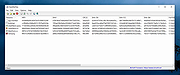 |
 |
VT Uploader v1.26.4.12 VT Uploader v1.26.4.12 👉 A portable Windows utility for uploading files to VirusTotal and viewing detailed scan reports. VT Uploader is a portable Windows client for working directly with the VirusTotal service. It lets you upload and scan files, look up existing reports using MD5, SHA-1 or SHA-256 hashes, analyze executable files belonging to running processes and work with files stored in supported antivirus quarantine areas. Important: VT Uploader requires your own VirusTotal API key to access VirusTotal services. You can obtain a free API key by creating a free VirusTotal Community account. Once you have your key, enter it in VT Uploader's settings before scanning files or retrieving reports. Files can be selected normally, dragged and dropped onto the program, sent through the Windows Explorer Send to menu or supplied by pasting a path from the clipboard. VT Uploader calculates MD5, SHA-1 and SHA-256 hashes and can use them to determine whether VirusTotal already has a report for the file before uploading it. VT Uploader can display VirusTotal detection results and the verdicts returned by individual antivirus engines. It also provides options for viewing raw JSON reports, requesting a reanalysis and opening the complete report on the VirusTotal website. The program can also analyze executables associated with currently running processes and access files from supported antivirus quarantine locations. Privacy-related options include warnings before opening file types that could contain personal information. When settings are stored in the Windows Registry, the VirusTotal API key is encrypted. VT Uploader is portable, requires no installation or additional frameworks and is available in separate 32-bit and 64-bit versions. Features: • Upload files to VirusTotal for malware analysis • Retrieve existing VirusTotal reports • Calculate MD5, SHA-1 and SHA-256 file hashes • Look up reports using file hashes • Analyze executable files belonging to running processes • Access files stored in supported antivirus quarantine areas • Drag and ... |
|
439 | Aug 07, 2026 Denis Anisimov 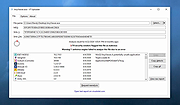 |
| Showing rows 1 to 2 of 2 | Showing Page 1 of 1 | 1 |
OlderGeeks.com Copyright (c) 2026
