|

|
Processed through Paypal No account required. |








Buy our over-priced crap to help pay the bills.



|
|
Processed through Paypal No account required. |
| Files | ||||
| File Name | Rating | Downloads | ||
 |
LostMyPassword v1.02 LostMyPassword v1.02 👉 Recover lost passwords stored by software installed on your Windows system. LostMyPassword is a Windows tool that allows you to recover a lost password if it is stored by software installed on your system. It can extract passwords from popular web browsers, including Chrome, Firefox, Microsoft Edge, Brave, Internet Explorer, and Opera, as well as POP3/IMAP/SMTP passwords stored by email software such as Microsoft Outlook, Thunderbird, and Windows Mail. It can also recover Dialup/VPN passwords stored by Windows and login passwords for remote computers stored by Windows. The program can run as a normal user or as Administrator, with Administrator mode required for some password types that cannot be decrypted without elevated privileges. Features: • Recovers passwords stored by installed Windows software • Extracts passwords from web browsers including Chrome, Firefox, Microsoft Edge, Brave, Internet Explorer, and Opera • Recovers POP3, IMAP, and SMTP passwords from email programs including Microsoft Outlook, Thunderbird, and Windows Mail • Retrieves Dialup and VPN passwords stored by Windows • Recovers remote computer login passwords stored by Windows • Can run in normal user mode or Administrator mode • Standalone utility that does not require installation or additional DLL files Supported operating systems: • Windows XP, Windows Vista, Windows 7, Windows 8, Windows 8.1, Windows 10, Windows 11 • Windows 32-bit, Windows 64-bit Supported languages: English, Brazilian Portuguese, Dutch, French, German, Greek, Hungarian, Italian, Japanese, Korean, Polish, Russian, Simplified Chinese, Slovak, Spanish, Traditional Chinese Changes: v1.02 Updated to decrypt the passwords for the encryption change of Firefox 144 and Thunderbird 146. Notice: On the latest update of Windows 11 (24H2), LSA protection is enabled by default, and this feature blocks LostMyPassword from retrieving passwords stored by Windows operating system. You can disable the LSA protection by following the instructions on this Microsoft Web page: Disable LSA protection WARNING: Your antivirus SHOULD block this program. Think of it as a ... |
 |
5,544 | Mar 16, 2026 Nirsoft 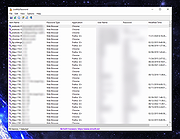 |
| Showing rows 1 to 1 of 1 | Showing Page 1 of 1 | 1 |
OlderGeeks.com Copyright (c) 2026
