|

|
Processed through Paypal No account required. |








Buy our over-priced crap to help pay the bills.



|
|
Processed through Paypal No account required. |
| Files | ||||
| File Name | Rating | Downloads | ||
 |
Katalog v2.12 Katalog v2.12 👉 Lightweight cataloging software to organize and manage collections. Katalog is a free and open source cataloging application designed to help you organize and manage your collections. Whether you are cataloging books, movies, music, games, or any other type of items, Katalog provides a clean and flexible interface to store detailed information and keep everything neatly structured. Katalog allows you to create custom categories and fields, making it adaptable to virtually any type of collection. You can store metadata, descriptions, ratings, and other details, and browse or search through your catalog quickly and efficiently. The program focuses on simplicity and usability while still offering powerful organization features. Features: • Create and manage multiple catalogs • Customizable fields and categories • Store detailed information for each item • Search and filter capabilities • Sorting and organization tools • Open source and free to use Supported operating systems: • Windows 7, Windows 8, Windows 10, Windows 11 • Linux Supported languages: Bulgarian, Chinese, Croatian, Czech, Danish, Dutch, English, Estonian, Finnish, French, German, Greek, Hindi, Hungarian, Indonesian, Italian, Japanese, Latvian, Lithuanian, Norwegian, Polish, Portuguese, Romanian, Serbian, Slovak, Slovenian, Spanish, Swedish, Ukrainian Changes: v2.12 06-04-26 Main improvements: #766 SEARCH: Regular expression support for file name search #222 SEARCH: Search History / Clear list (can keep last 10 searches) #684 SEARCH: List as Search input (several text search input) Pasting a list of term (several lines) and run the search, the results is equivalent to running individual searches with sames criteria except on each different term (a term can be several words). See:Search#file-name #401 DEVICES: breakdown a catalog onto 1 per file type or 1 by sub folder Split Catalog per sub directory Split Catalog per File type See:DevicesCatalogs#catalog-context-menu #770 ... |
 |
1,429 | Jul 24, 2026 Stéphane Couturier 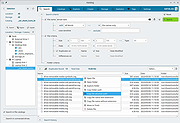 |
| Showing rows 1 to 1 of 1 | Showing Page 1 of 1 | 1 |
OlderGeeks.com Copyright (c) 2026
