|

|
Processed through Paypal No account required. |








Buy our over-priced crap to help pay the bills.



|
|
Processed through Paypal No account required. |
| Files | ||||
| File Name | Rating | Downloads | ||
 |
KCleaner v3.8.0.110 KCleaner v3.8.0.110 KCleaner is designed to be the most efficient Hard Disk cleaner, tracking every useless byte in order to give you all the ressources you may need for your documents, music, pictures, movies,... It is the first product of this kind featuring a full automatic mode, which works in background so that you don't have to care about when to launch it. As a proof of its efficiency, it often finds up to many Gb not even seen by its competitors so... give KCleaner a try ! And if data security is something you are interested in, you'll love the secured file deletion methods proposed by KCleaner, making deleted files unrecoverable by any known mean. Features Detects and cleans temporary and useless files (cache, unused setup files...) Automatic mode working in background Secured file deletion method Expert mode : let users control any file deletion done by KCleaner Internationalization support. Changes: KCleaner - 3.8 Released 2021-02-21 0006382: [Refactoring] Updated French translation (Kyle_Katarn) 0006378: [New Feature] Capacity to remove licence (Kyle_Katarn) 0004732: [Bug] Does not clean browser caches (Kyle_Katarn) 0006348: [Refactoring] Updated Chinese translation (Kyle_Katarn) 0006335: [Refactoring] Updated Dutch translation (Kyle_Katarn) Click here to visit the author's website. |
 |
5,445 | Feb 22, 2021 KC Softwares 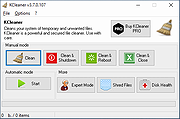 |
|
KCleaner v3.8.2 KCleaner v3.8.2 Closes all unnecessary processes, leaving only the essential ones running. KCleaner is a Windows utility designed to close unnecessary processes and leave only essential ones running. According to the author, it can help remove unwanted or forcibly installed security programs, terminate malicious programs disguised with the same names as Windows system processes, and manage programs that automatically run from various startup locations. It also avoids closing essential drivers such as graphics and sound drivers, and does not terminate trusted antivirus software. Features: • Easily remove unwanted or forcibly installed security programs • Cleanly terminate malicious programs that disguise themselves with the same names as Windows system processes • Conveniently manage programs that automatically run from various locations at startup • Does not close essential drivers such as graphics or sound drivers • Does not terminate trusted antivirus software • Runs as a standalone file with no installation required Supported operating systems: • Windows 10, Windows 11 Supported languages: English, German, Esperanto, French, Italian, Japanese, Polish, Portuguese, Russian, Slovak, Swedish, Thai, Turkish, Vietnamese, Chinese Changes: v3.8.2 10-24-25 - Improved stability under antivirus or restricted permission environments Click here to visit the author's website. |
|
804 | Mar 10, 2026 kilho.net 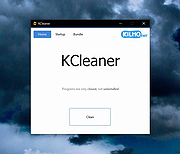 |
| Showing rows 1 to 2 of 2 | Showing Page 1 of 1 | 1 |
OlderGeeks.com Copyright (c) 2026
