|

|
Processed through Paypal No account required. |








Buy our over-priced crap to help pay the bills.



|
|
Processed through Paypal No account required. |
| Files | ||||
| File Name | Rating | Downloads | ||
 |
Jim's Toolbox v7 Jim's Toolbox v7 👉 A free Windows toolbox for reinstall help, repair tools, diagnostics, shortcuts, and handy system fixes. Jim's Toolbox is a collection of functions and links created to make reinstalling Windows quicker and easier by gathering programs, settings, hacks, repair tools, diagnostic tools, and useful fixes into one place. The author says the project began as a personal tool for reinstalling Windows without having to search all over for programs, settings, and hacks, and later expanded with additional tools for fixing an install and adding handy registry hacks and fixes. It requires elevated permissions and a minimum of .NET Framework 4.8. Features: • Collects functions and links in one toolbox-style program • Designed to help make Windows reinstalls quicker and easier • Includes access to programs, settings, hacks, and fixes • Adds tools for fixing a Windows install • Includes handy registry hacks and fixes • Includes Windows repair tools • Includes diagnostic tools • Includes a Windows tab • Includes ISO download access and Media Creator direct download access • Can install Chocolatey and restart afterward if needed • You MUST run this program as an Administrator. After unzipping, right-click on Toolbox vx.x.exe and choose Run as Administrator. Supported operating systems: • Windows 10 64-bit, Windows 11 64-bit Supported languages: English Use 7-Zip to unzip this file. Changes: v7 11-24-25 Added Microsoft Malicious Software Removal Tool to windows repair tools. Added Print Management shortcut to windows repair tools. Added backup & restore shortcut to windows repair tools Moved Windows Iso to Diagnostic Tools Background graphics added Main logo made smaller 7.Restart added after installing Chocolatey 8.Windows Tab added Iso download moved to Windows tab 10 . Direct download button added for media creator with the iso menu. The activation script is back as a link to the GitHub page. Debloating script from Chris Titus added. Click here to visit the author's website. |
 |
7,550 | Mar 26, 2026 Cemil Taşdemir 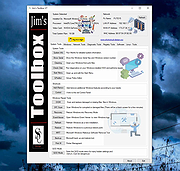 |
| Showing rows 1 to 1 of 1 | Showing Page 1 of 1 | 1 |
OlderGeeks.com Copyright (c) 2026
