|

|
Processed through Paypal No account required. |








Buy our over-priced crap to help pay the bills.



|
|
Processed through Paypal No account required. |
| Files | ||||
| File Name | Rating | Downloads | ||
 |
Input Director v2.3 Input Director v2.3 Enables the control of multiple Windows systems using the keyboard/mouse attached to one computer. Switch control between systems either by hotkey or by moving the cursor to the screen edge on one computer for it to appear on the next one Input Director supports a shared clipboard - copy on one computer, switch control, and paste. Supported operating systems: Windows 11, Windows 10, Windows 8/8.1 and Windows 7. The systems must be networked. Supported languages: English Features Easy to Use • Easy to follow installation and usage guides - setup only takes a few minutes • Input Director's flexible monitor layout system makes it easy to accurately reflect a monitor's physical location and size: • Multi-monitor support • Shared Clipboard - copy and paste between computers (including files!) • Compatible with Windows 11, Windows 10, Windows 8/8.1 and Windows 7 • Only Input Director ensures the cursor remains visible and correct if the mouse is disconnected on a Windows 10 or Window 11 system • Transitioning control to another computer is as simple as moving your cursor off the screen on one computer for it to jump to the other • Able to control a computer without needing to login to it first Supports Windows fast user switching • Compatible with Windows User Account Control pop-ups Manage all your computers at once • Simultaneously lock all computers • Import/Export Input Director configuration and apply configuration updates from the command line • Synchronize screensavers across your computers • Synchronize shutdown of your system (or individually configure whether a computer goes to standby, hibernate or shuts down) • Wake systems over the network Security • Encrypt network data between Input ... |
 |
4,863 | Feb 09, 2026 Shane Richards 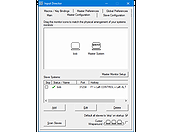 |
| Showing rows 1 to 1 of 1 | Showing Page 1 of 1 | 1 |
OlderGeeks.com Copyright (c) 2026
