|

|
Processed through Paypal No account required. |








Buy our over-priced crap to help pay the bills.



|
|
Processed through Paypal No account required. |
| Files | ||||
| File Name | Rating | Downloads | ||
 |
DeskRealm v0.5.8 DeskRealm v0.5.8 👉 Give each Windows virtual desktop its own real Desktop folder, icon layout and hotkeys. DeskRealm turns Windows virtual desktops into separate Desktop “realms,” each with its own Desktop folder, icon layout and optional direct hotkeys. Instead of every Win + Tab workspace showing the same desktop clutter, DeskRealm redirects the current user’s Windows Desktop Known Folder to the folder assigned to the active virtual desktop. Features: • Assigns separate Desktop folders to Windows virtual desktops • Synchronizes realm folder names with Windows Task View desktop names • Saves and restores per-realm Desktop icon layouts • Automatic icon layout autosave with change detection • Configurable global hotkeys for jumping to numbered desktops • Tray menu with status, refresh, sync, pause/resume, logs, config and restore options • Optional startup with Windows • Preserves the original Desktop folder instead of moving files during onboarding • Refuses OneDrive Desktop redirection by default • Refuses duplicate virtual desktop names and unsafe folder conflicts • Includes emergency restore script for returning the original Desktop path • Portable ZIP and install-bundle release options Supported operating systems: • Windows 10, Windows 11 Supported languages: English Changes: v0.5.8 06-12-26 Fixed: • Reworked first-run onboarding so DeskRealm no longer moves files from the original Windows Desktop into a managed realm folder. • The selected virtual desktop realm now points directly to the original Desktop folder, preserving the normal Desktop when DeskRealm is closed or disabled. • Added absolute-path realm assignments so a realm can safely use an existing external folder such as the original Desktop. • Prevented duplicate assignment of the original Desktop path to multiple virtual desktops. Changed: • The first-run wizard now describes the safe association model instead of file migration. • Config migration v6 disables the legacy initialDesktopImportMoveFiles flag. • Documentation, installation notes, safety notes and release process now describe the no-move onboarding model. Safety: • DeskRealm must not silently move user Desktop files during onboarding. Existing files remain in the original Desktop folder. ... |
 |
613 | Jun 12, 2026 Ayahua Ekimaku  |
|
Desktop Icon Backup Manager v1.7.5 Desktop Icon Backup Manager v1.7.5 👉 Backup and restore your Windows desktop icon layout with ease. Desktop Icon Backup Manager is a lightweight utility that allows you to save and restore the exact layout of your desktop icons. It is especially useful when switching screen resolutions, using multiple monitors, updating graphics drivers, or after system changes that rearrange icon positions. With a simple interface and quick operation, it ensures your carefully arranged desktop stays exactly the way you like it. Features: • Save current desktop icon positions • Restore previously saved icon layouts • Manage multiple backup profiles • Simple and lightweight interface • Portable and easy to use Supported operating systems: • Windows 10, Windows 11 Supported languages: English, العربية, Deutsch, Ελληνικά, Espaρol, Franηais, हिन्दी, Italiano, 日本語, 한국어, Norsk bokmεl, Nederlands, Polski, Portuguκs (BR), Portuguκs (PT), Русский, Svenska, Tόrkηe, Українська, 中文 (简体), 中文 (繁體) Changes: v1.7.5 07-23-26 Switch license from MIT to GPLv3 Click here to visit the author's website. |
|
839 | Aug 14, 2026 mapi68 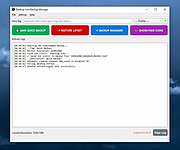 |
|
DesktopOK v12.61 DesktopOK v12.61 👉 Save and restore the positions of desktop icons with ease. DesktopOK is a small but powerful utility that allows you to save and restore the positions of icons on your Windows desktop. It is especially useful for users who frequently change screen resolutions, use multiple monitors, or encounter situations where Windows rearranges desktop icons unexpectedly. DesktopOK can store multiple icon layout snapshots so you can quickly switch between saved configurations. The program can automatically save layouts at timed intervals, restore layouts with a single click, and even manage different layouts for different screen resolutions. It also includes additional desktop tools such as minimizing all windows to the system tray, creating transparent desktop areas, and controlling the visibility of desktop icons. Despite its powerful functionality, DesktopOK remains lightweight and portable, making it ideal for use on USB drives or as a quick troubleshooting tool for restoring desktop layouts. Features: • Save and restore desktop icon layouts • Create multiple layout snapshots for different setups • Automatically save icon positions at timed intervals • Restore layouts after screen resolution or monitor changes • Portable utility with no installation required • Minimize windows to the system tray • Toggle desktop icon visibility quickly • Works well with multi-monitor configurations Supported operating systems: • Windows 7, Windows 8, Windows 10, Windows 11 Supported languages: German, English, French, Italian, Polish, Korean, Chinese (Simplified), Czech, Russian, Portuguese (Brazil), Swedish, Dutch, Finnish, Spanish, Chinese (Traditional), Norwegian, Hungarian, Greek, Turkish, Serbian, Japanese, Danish, Bulgarian, Ukrainian, Catalan, Slovak, Malay, Indonesian, Filipino, Persian, Hebrew, Afrikaans, Hindi, Thai, Vietnamese, Portuguese, Bosnian, Romanian, Flemish Changes: v12.61 06-28-26 • Improvements to DesktopOK for all Windows operating systems • Language file update in DesktopOK This download is for the Windows 64bit version (very bottom of page). If you need the Windows 32bit version, download here. Click here to visit the author's website. |
|
11,026 | Jun 29, 2026 Nenad Hrg 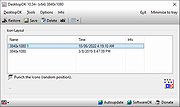 |
|
FileTypesMan v2.01 FileTypesMan v2.01 👉 View and edit Windows file extensions, associations and actions. FileTypesMan is a portable alternative to the File Types manager previously included with Windows Folder Options. It displays detailed information about every file extension and file type registered on your computer, including the type name, description, MIME type, perceived type, default icon, browser flags, Registry key and associated applications. The program uses a two-pane interface. The upper pane lists registered extensions and file types, while the lower pane shows the actions available for the selected item, such as Open, Edit, Print and other context-menu commands. You can edit file type properties, change icons, add or remove actions, replace an extension's assigned file type and open related entries directly in Registry Editor. FileTypesMan requires no installation and can be run directly after extracting the downloaded ZIP file. Separate 32-bit and 64-bit downloads are available. Features: • Displays all registered file extensions and file types • Shows type names, descriptions, MIME types and perceived types • Lists default icons, flags, browser flags and Registry keys • Displays associated applications and available file actions • Adds, edits or removes Open, Edit, Print and other actions • Changes file type properties, flags and default icons • Replaces the assigned file type for a selected extension • Detaches shared file types from individual extensions • Supports Windows UserChoice and SystemFileAssociations entries • Opens file type and action entries directly in Registry Editor • Copies actions from one file type and pastes them into another • Runs with TrustedInstaller privileges when protected entries must be modified • Exports information to text, CSV, tab-delimited, HTML or XML files • Provides command-line options for selecting and exporting extensions • Automatically refreshes the desktop after association changes • Offers optional icon-loading controls to prevent hangs or crashes • Includes a black-background viewing mode • Portable and requires no installation or additional DLL files Supported operating systems: • Windows XP, Windows Vista, ... |
|
10,312 | Jul 27, 2026 Nir Sofer 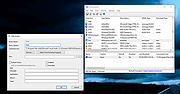 |
|
Icons from File v5.1.1 Icons from File v5.1.1 Icons from File is a free tool for extracting icons or icon arrays from files (EXE, DLL, OCX etc.) with the ability to scan folders and search for EXE, DLL, and OCX files, which contain icons. Extracted icons can be saved (exported) to a file: - All or selected icon to ICO, BMP, JPEG, GIF, PNG, or EMF files; - All icons as a BMP, JPEG, GIF, PNG, or EMF file. All of the icons from the selected files may also be extracted and saved to a selected folder in a step or exported to a HTML document (.htm, .html) or dBase 5 file (.dbf). Export operations may also be performed via the command line. Extracted icons may be printed (all or selected). The program is optionally portable. Click here to visit the author's website. |
|
6,286 | Feb 05, 2020 Vitaliy Levchenko Software 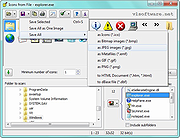 |
 |
Multiple Reboot Scheduler v2.6.0.0 Multiple Reboot Scheduler v2.6.0.0 👉 Automates a series of Windows restarts and records how long each reboot takes. Multiple Reboot Scheduler is a portable technician tool that restarts a Windows PC several times, with a configurable pause between restarts. The sequence is intended to trigger Windows’ built-in boot tracing and optimization. It records the time taken by each reboot so you can see whether startup time improved. It can also run selected maintenance tasks before the sequence, preserve desktop icon positions, and sign the current user in automatically between restarts. Features: • Set the number of reboots and the delay between them. • View the timing history during the sequence and a results summary when it finishes. • Optionally defragment the system partition or process idle tasks before starting. • Back up and restore the desktop icon layout, either automatically or manually. • Set up automatic sign-in for the current user so the sequence can continue unattended. • Pause the countdown, enable a sound for its final 10 seconds, or cancel the sequence. • Run directly as a portable executable. Supported operating systems: • Windows XP, Windows Vista, Windows 7, Windows 8.1, Windows 10, Windows 11, 32-bit and 64-bit Supported languages: English Changes: v2.6.0.0 09-16-24 Not provided. Note: This file has one hit on VirusTotal. We have confirmed this to be a false positive. The file is safe. Click here to visit the author's website. |
No Votes | 72 | Sep 24, 2026 Carifred 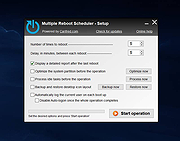 |
|
Tweaking.com - Repair Icons 1.7.4 Tweaking.com - Repair Icons 1.7.4 If you notice your icons on your system are just a white file the use this repair. When the Windows icon database becomes corrupt you will notice the icons not showing correctly. This tool is also a part of Windows Repair (All In One). This will delete the icon database on the system, making windows rebuild it and fixing the corrupt icons. |
|
9,964 | Sep 02, 2017 Tweaking.com 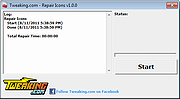 |
|
Tweaking.com - Repair Missing Start Menu Icons Removed By Infections v1.7.4 ==Official Mirror== Tweaking.com - Repair Missing Start Menu Icons Removed By Infections v1.7.4 Repair Missing Start Menu Icons Removed By Infections: This repair will put back the missing icons in the start menu, quick launch, and desktop that are moved by a rouge virus. All the icons by the virus are moved to the temp folder under the folder SMTMP. This tool is also a part of Windows Repair (All In One) SMTMP folder XP - C:\Documents and Settings\(Your Username)\Local Settings\Temp\SMTMP Vista/7 - C:\Users\(Your Username)\AppData\Local\Temp\SMTMP Folder 1 contains the All Users Start Menu shortcuts XP - C:\Documents and Settings\All Users\Start Menu Vista/7 - C:\Program Data\Microsoft\Windows\Start Menu Folder 2 contains the Quick Launch shortcuts XP - C:\Documents and Settings\(Your Username)\Application Data\Microsoft\Internet Explorer\Quick Launch Vista/7 - C:\Users\(Your Username)\AppData\Roaming\Microsoft\Internet Explorer\Quick Launch Folder 3 contains Windows 7 Taskbar icons (not needed in Windows XP) XP - N/A Vista/7 - C:\Users\(Your Username)\AppData\Roaming\Microsoft\Internet Explorer\Quick Launch\User Pinned\TaskBar Folder 4 does have Desktop icons XP - C:\Documents and Settings\All Users\Desktop Vista/7 - C:\Users\Public\Public Desktop |
 |
9,882 | Nov 13, 2019 Tweaking.com |
| Showing rows 1 to 8 of 8 | Showing Page 1 of 1 | 1 |
OlderGeeks.com Copyright (c) 2026
