|

|
Processed through Paypal No account required. |








Buy our over-priced crap to help pay the bills.



|
|
Processed through Paypal No account required. |
| Files | ||||
| File Name | Rating | Downloads | ||
 |
AppNetworkCounter v1.60 AppNetworkCounter v1.60 👉 View network usage and bandwidth for every application on Windows. AppNetworkCounter is a simple Windows utility that counts and displays TCP/UDP bytes and packets sent and received by every application on your system. It shows received bytes, sent bytes, receive speed, send speed, IPv4 and IPv6 traffic totals, packet counts, and application version details such as product name, product version, file description, and company name. Features: • Displays network usage per application • Shows sent and received TCP/UDP bytes • Shows sent and received packet counts • Displays receive and send speeds • Tracks IPv4 and IPv6 traffic separately • Shows maximum and average receive/send speeds • Includes first and last activity time columns • Can group results by application name or process ID • Option to hide inactive items • Option to show a total line for all applications • Tray icon support • Export reports to text, CSV, HTML, XML, and JSON • Command-line report saving options • Portable; no installation required Supported operating systems: • Windows XP, Windows Vista, Windows 7, Windows 8, Windows 10, Windows 11 • 32-bit and 64-bit Windows supported • Administrator elevation required on Windows Vista and later Supported languages: English, Arabic, Brazilian Portuguese, Czech, Dutch, French, German, Greek, Hungarian, Italian, Japanese, Persian, Polish, Romanian, Russian, Simplified Chinese, Slovak, Spanish, Traditional Chinese, Turkish Changes: v1.60 The tooltip of the tray icon now displays the current information of the selected item: Application Name, Received Bytes, Sent Bytes, Receive Speed, Send Speed. This download is for the Windows 64bit version (very bottom of page). If you need the Windows 32bit version, download here. Click here to visit the author's website. |
 |
6,232 | Jun 03, 2026 Nir Sofer 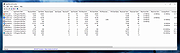 |
 |
CountryTraceRoute v1.51 CountryTraceRoute v1.51 👉 Fast GUI traceroute utility with IP country information for Windows. CountryTraceRoute is a traceroute utility similar to Windows tracert, but with a graphical interface and faster operation. It displays each hop along the route to a host name or IP address and also shows the country of the owner of each detected IP address. Completed traceroute results can be copied to the clipboard or saved as CSV, tab-delimited, HTML, or XML files. Features: • Fast graphical traceroute tool for Windows • Displays IP address country information for each hop • Supports host names and IP addresses • Supports IPv4, IPv6, and Automatic IP address modes • Displays TTL, ASN, and company information when supported location databases are used • Can use external IP-location CSV files for country, city, and ASN data • Supports GeoLite2 City, Country, and ASN databases in CSV format • Saves selected results as CSV, tab-delimited, HTML, or XML files • Copies selected results or IP addresses to the clipboard • Command-line options for starting traceroute, maximum hops, and timeout • Portable, no installation required Supported operating systems: • Windows 2000 through Windows 11, 32-bit and 64-bit Supported languages: English, Brazilian Portuguese, Dutch, French, German, Greek, Hungarian, Italian, Japanese, Korean, Persian, Polish, Romanian, Russian, Simplified Chinese, Slovak, Spanish, Traditional Chinese, Turkish Changes: v1.51 Added 'Black Background' option (Under the View menu). When it's turned on, the main table is displayed in black background and white text, instead of default system colors. Updated the internal IP location database. Note: This file has two hits on VirusTotal. We have confirmed these to be false positives. The file is safe. Click here to visit the author's website. |
|
5,123 | Apr 30, 2026 Nir Sofer 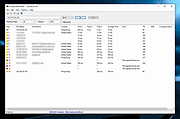 |
|
IPNeighborsView v1.03 IPNeighborsView v1.03 👉 View detailed information about computers and devices recently detected on your local network. IPNeighborsView is a lightweight, portable network utility that displays the IP neighbor table maintained by Windows. The IP neighbor table contains computers, routers, printers, smartphones, and other network devices that Windows has recently communicated with on your local network. The program displays detailed information for every detected entry, including the IP address, MAC address, MAC address vendor, address type, state, state duration, local network adapter, interface index, and connection name. IPNeighborsView can also detect randomized MAC addresses used by many modern mobile devices and clearly identifies them in the manufacturer column. IPNeighborsView requires no installation and can be run directly from any folder or portable drive. Selected entries can be copied to the clipboard or exported to text, CSV, tab-delimited, HTML, XML, and JSON formats. Permanent neighbor table entries are hidden by default but can be displayed through the Options menu when needed. Features: • Displays the Windows IP neighbor table • Lists computers and devices recently detected on the local network • Shows IPv4 and IPv6 addresses • Displays MAC addresses and associated hardware vendors • Detects and labels randomized MAC addresses • Shows address type and neighbor state information • Displays state duration for each entry • Identifies the local network adapter and connection name • Optionally displays permanent neighbor table entries • Copy selected entries directly to the clipboard • Export data to Text, CSV, Tab-delimited, HTML, XML, or JSON • Includes command-line options for automated exports • Portable with no installation required • Supports both 32-bit and 64-bit Windows Supported operating systems: • Windows Vista, Windows 7, Windows 8, Windows 8.1, Windows 10, Windows 11 Supported languages: English, Dutch, French, German, Greek, Hungarian, Italian, Japanese, Persian, Polish, Russian, Simplified Chinese, Slovak, Traditional Chinese, Turkish Changes: v1.03 07-15-26 When a randomized MAC address is detected, it is displayed in the MAC Address Company column. Updated the ... |
|
3,439 | Jul 30, 2026 Nir Sofer 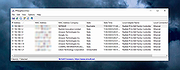 |
|
ProcessTCPSummary v1.25 ProcessTCPSummary v1.25 👉 Displays a detailed summary of TCP connections and listening UDP ports for every running Windows process. ProcessTCPSummary is a small portable network monitoring utility from NirSoft that displays a summary of processes that currently have TCP connections or listening UDP ports. For each process, it shows the total number of TCP connections, connection counts broken down by status such as Established, Listening, SYN-Sent and SYN-Received, IPv4 and IPv6 connection counts, commonly used port numbers and other connection details. When run as Administrator, it can also display TCP/UDP bytes sent and received by each process along with current sending and receiving speeds. The program requires no installation or additional DLL files. Simply extract the downloaded archive and run ProcessTCPSummary.exe. Information can also be exported from the command line to text, tab-delimited, CSV, JSON, HTML or XML files. Features: • Displays all processes with active TCP connections or listening UDP ports • Shows the total number of TCP connections for each process • Breaks TCP connections down by status, including Established, Listening, SYN-Sent and SYN-Received • Shows separate IPv4 and IPv6 TCP connection counts • Displays commonly used port numbers for each process • Shows TCP and UDP bytes sent and received when run as Administrator • Displays current network send and receive speeds • Can display the full paths of system processes when run as Administrator • Supports sorting by individual or multiple columns • Can save results as text, tab-delimited, CSV, JSON, HTML or XML files • Includes command-line options for unattended exporting and sorting • Supports a configurable system tray icon and Always On Top mode • Can start hidden when used with the tray icon option • Includes a black-background display option • Portable and requires no installation or additional DLL files Supported operating systems: • Windows XP, Windows Vista, Windows 7, Windows 8, Windows 8.1, Windows 10, Windows 11 • 32-bit and 64-bit Windows supported Supported ... |
|
6,210 | Sep 04, 2026 Nir Sofer 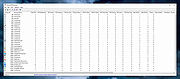 |
| Showing rows 1 to 4 of 4 | Showing Page 1 of 1 | 1 |
OlderGeeks.com Copyright (c) 2026
