|

|
Processed through Paypal No account required. |








Buy our over-priced crap to help pay the bills.



|
|
Processed through Paypal No account required. |
| Files | ||||
| File Name | Rating | Downloads | ||
 |
HotkeyP v4.10 HotkeyP v4.10 Assign a keyboard shortcut or a mouse shortcut to any executable file, document, folder or web page. You can also use all multimedia keys, the fourth and fifth mouse buttons and a remote control (if you install WinLIRC). Other commands are: change keys in other applications, shutdown, restart, lock computer, start a screen saver, change the desktop resolution, set window opacity, audio volume, set process priorities, terminate applications, eject CD, set CD speed, show disk free space, empty the recycle bin, delete temporary files, change desktop wallpaper, save/restore desktop icons positions, minimize any application to the system tray, hide window, change window transparency, zoom tool, screenshot to BMP file, set window always on top, paste date/time or any text, and more. See the help page for more info. Changes: v4.10 (2023-05-28) - maximal length of hotkey parameters increased to 65535 - command "Paste text" can paste a registry value - "Enable multiple instances" is always enabled for explorer.exe - winmm.dll is loaded only if needed - help has a content - renamed "Suspend" to "Sleep/Suspend" - renamed "Monitor power off" to "Display power off" This download is for the 64bit version. If you need the 32bit version, download here. Click here to visit the author's website. |
 |
4,296 | May 30, 2023 Petr Lastovicka 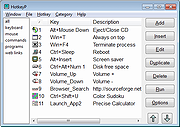 |
| Showing rows 1 to 1 of 1 | Showing Page 1 of 1 | 1 |
OlderGeeks.com Copyright (c) 2026
